





Question: AI, please help me develop this assignment as if I was doing it in a words document and instead of doing it as a group

AI, please help me develop this assignment as if I was doing it in a words document and instead of doing it as a group I am doing this assignment as an individual.
AI, please help me develop this assignment as if
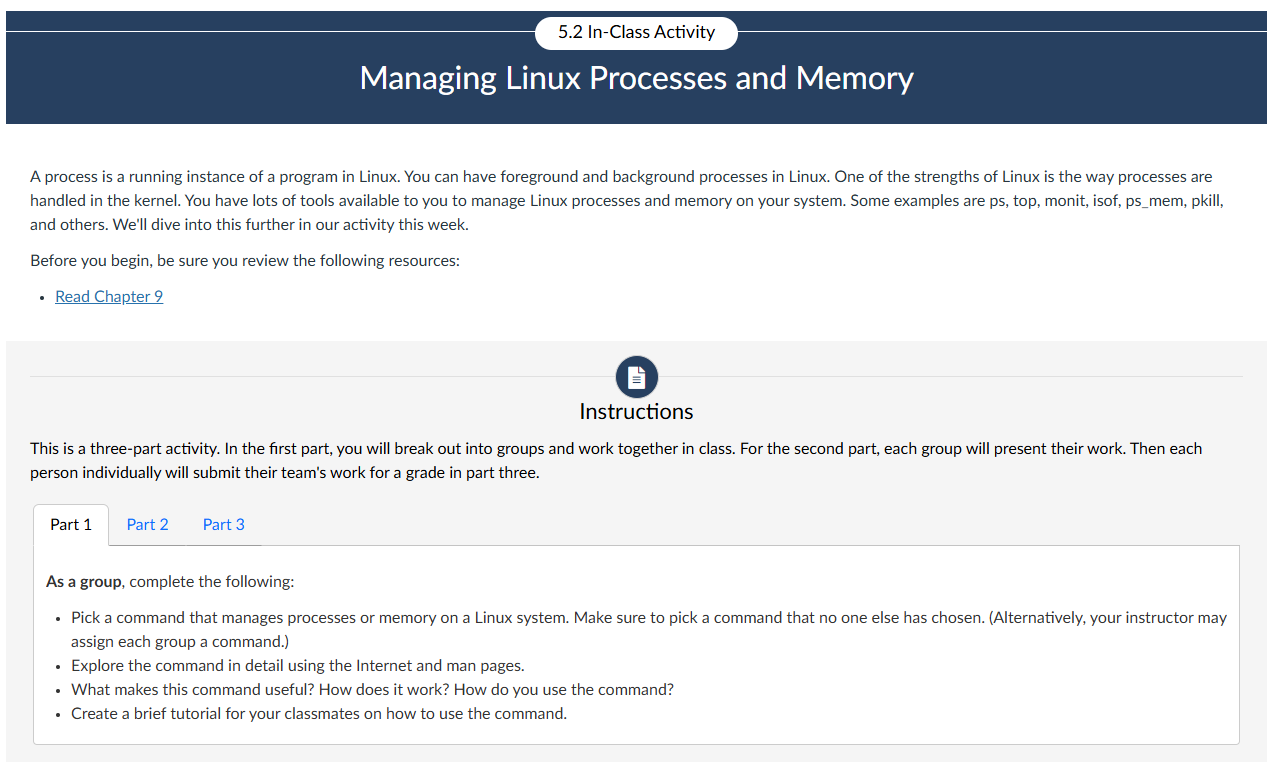
5.2 In-Class Activity Managing Linux Processes and Memory A process is a running instance of a program in Linux. You can have foreground and background processes in Linux. One of the strengths of Linux is the way processes are handled in the kernel. You have lots of tools available to you to manage Linux processes and memory on your system. Some examples are ps, top, monit, isof, ps_mem, pkill, and others. We'll dive into this further in our activity this week. Before you begin, be sure you review the following resources: Read Chapter 9 O Instructions This is a three-part activity. In the first part, you will break out into groups and work together in class. For the second part, each group will present their work. Then each person individually will submit their team's work for a grade in part three. Part 1 Part 2 Part 3 As a group, complete the following: . Pick a command that manages processes or memory on a Linux system. Make sure to pick a command that no one else has chosen. (Alternatively, your instructor may assign each group a command.) Explore the command in detail using the Internet and man pages. What makes this command useful? How does it work? How do you use the command? Create a brief tutorial for your classmates on how to use the command

Step by Step Solution

There are 3 Steps involved in it

1 Expert Approved Answer
Step: 1 Unlock blur-text-image

Question Has Been Solved by an Expert!

Get step-by-step solutions from verified subject matter experts

Step: 2 Unlock
Step: 3 Unlock

Students Have Also Explored These Related Accounting Questions!