







Question: all of it is one program HOMEWORK We will create a menu to select a user whether he/she is a student or teacher. After selection
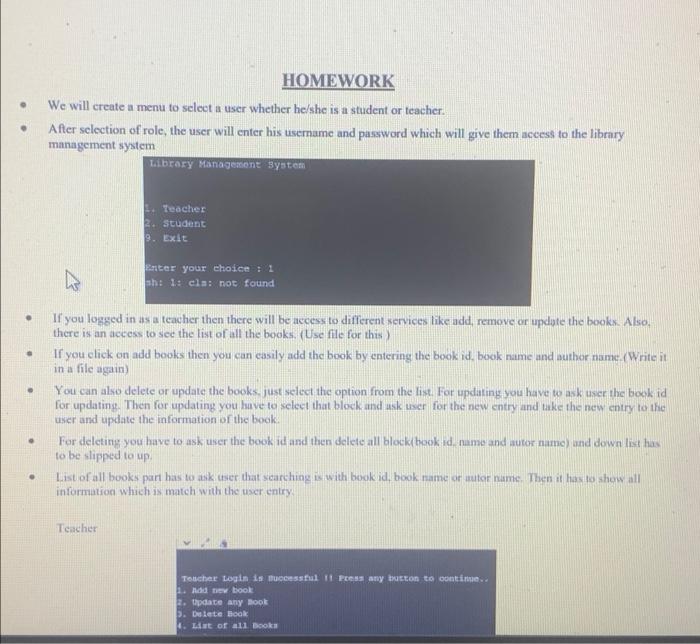
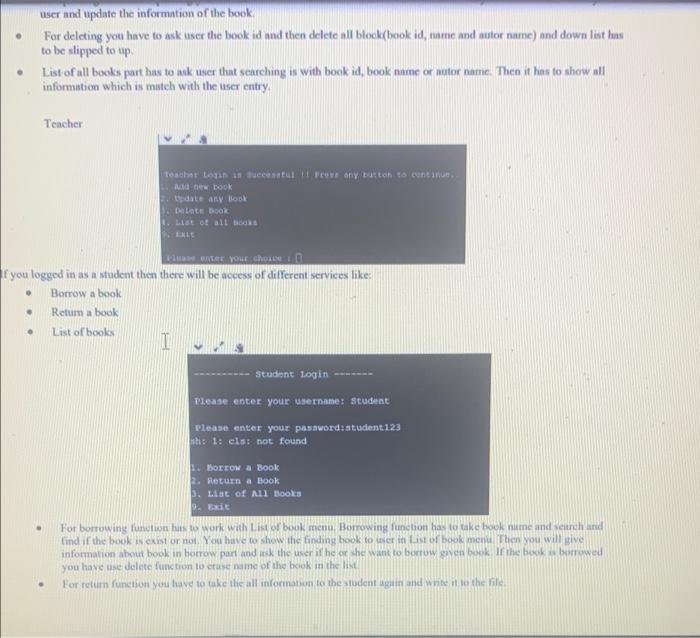
HOMEWORK We will create a menu to select a user whether he/she is a student or teacher. After selection of role, the user will enter his username and password which will give them access to the library management system Library Management system Teacher student 9. Exit h Enter your choice : 1 h: 1: cls: not found . . If you logged in as a teacher then there will be access to different services like add, remove or update the books. Also, there is an access to see the list of all the books. (Use file for this) If you click on add books then you can easily add the book by entering the book id, book name and author name.Writeit in a file again) You can also delete or update the books just select the option from the list for updating you have to ask user the book id for updating. Then for updating you bave to select that block and usk user for the new entry and take the new entry to the user and update the information of the book. For deleting you have to ask user the book idand then delete all block book id. nume and autor nume) nd down lit has to be slipped to up List of all books part has to ask user that searching in with book id, book name or autor name. Then it has to show all information which is match with the user entry . . Teacher Toucher Login is cessful II Fes any button to contime 1. A book 2. Update any Book 5. Dilete Book 1. List of all Books user and update the information of the book For deleting you have to ask user the book id and then delete all block book id, name and actor name) and downlist hans to be slipped to up List of all books part has to mak user thut searching is with book id, book name or nutor name. Then it has to show all information which is match with the user entry Tencher teachint Login a succesul preus any button to continue A DOOK date any Book Dette book tot all Books DELLE PAGE YLE Shoe f you logged in as a student then there will be access of different services like: Borrow a book Retum a book List of books I . Student Login Please enter your username: Student Please enter your password: student 123 nh: 1: els: not found 1. Borrow a Book 2. Return a book 3. List of All Books 2. Exit For borrowing function has to work with List of book menu. Borrowing function has to take book name and strehand lind if the book exist or not. You have to show the tinding book to let in List of book menu. Then you will give information about book in borrow part and ask the user if he or she want to borrow guven book. If the book borrowed you have lise delete function to ease name of the book in the line For return function you have to take the all information to the student pain and write it to the file
Step by Step Solution
There are 3 Steps involved in it

Get step-by-step solutions from verified subject matter experts
 Study Help