







Question: All -this week's Appliance Warehouse assignment will be Database oriented and require only 2 files for submission as specified here in steps 1&2 just below
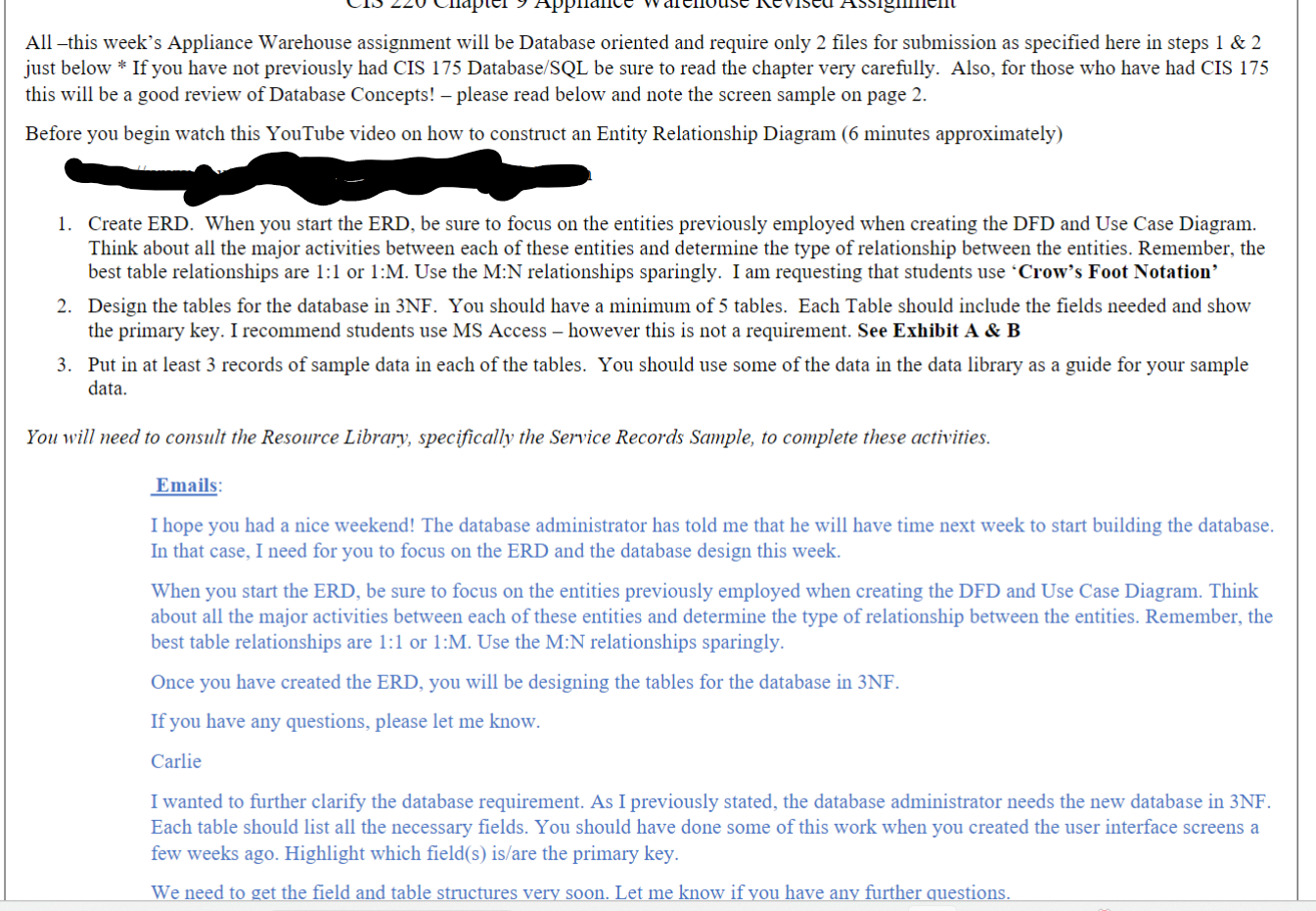
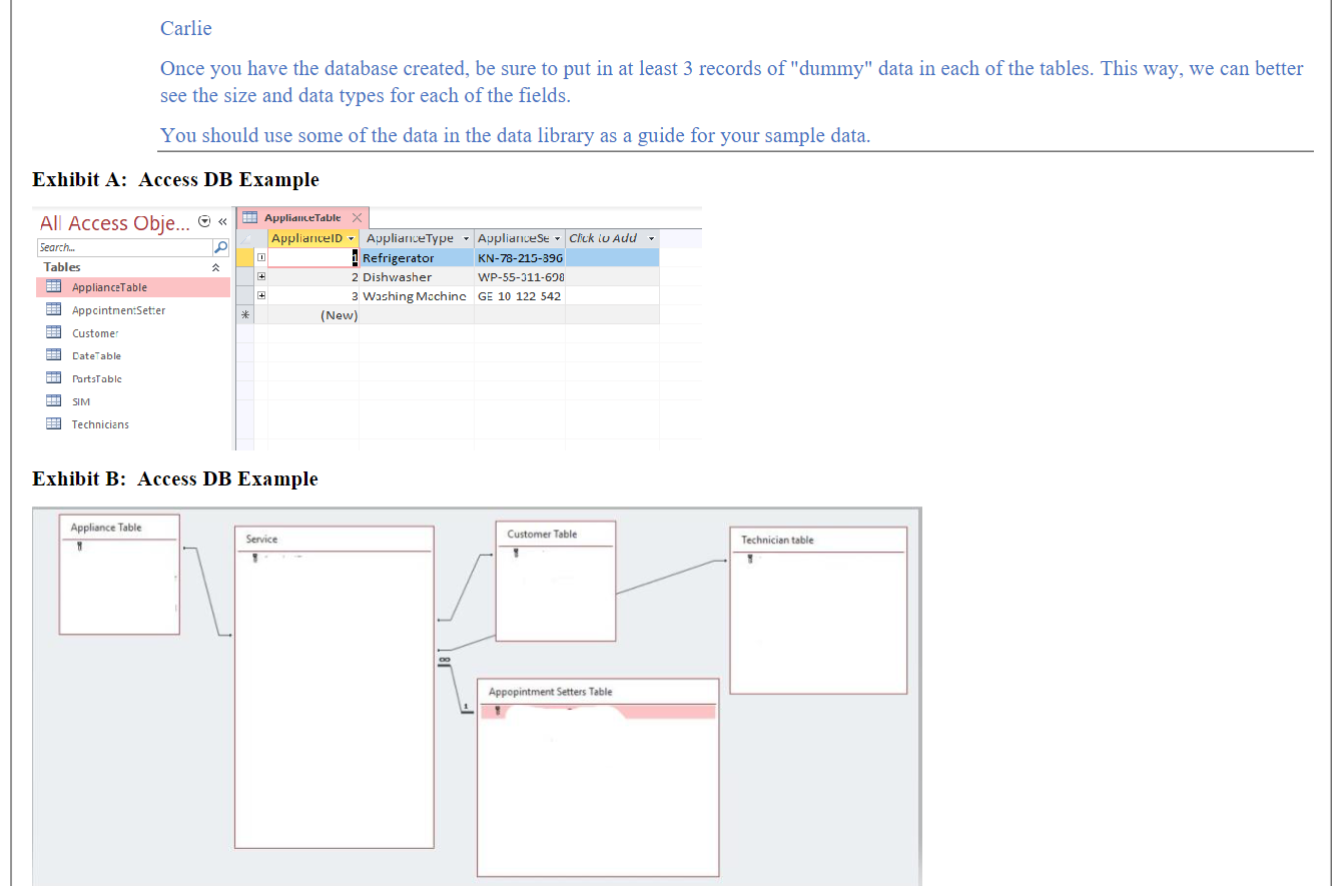
All -this week's Appliance Warehouse assignment will be Database oriented and require only 2 files for submission as specified here in steps 1&2 just below * If you have not previously had CIS 175 Database/SQL be sure to read the chapter very carefully. Also, for those who have had CIS 175 this will be a good review of Database Concepts! - please read below and note the screen sample on page 2 . Before you begin watch this YouTube video on how to construct an Entity Relationship Diagram (6 minutes approximately) 1. Create ERD. When you start the ERD, be sure to focus on the entities previously employed when creating the DFD and Use Case Diagram. Think about all the major activities between each of these entities and determine the type of relationship between the entities. Remember, the best table relationships are 1:1 or 1:M. Use the M:N relationships sparingly. I am requesting that students use 'Crow's Foot Notation' 2. Design the tables for the database in 3NF. You should have a minimum of 5 tables. Each Table should include the fields needed and show the primary key. I recommend students use MS Access - however this is not a requirement. See Exhibit A \& B 3. Put in at least 3 records of sample data in each of the tables. You should use some of the data in the data library as a guide for your sample data. You will need to consult the Resource Library, specifically the Service Records Sample, to complete these activities. Emails: I hope you had a nice weekend! The database administrator has told me that he will have time next week to start building the database. In that case, I need for you to focus on the ERD and the database design this week. When you start the ERD, be sure to focus on the entities previously employed when creating the DFD and Use Case Diagram. Think about all the major activities between each of these entities and determine the type of relationship between the entities. Remember, the best table relationships are 1:1 or 1:M. Use the M:N relationships sparingly. Once you have created the ERD, you will be designing the tables for the database in 3NF. If you have any questions, please let me know. Carlie I wanted to further clarify the database requirement. As I previously stated, the database administrator needs the new database in 3NF. Each table should list all the necessary fields. You should have done some of this work when you created the user interface screens a few weeks ago. Highlight which field(s) is/are the primary key. We need to get the field and table structures very soon. Let me know if you have any further questions. Carlie Once you have the database created, be sure to put in at least 3 records of "dummy" data in each of the tables. This way, we can better see the size and data types for each of the fields. You should use some of the data in the data library as a guide for your sample data. Exhibit A: Access DB Example Frhihit R: Acress DR Fxamnle
Step by Step Solution
There are 3 Steps involved in it

Get step-by-step solutions from verified subject matter experts
 Study Help