







Question: Alternative: Use the Excel Internal Data Model. For analyses that require two or more tables, you need to define the relationships in Excel before you
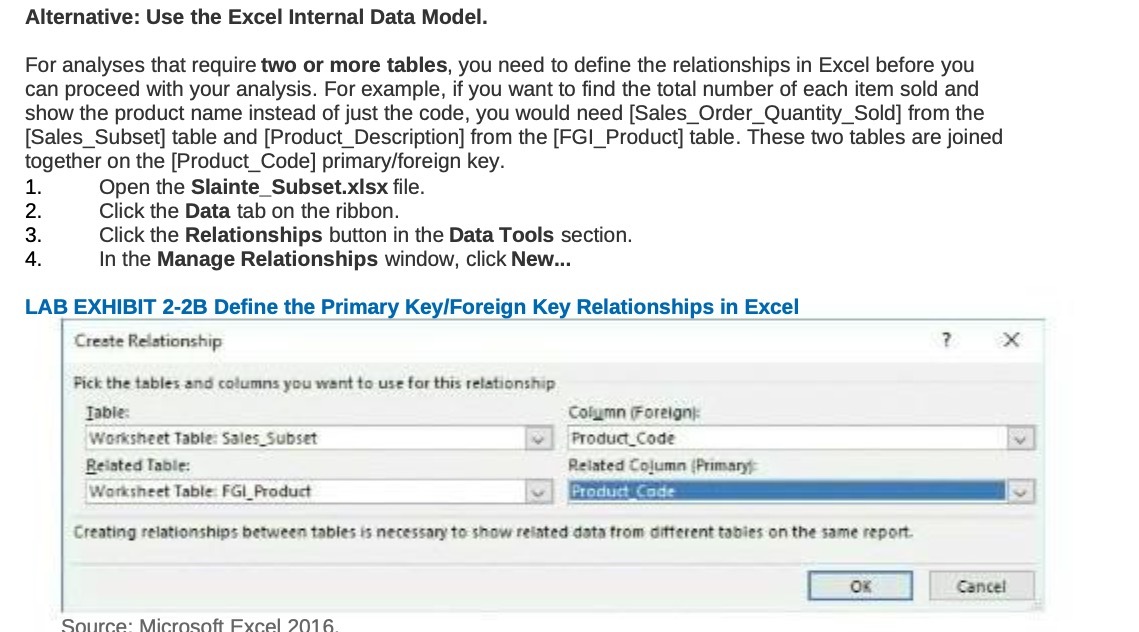
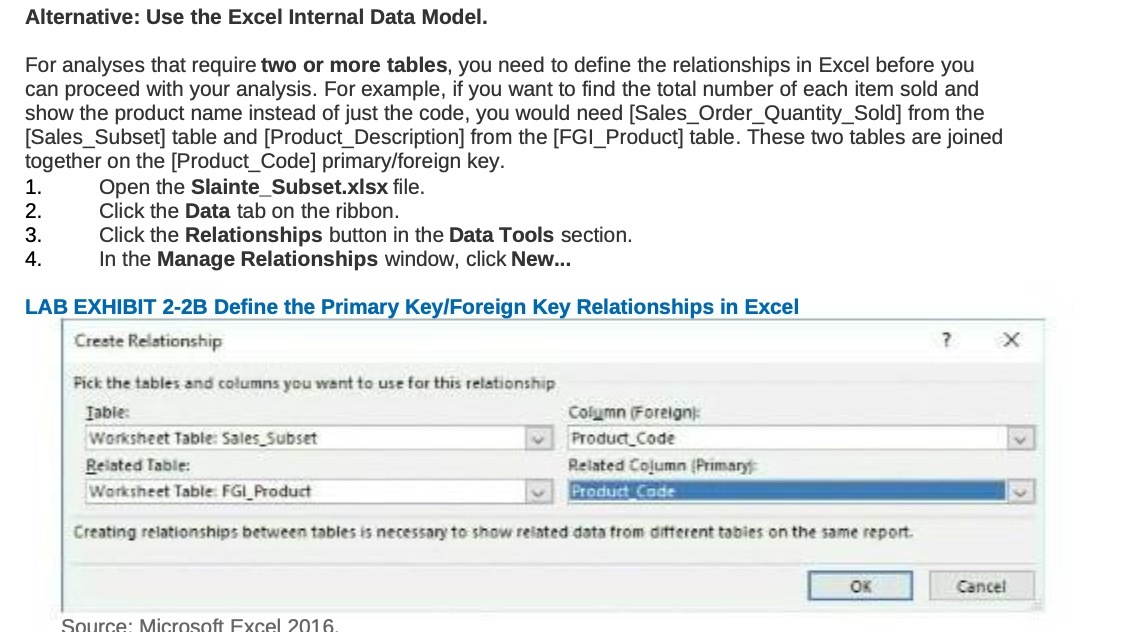
Alternative: Use the Excel Internal Data Model. For analyses that require two or more tables, you need to define the relationships in Excel before you can proceed with your analysis. For example, if you want to find the total number of each item sold and show the product name instead of just the code, you would need [Sales_Order_Quantity_Sold] from the [Sales_Subset] table and [Product_Description] from the [FGI_Product] table. These two tables are joined together on the [Product_Code] primary/foreign key. 1. Open the Slainte_Subset.xIsx file. 2. Click the Data tab on the ribbon. 3. Click the Relationships button in the Data Tools section. 4. In the Manage Relationships window, click New... LAB EXHIBIT 2-2B Define the Primary Key/Foreign Key Relationships in Excel Create Relationship X Pick the tables and columns you want to use for this relationship Table: Column (Foreign): Worksheet Table: Sales_Subset Product_Code Related Table: Related Column (Primary Worksheet Table FG!_Product Product Code Creating relationships between tables is necessary to show related data from different tables on the same report. Cancel Source: Microsoft Excel 2016
Step by Step Solution
There are 3 Steps involved in it

Get step-by-step solutions from verified subject matter experts
 Study Help