







Question: Analyse an IPv4 network setup for a local autonomous university. The department has 3 staff offices, 30 lecturer offices, 6 lecture theatres, 15 laboratory and
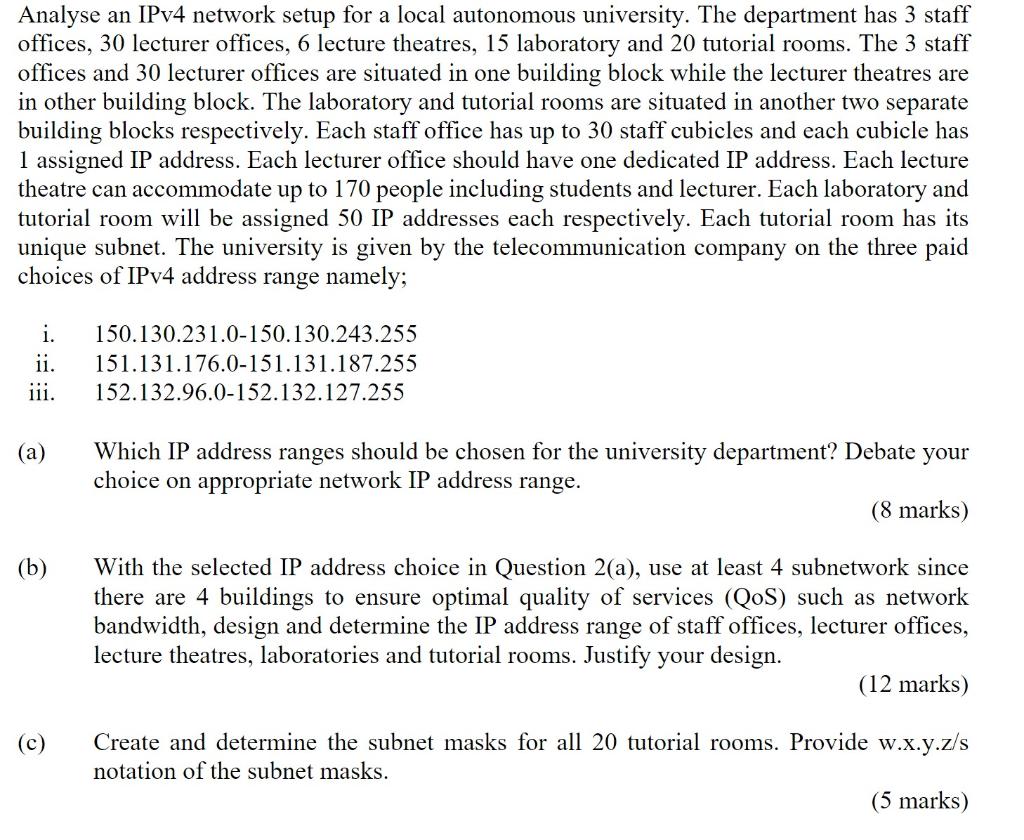
Analyse an IPv4 network setup for a local autonomous university. The department has 3 staff offices, 30 lecturer offices, 6 lecture theatres, 15 laboratory and 20 tutorial rooms. The 3 staff offices and 30 lecturer offices are situated in one building block while the lecturer theatres are in other building block. The laboratory and tutorial rooms are situated in another two separate building blocks respectively. Each staff office has up to 30 staff cubicles and each cubicle has 1 assigned IP address. Each lecturer office should have one dedicated IP address. Each lecture theatre can accommodate up to 170 people including students and lecturer. Each laboratory and tutorial room will be assigned 50 IP addresses each respectively. Each tutorial room has its unique subnet. The university is given by the telecommunication company on the three paid choices of IPv4 address range namely; i. 150.130.231.0150.130.243.255 ii. 151.131.176.0151.131.187.255 iii. 152.132.96.0152.132.127.255 (a) Which IP address ranges should be chosen for the university department? Debate your choice on appropriate network IP address range. (8 marks) (b) With the selected IP address choice in Question 2(a), use at least 4 subnetwork since there are 4 buildings to ensure optimal quality of services (QoS) such as network bandwidth, design and determine the IP address range of staff offices, lecturer offices, lecture theatres, laboratories and tutorial rooms. Justify your design. (12 marks) (c) Create and determine the subnet masks for all 20 tutorial rooms. Provide w.x.y.z/s notation of the subnet masks
Step by Step Solution
There are 3 Steps involved in it

Get step-by-step solutions from verified subject matter experts
 Study Help