







Question: android app with the upper design ASSIGNMENT 1 - The Pizza Palace 1 Overview: This document specifies the functional, non-functional, and deliverable requirements for the
android app with the upper design
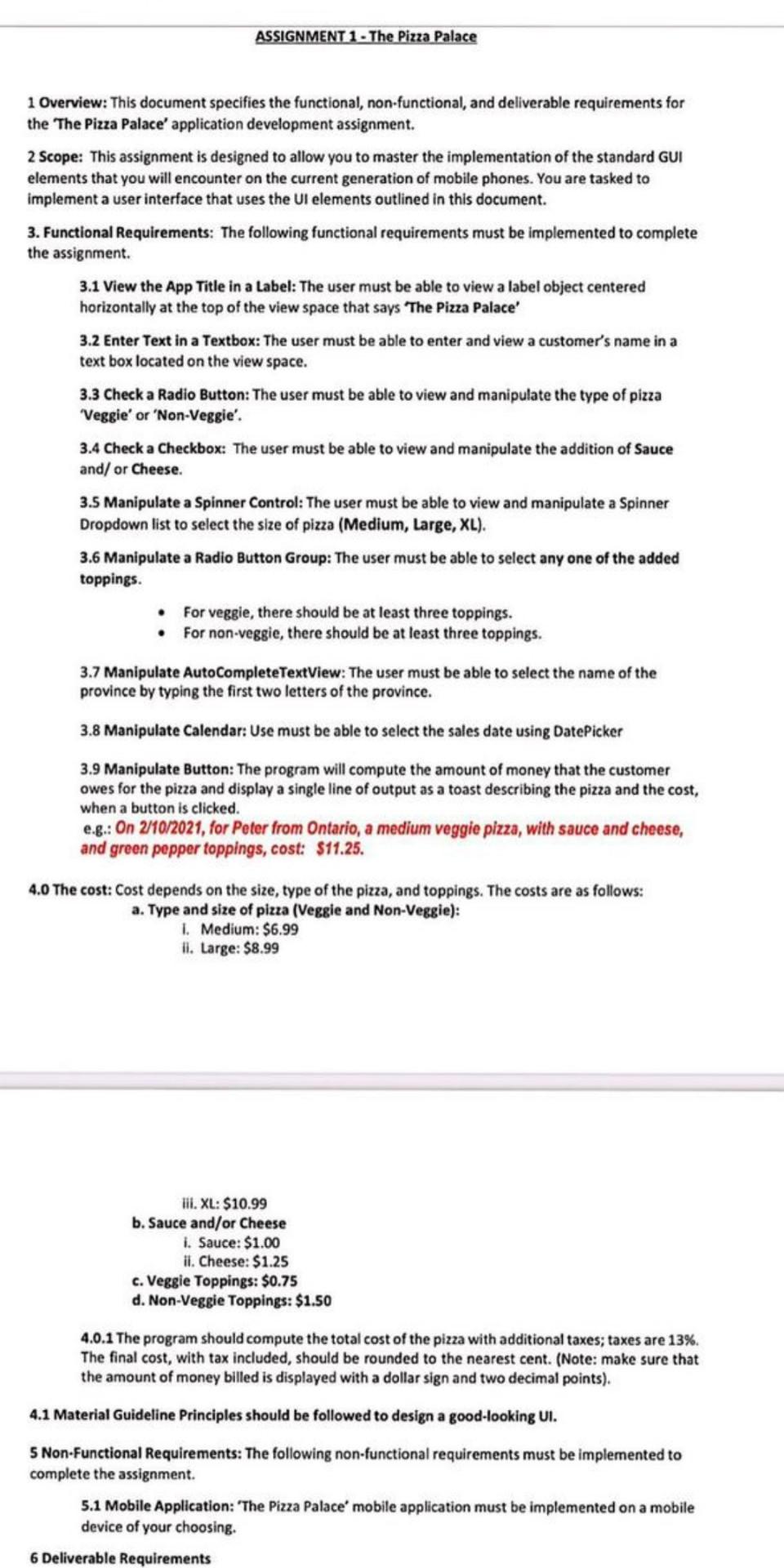
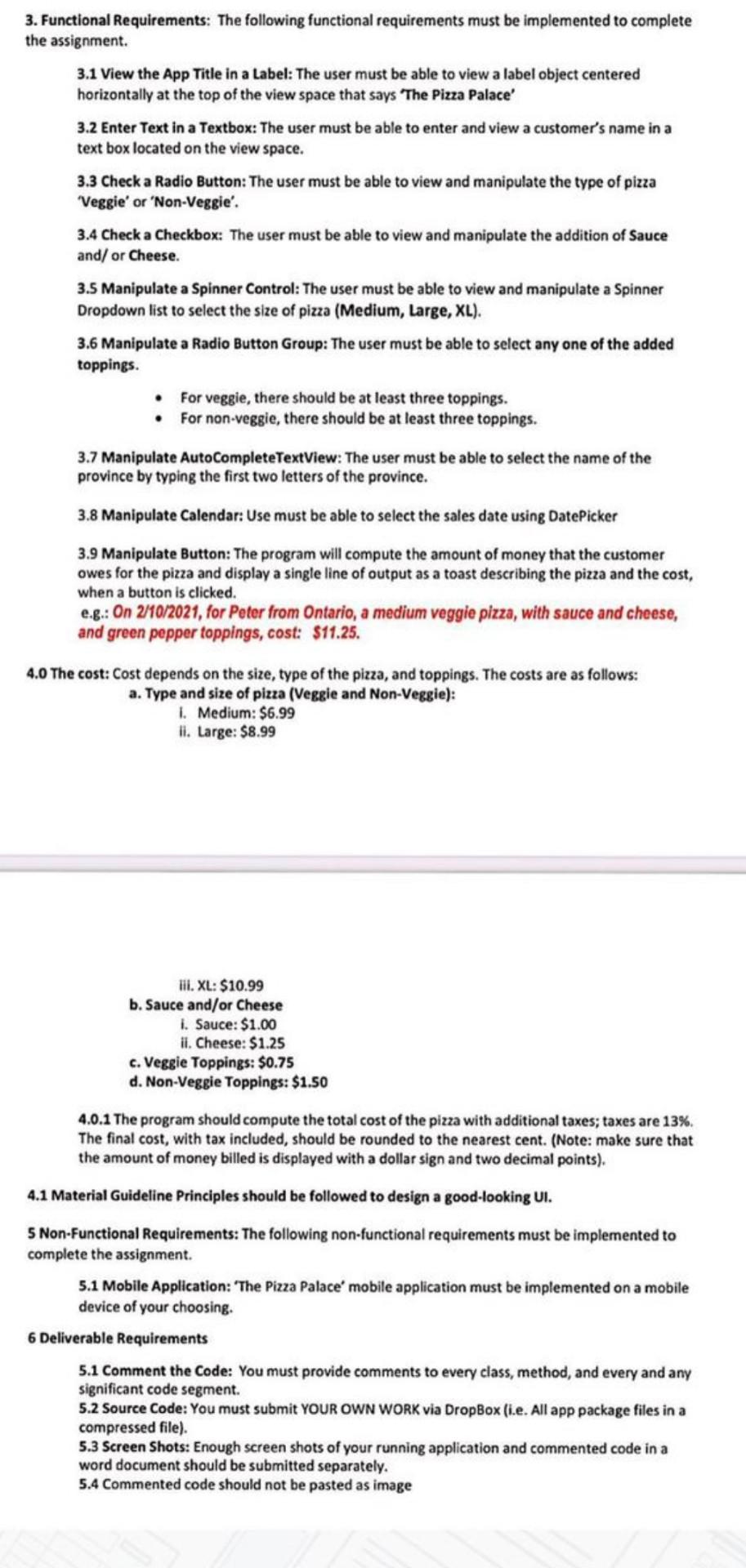
ASSIGNMENT 1 - The Pizza Palace 1 Overview: This document specifies the functional, non-functional, and deliverable requirements for the 'The Pizza Palace' application development assignment. 2 Scope: This assignment is designed to allow you to master the implementation of the standard GUI elements that you will encounter on the current generation of mobile phones. You are tasked to implement a user interface that uses the UI elements outlined in this document. 3. Functional Requirements: The following functional requirements must be implemented to complete the assignment. 3.1 View the App Title in a Label: The user must be able to view a label object centered horizontally at the top of the view space that says "The Pizza Palace' 3.2 Enter Text in a Textbox: The user must be able to enter and view a customer's name in a text box located on the view space. 3.3 Check a Radio Button: The user must be able to view and manipulate the type of pizza Veggie' or 'Non-Veggie'. 3.4 Check a Checkbox: The user must be able to view and manipulate the addition of Sauce and/or Cheese 3.5 Manipulate a Spinner Control: The user must be able to view and manipulate a Spinner Dropdown list to select the size of pizza (Medium, Large, XL). 3.6 Manipulate a Radio Button Group: The user must be able to select any one of the added toppings. For veggie, there should be at least three toppings. For non-veggie, there should be at least three toppings. 3.7 Manipulate AutoComplete TextView: The user must be able to select the name of the province by typing the first two letters of the province. 3.8 Manipulate Calendar: Use must be able to select the sales date using DatePicker 3.9 Manipulate Button: The program will compute the amount of money that the customer owes for the pizza and display a single line of output as a toast describing the pizza and the cost, when a button is clicked. eg.: On 2/10/2021, for Peter from Ontario, a medium veggie pizza, with sauce and cheese, and green pepper toppings, cost: $11.25. 4.0 The cost: Cost depends on the size, type of the pizza, and toppings. The costs are as follows: a. Type and size of pizza (Veggie and Non-Veggie): 1. Medium: $6.99 II. Large: $8.99 lil. XL: $10.99 b. Sauce and/or Cheese i. Sauce: $1.00 ii. Cheese: $1.25 c. Veggie Toppings: $0.75 d. Non-Veggie Toppings: $1.50 4.0.1 The program should compute the total cost of the pizza with additional taxes; taxes are 13%. The final cost, with tax included, should be rounded to the nearest cent. (Note: make sure that the amount of money billed is displayed with a dollar sign and two decimal points). 4.1 Material Guideline Principles should be followed to design a good-looking UI. 5 Non-Functional Requirements: The following non-functional requirements must be implemented to complete the assignment. 5.1 Mobile Application: 'The Pizza Palace mobile application must be implemented on a mobile device of your choosing. 6 Deliverable Requirements 3. Functional Requirements: The following functional requirements must be implemented to complete the assignment 3.1 View the App Title in a Label: The user must be able to view a label object centered horizontally at the top of the view space that says "The Pizza Palace' 3.2 Enter Text in a Textbox: The user must be able to enter and view a customer's name in a text box located on the view space. 3.3 Check a Radio Button: The user must be able to view and manipulate the type of pizza Veggie' or 'Non-Veggie'. 3.4 Check a Checkbox: The user must be able to view and manipulate the addition of Sauce and/or Cheese. 3.5 Manipulate a Spinner Control: The user must be able to view and manipulate a Spinner Dropdown list to select the size of pizza (Medium, Large, XL). 3.6 Manipulate a Radio Button Group: The user must be able to select any one of the added toppings. For veggie, there should be at least three toppings. For non-veggie, there should be at least three toppings. 3.7 Manipulate AutoComplete TextView: The user must be able to select the name of the province by typing the first two letters of the province. 3.8 Manipulate Calendar: Use must be able to select the sales date using DatePicker 3.9 Manipulate Button: The program will compute the amount of money that the customer owes for the pizza and display a single line of output as a toast describing the pizza and the cost, when a button is clicked. 6.8.: On 2/10/2021, for Peter from Ontario, a medium veggie pizza, with sauce and cheese, and green pepper toppings, cost: $11.25. 4.0 The cost: Cost depends on the size, type of the pizza, and toppings. The costs are as follows: a. Type and size of pizza (Veggie and Non-Veggie): 1. Medium: $6.99 li. Large: $8.99 lil. XL: $10.99 b. Sauce and/or Cheese 1. Sauce: $1.00 il. Cheese: $1.25 c. Veggie Toppings: $0.75 d. Non-Veggie Toppings: $1.50 4.0.1 The program should compute the total cost of the pizza with additional taxes; taxes are 13%. The final cost, with tax included, should be rounded to the nearest cent. (Note: make sure that the amount of money billed is displayed with a dollar sign and two decimal points) 4.1 Material Guideline Principles should be followed to design a good-looking UI. 5 Non-Functional Requirements: The following non-functional requirements must be implemented to complete the assignment. 5.1 Mobile Application: The Pizza Palace' mobile application must be implemented on a mobile device of your choosing. 6 Deliverable Requirements 5.1 Comment the Code: You must provide comments to every class, method, and every and any significant code segment. 5.2 Source Code: You must submit YOUR OWN WORK via DropBox (i.e. All app package files in a compressed file). 5.3 Screen Shots: Enough screen shots of your running application and commented code in a word document should be submitted separately. 5.4 Commented code should not be pasted as image ASSIGNMENT 1 - The Pizza Palace 1 Overview: This document specifies the functional, non-functional, and deliverable requirements for the 'The Pizza Palace' application development assignment. 2 Scope: This assignment is designed to allow you to master the implementation of the standard GUI elements that you will encounter on the current generation of mobile phones. You are tasked to implement a user interface that uses the UI elements outlined in this document. 3. Functional Requirements: The following functional requirements must be implemented to complete the assignment. 3.1 View the App Title in a Label: The user must be able to view a label object centered horizontally at the top of the view space that says "The Pizza Palace' 3.2 Enter Text in a Textbox: The user must be able to enter and view a customer's name in a text box located on the view space. 3.3 Check a Radio Button: The user must be able to view and manipulate the type of pizza Veggie' or 'Non-Veggie'. 3.4 Check a Checkbox: The user must be able to view and manipulate the addition of Sauce and/or Cheese 3.5 Manipulate a Spinner Control: The user must be able to view and manipulate a Spinner Dropdown list to select the size of pizza (Medium, Large, XL). 3.6 Manipulate a Radio Button Group: The user must be able to select any one of the added toppings. For veggie, there should be at least three toppings. For non-veggie, there should be at least three toppings. 3.7 Manipulate AutoComplete TextView: The user must be able to select the name of the province by typing the first two letters of the province. 3.8 Manipulate Calendar: Use must be able to select the sales date using DatePicker 3.9 Manipulate Button: The program will compute the amount of money that the customer owes for the pizza and display a single line of output as a toast describing the pizza and the cost, when a button is clicked. eg.: On 2/10/2021, for Peter from Ontario, a medium veggie pizza, with sauce and cheese, and green pepper toppings, cost: $11.25. 4.0 The cost: Cost depends on the size, type of the pizza, and toppings. The costs are as follows: a. Type and size of pizza (Veggie and Non-Veggie): 1. Medium: $6.99 II. Large: $8.99 lil. XL: $10.99 b. Sauce and/or Cheese i. Sauce: $1.00 ii. Cheese: $1.25 c. Veggie Toppings: $0.75 d. Non-Veggie Toppings: $1.50 4.0.1 The program should compute the total cost of the pizza with additional taxes; taxes are 13%. The final cost, with tax included, should be rounded to the nearest cent. (Note: make sure that the amount of money billed is displayed with a dollar sign and two decimal points). 4.1 Material Guideline Principles should be followed to design a good-looking UI. 5 Non-Functional Requirements: The following non-functional requirements must be implemented to complete the assignment. 5.1 Mobile Application: 'The Pizza Palace mobile application must be implemented on a mobile device of your choosing. 6 Deliverable Requirements 3. Functional Requirements: The following functional requirements must be implemented to complete the assignment 3.1 View the App Title in a Label: The user must be able to view a label object centered horizontally at the top of the view space that says "The Pizza Palace' 3.2 Enter Text in a Textbox: The user must be able to enter and view a customer's name in a text box located on the view space. 3.3 Check a Radio Button: The user must be able to view and manipulate the type of pizza Veggie' or 'Non-Veggie'. 3.4 Check a Checkbox: The user must be able to view and manipulate the addition of Sauce and/or Cheese. 3.5 Manipulate a Spinner Control: The user must be able to view and manipulate a Spinner Dropdown list to select the size of pizza (Medium, Large, XL). 3.6 Manipulate a Radio Button Group: The user must be able to select any one of the added toppings. For veggie, there should be at least three toppings. For non-veggie, there should be at least three toppings. 3.7 Manipulate AutoComplete TextView: The user must be able to select the name of the province by typing the first two letters of the province. 3.8 Manipulate Calendar: Use must be able to select the sales date using DatePicker 3.9 Manipulate Button: The program will compute the amount of money that the customer owes for the pizza and display a single line of output as a toast describing the pizza and the cost, when a button is clicked. 6.8.: On 2/10/2021, for Peter from Ontario, a medium veggie pizza, with sauce and cheese, and green pepper toppings, cost: $11.25. 4.0 The cost: Cost depends on the size, type of the pizza, and toppings. The costs are as follows: a. Type and size of pizza (Veggie and Non-Veggie): 1. Medium: $6.99 li. Large: $8.99 lil. XL: $10.99 b. Sauce and/or Cheese 1. Sauce: $1.00 il. Cheese: $1.25 c. Veggie Toppings: $0.75 d. Non-Veggie Toppings: $1.50 4.0.1 The program should compute the total cost of the pizza with additional taxes; taxes are 13%. The final cost, with tax included, should be rounded to the nearest cent. (Note: make sure that the amount of money billed is displayed with a dollar sign and two decimal points) 4.1 Material Guideline Principles should be followed to design a good-looking UI. 5 Non-Functional Requirements: The following non-functional requirements must be implemented to complete the assignment. 5.1 Mobile Application: The Pizza Palace' mobile application must be implemented on a mobile device of your choosing. 6 Deliverable Requirements 5.1 Comment the Code: You must provide comments to every class, method, and every and any significant code segment. 5.2 Source Code: You must submit YOUR OWN WORK via DropBox (i.e. All app package files in a compressed file). 5.3 Screen Shots: Enough screen shots of your running application and commented code in a word document should be submitted separately. 5.4 Commented code should not be pasted as image
Step by Step Solution
There are 3 Steps involved in it

Get step-by-step solutions from verified subject matter experts
 Study Help