







Question: Android studio, I'm trying to implement a acre x seed weight calculator . I currently have two text field(acre size and seed weight) that is
Android studio, I'm trying to implement a acre x seed weight calculator . I currently have two text field(acre size and seed weight) that is currently inputting the same number as each button is press.
How do I make it so each number correspond to the text field that I press?
Like text field 1: 442
text field 2: 5000
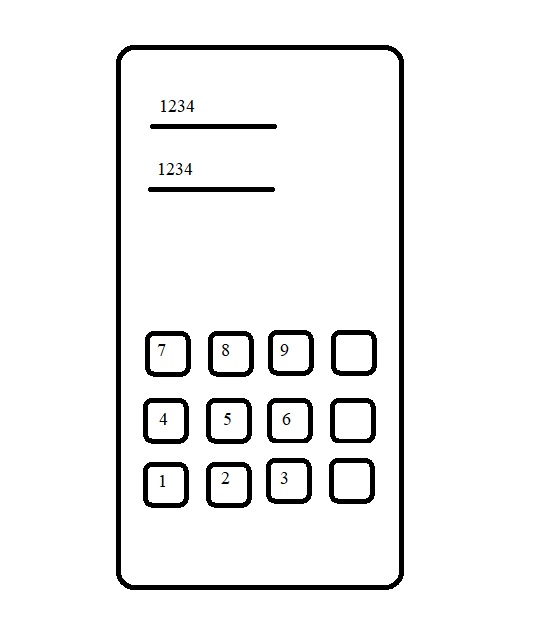
example code
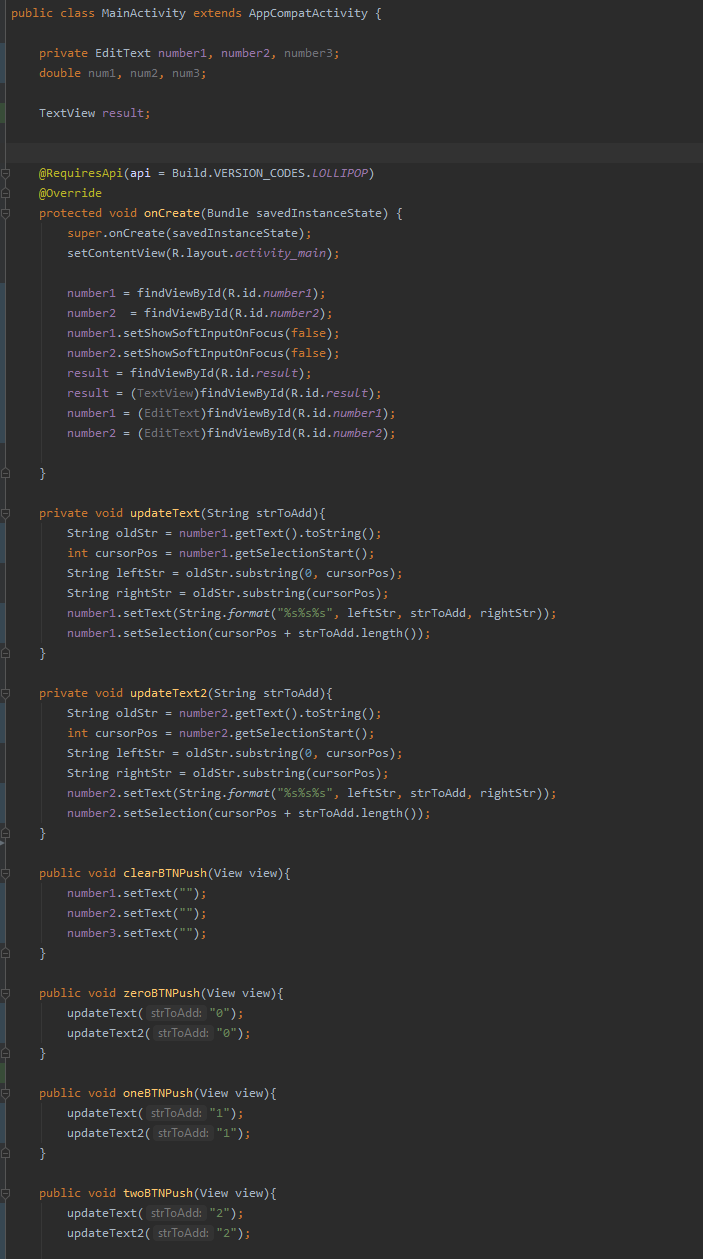
public class MainActivity extends AppCompatActivity { private EditText numberi, number2, number3; double numi, num2, num3; TextView result; @RequiresApi(api = Build.VERSION_CODES. LOLLIPOP) @Override protected void onCreate(Bundle savedInstanceState) { super.onCreate(savedInstanceState); setContentView(R.layout.activity_main); number1 = findViewById(R.id.numberl); number2 = findViewById(R.id.number2); number1.setShowSoftInputOnFocus(false); number2.setShowsoftInputOnFocus(false); result = findViewById(R.id.result); result = (TextView)findViewById(R.id.result); number1 = (EditText)findViewById(R.id.number1); number2 = (EditText)findViewById(R.id.number2); private void updateText(String strToAdd) { String oldStr = number1.getText().toString(); int cursorPos = number1.getSelection Start(); String leftstr = oldstr.substring(@, cursorPos); String rightStr = oldstr.substring(cursorPos); number1.setText(String.format("%s%s%s", leftStr, strToAdd, rightStr)); number1.setSelection(cursorPos + strToAdd. length()); } private void updateText2(String strToAdd) { String oldstr = number2.getText().toString(); int cursorPos = number2.getSelectionStart(); String leftStr = oldstr.substring(@, cursorPos); String rightStr = oldstr.substring(cursorPos); number2.setText(String.format("%s%s%s", leftstr, strToAdd, rightStr)); number2.setSelection(cursorPos + strToAdd.length()); } public void clearBTNPush (View view) { number1.setText(""); number2.setText(""); number3.setText(""); } public void zeroBTNPush (View view) { updateText( strToAdd: "0"); updateText2( strToAdd: "@"); } public void oneBTNPush(View view) { updateText( strToAdd: "1"); updateText2( strToAdd: "1"); public void twoBTNPush(View view) { updateText( strToAdd: "2"); updateText2( strToAdd: "2")
Step by Step Solution
There are 3 Steps involved in it

Get step-by-step solutions from verified subject matter experts
 Study Help