







Question: (Android Studio) In this assignment, we would like to explore the ways to use speech recognition and text-to-speech features in Android. You will explore these
(Android Studio)
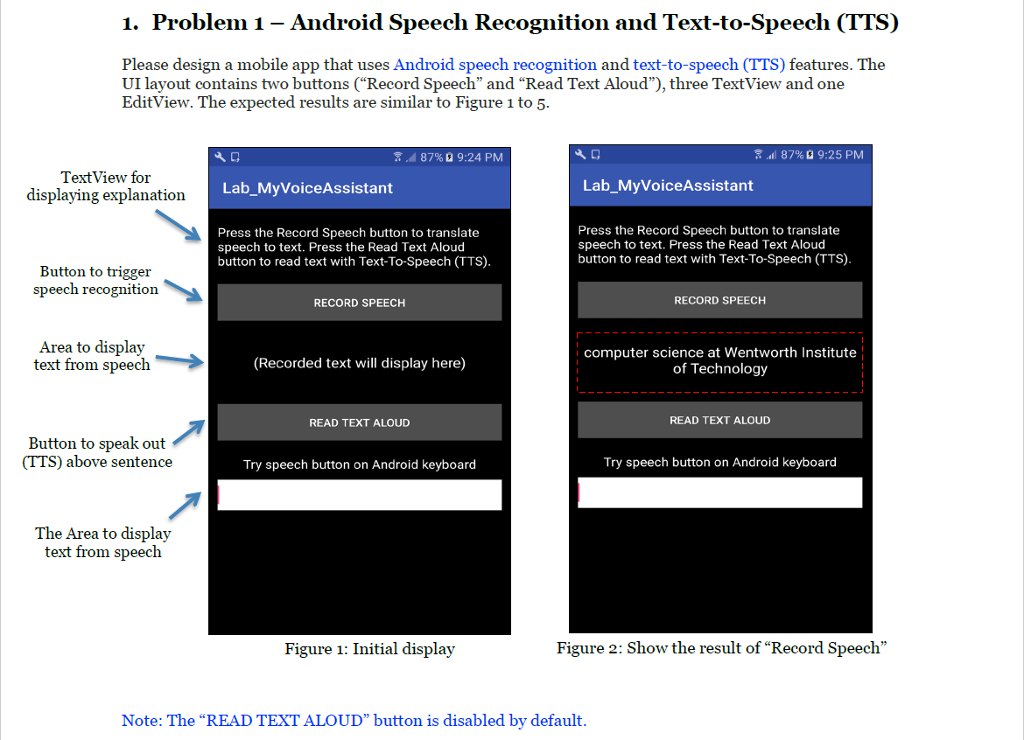
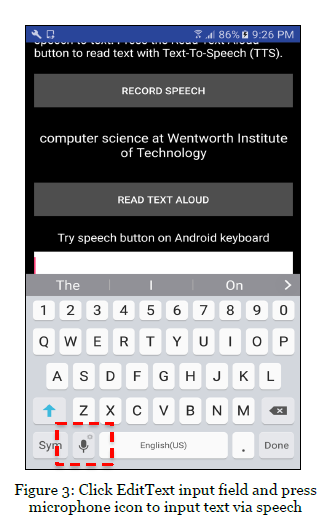
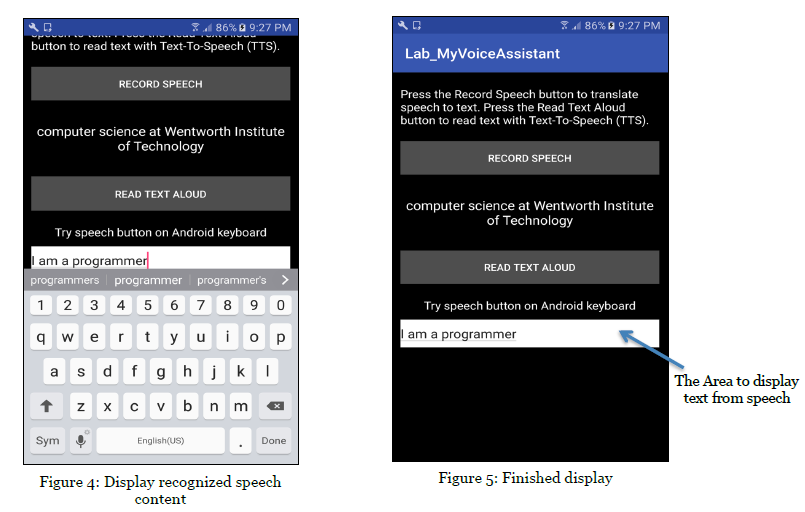
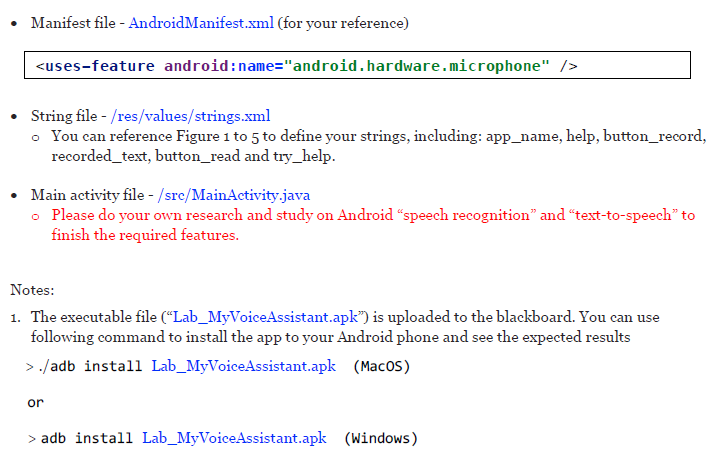
In this assignment, we would like to explore the ways to use speech recognition and text-to-speech features in Android. You will explore these two topics during this assignment. The UI has already been designed by the pre-defined XML file.
To access the APK file, please see the Google Drive: https://drive.google.com/file/d/1mKvi0Uh8zGU-GJquHE-E_Z5jSmAcc4fT/view?usp=sharing
Layout - activity_main.xml (for your reference)
To access the APK file, please see the Google Drive: https://drive.google.com/file/d/1mKvi0Uh8zGU-GJquHE-E_Z5jSmAcc4fT/view?usp=sharing
1. Problem 1 - Android Speech Recognition and Text-to-Speech (TTS) Please design a mobile app that uses Android speech recognition and text-to-speech (TTS) features. The UI layout contains two buttons ("Record Speech" and "Read Text Aloud"), three TextView and one EditView. The expected results are similar to Figure 1 to 5 87%Q 9:24 PM 87% 9:25 PM TextView for displaying explanatiorn Lab_MyVoiceAssistant Lab_MyVoiceAssistant Press the Record Speech button to translate speech to text. Press the Read Text Aloud button to read text with Text-To-Speech (TTS) Press the Record Speech button to translate speech to text. Press the Read Text Aloud button to read text with Text-To-Speech (TTS) Button to trigger speech recognition RECORD SPEECH RECORD SPEECH Area to display text from speech computer science at Wentworth Institute of Technology (Recorded text will display here) READ TEXT ALOUD READ TEXT ALOUD Button to speak out (TTS) above sentence Try speech button on Android keyboard Try speech button on Android keyboard The Area to display text from speech Figure 1: Initial display Figure 2: Show the result of "Record Speech" Note: The "READ TEXT ALOUD" button is disabled by default 1. Problem 1 - Android Speech Recognition and Text-to-Speech (TTS) Please design a mobile app that uses Android speech recognition and text-to-speech (TTS) features. The UI layout contains two buttons ("Record Speech" and "Read Text Aloud"), three TextView and one EditView. The expected results are similar to Figure 1 to 5 87%Q 9:24 PM 87% 9:25 PM TextView for displaying explanatiorn Lab_MyVoiceAssistant Lab_MyVoiceAssistant Press the Record Speech button to translate speech to text. Press the Read Text Aloud button to read text with Text-To-Speech (TTS) Press the Record Speech button to translate speech to text. Press the Read Text Aloud button to read text with Text-To-Speech (TTS) Button to trigger speech recognition RECORD SPEECH RECORD SPEECH Area to display text from speech computer science at Wentworth Institute of Technology (Recorded text will display here) READ TEXT ALOUD READ TEXT ALOUD Button to speak out (TTS) above sentence Try speech button on Android keyboard Try speech button on Android keyboard The Area to display text from speech Figure 1: Initial display Figure 2: Show the result of "Record Speech" Note: The "READ TEXT ALOUD" button is disabled by default
Step by Step Solution
There are 3 Steps involved in it

Get step-by-step solutions from verified subject matter experts
 Study Help