







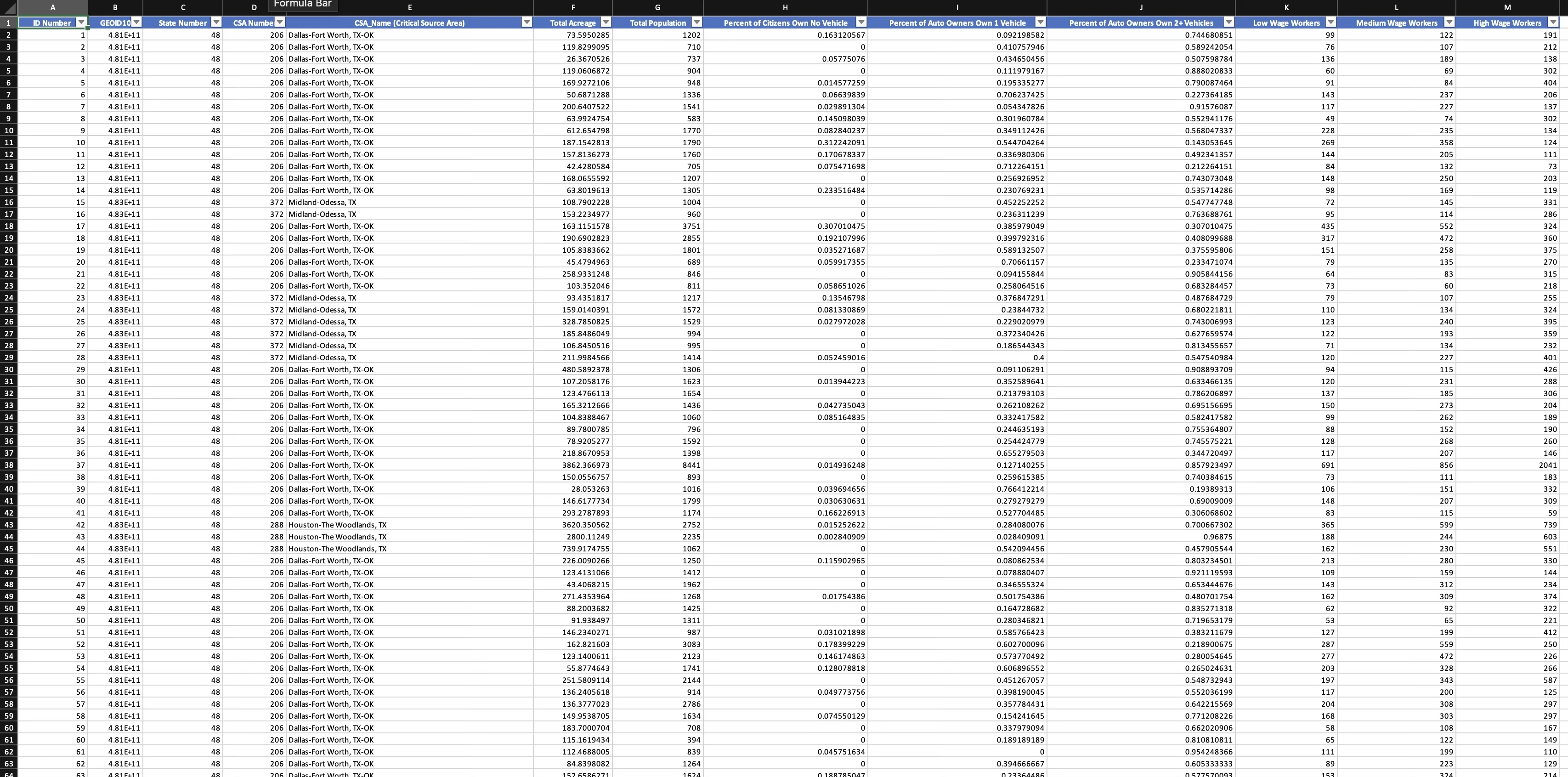
Question: Answer all questions using the the Excel data and columns provided. 1 . Total Population of ID Number 6 5 6 6 ( Using VLOOKUP
Answer all questions using the the Excel data and columns provided.
Total Population of ID Number Using VLOOKUP
Count of Records in CSA Name MidlandOdessa, TX Using COUNTIF
Count of Records with CSA Numbers Between and Using COUNTIFS Do Not Include or
Sum of High Wage Earners in CSA Name AmarilloPampaBorger, TX Using SUMIF
Sum of Total Acreage of CSA Numbers Greater than but Less than Using SUMIFS
Concatenate st Line of Data, CSA Number and CSA Name with a Space Use CONCATENATE
Use the Index function to return the CSA Name of the th Item
Use the Index Function to Return the Percentage of Auto Owners That Own Car for the th CSA Name
Use the Match Function to Determine the Position of ID Number Be Sure to Use Exact Match
Combine Index and Match to Return the Number of Low Wage Workers for ID Number
Step by Step Solution
There are 3 Steps involved in it
1 Expert Approved Answer
Step: 1 Unlock

Question Has Been Solved by an Expert!
Get step-by-step solutions from verified subject matter experts
Step: 2 Unlock
Step: 3 Unlock
 Study Help