







Question: Answer in Python. Fill in where it says YOUR CODE HERE. Make sure it passes the tests provided _getitem [41] def counting_queue_getitem(self, n): # YOUR
Answer in Python. Fill in where it says YOUR CODE HERE. Make sure it passes the tests provided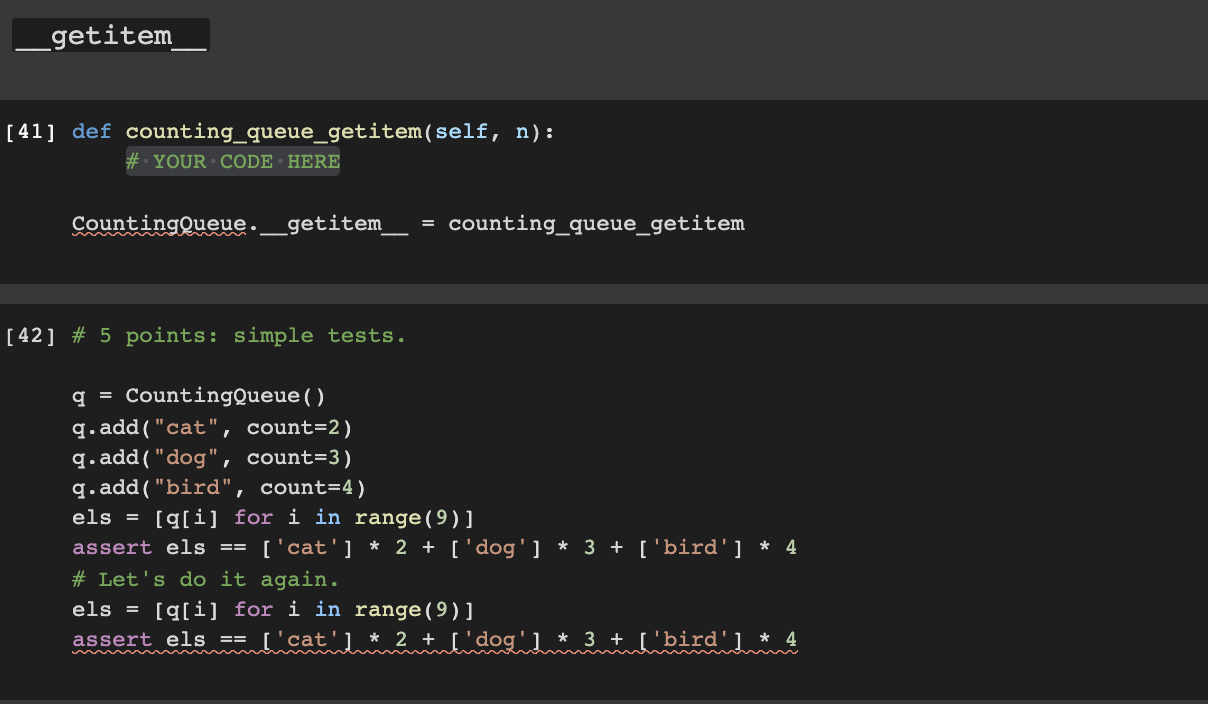
![sure it passes the tests provided _getitem [41] def counting_queue_getitem(self, n): #](https://dsd5zvtm8ll6.cloudfront.net/si.experts.images/questions/2024/09/66f3be9594403_06966f3be9514326.jpg)
![YOUR CODE HERE CountingQueue. getitem = counting_queue_getitem [42] # 5 points: simple](https://dsd5zvtm8ll6.cloudfront.net/si.experts.images/questions/2024/09/66f3be9668497_06966f3be95ea759.jpg)
_getitem [41] def counting_queue_getitem(self, n): # YOUR CODE HERE CountingQueue. getitem = counting_queue_getitem [42] # 5 points: simple tests. q = CountingQueue () q.add("cat", count=2) q.add("dog", count=3) q.add("bird", count=4) els = [q[i] for i in range(9)] assert els == ['cat'] * 2 + ['dog'] * 3+ ['bird'] * 4 # Let's do it again. els = [q[i] for i in range(9)] assert els l'cat'* 2tal dog'lub'bird' 1*4 # 5 points: you raise IndexError when accessing elements out of bounds. q = CountingQueue() q.add("cat", count=2) q.add("dog", count=3) # Raise IndexError when it's too high... try: q[5] assert False."Failed to raise IndexError" except IndexError: pass assert q[4] == "dog" try: q[5] assert False, "Failed to raise IndexError" except IndexError: pass # And also when it's too low. try: q[-10] assert False, "Failed to raise IndexError" except IndexError: pass # or too large : try: q[10] assert False, "Failed to raise IndexError" except IndexError: pass # And raise TypeError if you try to index with a non-integer. try: q["hello"] assert False, "Failed to raise TypeError" except TypeError: pass [ 43 ] # 5 points. Behaves the same as Queue. elements = range(3) for k in range(100): qo = Queue () q1 = CountingQueue ( ) for m in range (40): el = random.choice (elements) qo.add(el) ql.add(el) for i in range(m): assert qolih qi[i]
Step by Step Solution
There are 3 Steps involved in it

Get step-by-step solutions from verified subject matter experts
 Study Help