







Question: Answer should be give in Python Idle 3.9.1 import matplotlib.pyplot as plt import numpy as np size = int(input(Enter the size: )) fname = str(input(Enter
Answer should be give in Python Idle 3.9.1
import matplotlib.pyplot as plt
import numpy as np
size = int(input("Enter the size: "))
fname = str(input("Enter output file: "))
#Initialize Image as white color with value 1 in all the pixel
img = np.ones( (size,size,3) )
for i in range(1,size,2):
for j in range(size):
img[i][j][1] = 1
img[i][j][0] = 0
img[i][j][2] = 0
plt.imsave(fname, img) Tried this ..it didn't work, because need the colors in "Purple" and "Cyan" , but the answer should be in SAME Format. there are other answer available for this same question, but that format answer doesn't work. 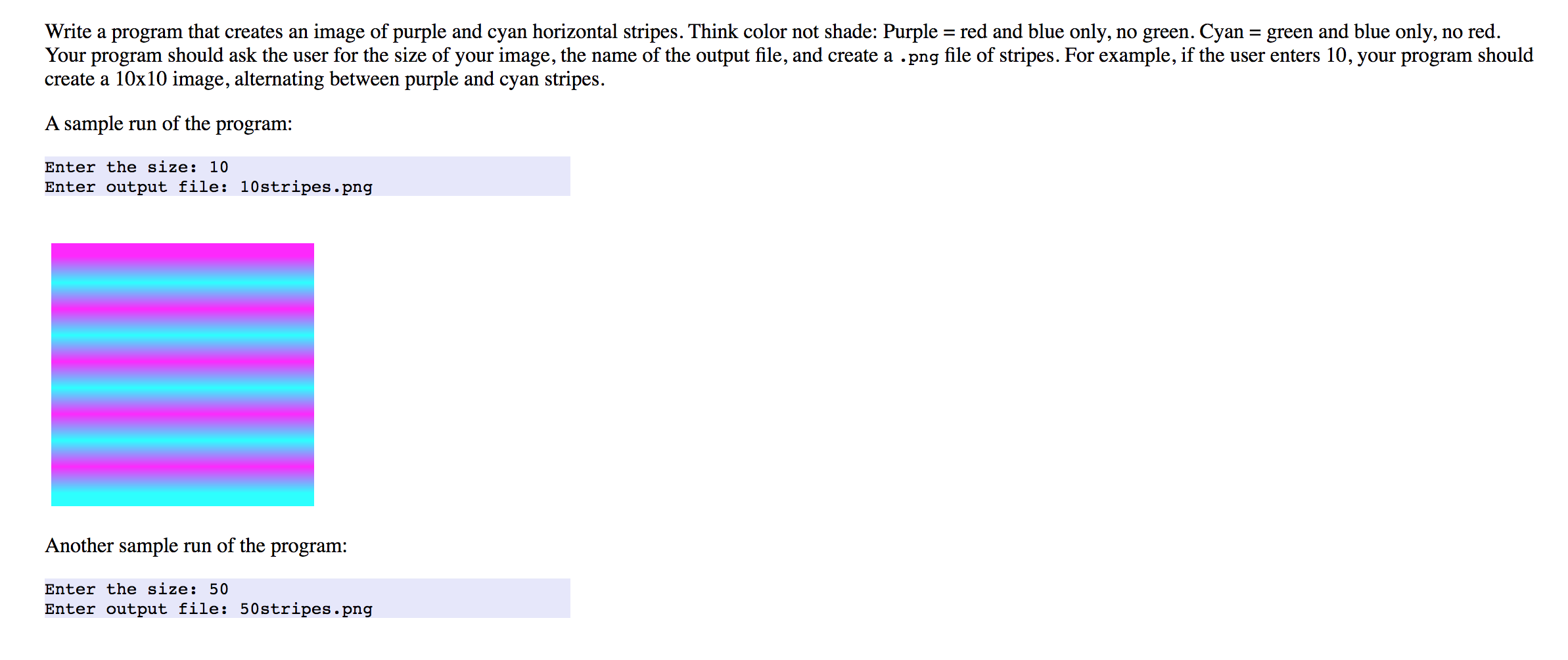
Write a program that creates an image of purple and cyan horizontal stripes. Think color not shade: Purple = red and blue only, no green. Cyan = green and blue only, no red. Your program should ask the user for the size of your image, the name of the output file, and create a .png file of stripes. For example, if the user enters 10, your program should create a 10x10 image, alternating between purple and cyan stripes. A sample run of the program: Enter the size: 10 Enter output file: 10 stripes.png Another sample run of the program: Enter the size: 50 Enter output file: 50stripes.png
Step by Step Solution
There are 3 Steps involved in it

Get step-by-step solutions from verified subject matter experts
 Study Help