







Question: APPENDIX A Processing Configuration File Info Upon startup, program should prompt user for the following Please enter config filename: config.txt When user presses 'Enter', the
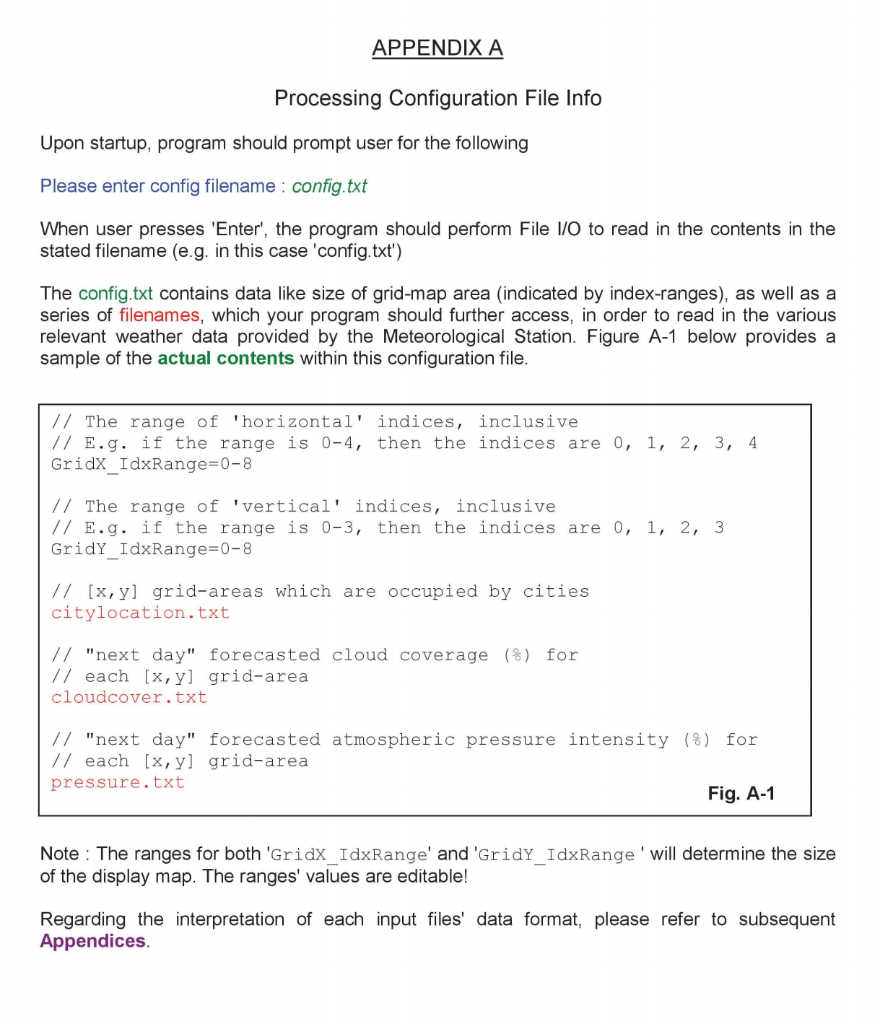
APPENDIX A Processing Configuration File Info Upon startup, program should prompt user for the following Please enter config filename: config.txt When user presses 'Enter', the program should perform File I/O to read in the contents in the stated filename (e.g. in this case 'config.txt') The config.txt contains data like size of grid-map area (indicated by index-ranges), as well as a series of filenames, which your program should further access, in order to read in the various relevant weather data provided by the Meteorological Station. Figure A-1 below provides a sample of the actual contents within this configuration file. // The range of 'horizontal' indices, inclusive // E.g. if the range is 0-4, then the indices are 0, 1, 2, 3, 4 Gridx_IdxRange=0-8 // The range of 'vertical' indices, inclusive // E.g. if the range is 0-3, then the indices are 0, 1, 2, 3 GridY_IdxRange=0-8 // [x,yl grid-areas which are occupied by cities citylocation.txt // "next day" forecasted cloud coverage (8) for // each [x, y] grid-area cloudcover.txt // "next day" forecasted atmospheric pressure intensity (%) for // each [x, y] grid-area pressure.txt Fig. A-1 Note: The ranges for both 'Gridx_IdxRange' and 'GridY_IdxRange' will determine the size of the display map. The ranges' values are editable! Regarding the interpretation of each input files' data format, please refer to subsequent Appendices. APPENDIX A Processing Configuration File Info Upon startup, program should prompt user for the following Please enter config filename: config.txt When user presses 'Enter', the program should perform File I/O to read in the contents in the stated filename (e.g. in this case 'config.txt') The config.txt contains data like size of grid-map area (indicated by index-ranges), as well as a series of filenames, which your program should further access, in order to read in the various relevant weather data provided by the Meteorological Station. Figure A-1 below provides a sample of the actual contents within this configuration file. // The range of 'horizontal' indices, inclusive // E.g. if the range is 0-4, then the indices are 0, 1, 2, 3, 4 Gridx_IdxRange=0-8 // The range of 'vertical' indices, inclusive // E.g. if the range is 0-3, then the indices are 0, 1, 2, 3 GridY_IdxRange=0-8 // [x,yl grid-areas which are occupied by cities citylocation.txt // "next day" forecasted cloud coverage (8) for // each [x, y] grid-area cloudcover.txt // "next day" forecasted atmospheric pressure intensity (%) for // each [x, y] grid-area pressure.txt Fig. A-1 Note: The ranges for both 'Gridx_IdxRange' and 'GridY_IdxRange' will determine the size of the display map. The ranges' values are editable! Regarding the interpretation of each input files' data format, please refer to subsequent Appendices
Step by Step Solution
There are 3 Steps involved in it

Get step-by-step solutions from verified subject matter experts
 Study Help