







Question: Application: Use Visual Studio to create a C# Console application that displays the words Hello World in a Command Window until the user presses the
Application: Use Visual Studio to create a C# Console application that displays the words Hello World in a Command Window until the user presses the Enter key.
Processing: The program should simply display a console window with the words Hello World in the upper left corner. The window should remain open until the user presses the enter key on the keyboard.
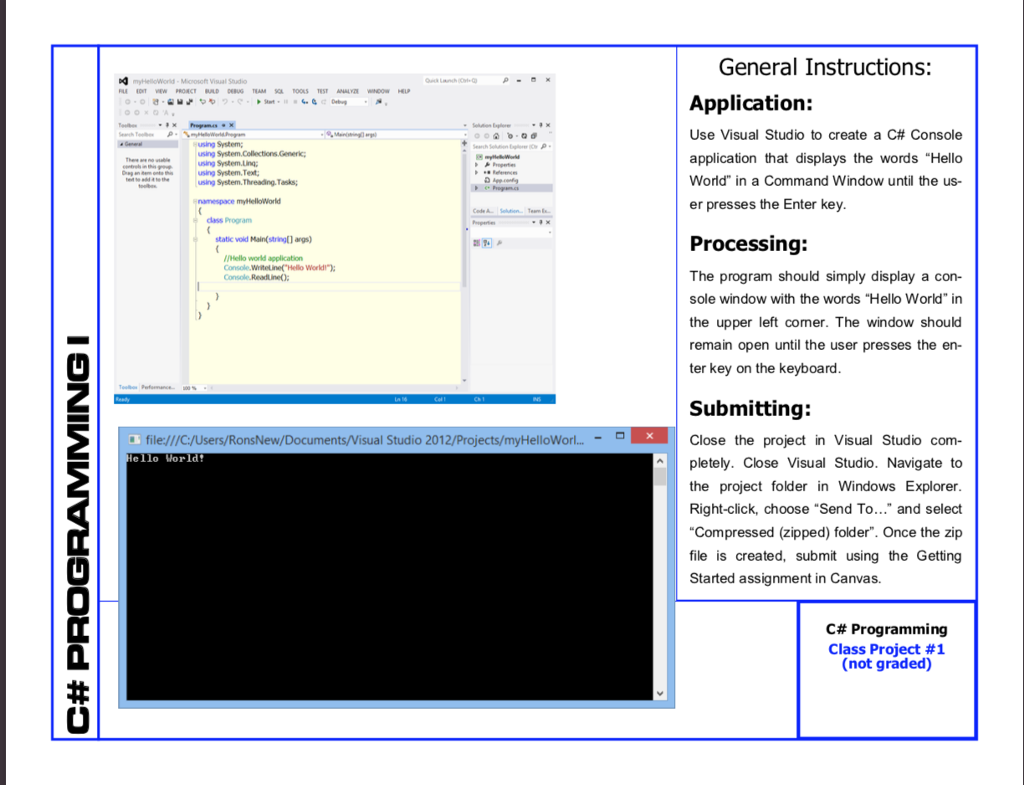
General Instructions: Application: Use Visual Studio to create a C# Console application that displays the words "Hello World" in a Command Window until the us- er presses the Enter key .."4%"e using System,Tet, using Systern.Threadng. Taks; namespace myielloWorld dlass Program Processing: The program should simply display a con- sole window with the words "Hello World" in the upper left comer. The window should remain open until the user presses the en- ter key on the keyboard static vold Main(string[) args) Hello world application Console Whiteline Hello World" Submitting: Close the project in Visual Studio com- pletely. Close Visual Studio. Navigate to the project folder in Windows Explorer Right-click, choose Send To " and select Compressed (zipped) folder". Once the zip file is created, submit using the Getting Started assignment in Canvas. Studio 2012/Projects/myHelloWorl...- file:/ ello World C# Programming Class Project #1 (not graded)
Step by Step Solution
There are 3 Steps involved in it

Get step-by-step solutions from verified subject matter experts
 Study Help