







Question: arning Objective 3: Combining SumProduct and SumIf ere are a few different ways to SumProduct if a condition is true. The easiest is to use
arning Objective 3: Combining SumProduct and SumIf\ ere are a few different ways to SumProduct if a condition is true. The easiest is to use multiplication 0 or 1 as your condition. What happens when you multiply by 0 and 1 ?\ Any number multiplied by 1 is itself; multiplying by 1 doesn't change the number.\ Any number multiplied by 0 is 0 ; multiplying by 0 removes the effects of that number.\ emember this example for a few minutes ago: =SUMPRODUCT(A1:A2,B1:B2) returns 26\ o... what just happened?\ What if we only want to multiply
Aby
Bif
C=6?
=SUMPRODUCT(--(C1:C2=6),A1:A2, B1:B2)\ This formula would return a value of 20 .\
(1\\\\times 4\\\\times 5+0\\\\times 2\\\\times 3)
=20+0=(
20)\ First, we are multiplying 3 numbers on each row:
C\\\\times A\\\\times B.\ Then we are adding up all those products.\ Instead of multiplying the value in column
C, we are assigning a value of 0 or 1 to column
C.\
(C1:C2)
=(
6)is a statement. It is assigned a value of TRUE or FALSE.\ The two minus signs right before the statement just tells Excel to change TRUE and FALSE to 1 and 0.\ Therefore, any row where
Cis not equal to 6 will get a value of 0 and will not affect the sum.\ Note: If assigning 1 or 0 based on text instead of a number, you have to use quotes. "Adam")\ Required:\ In the Excel file you just created from the template, complete the 6 shaded areas on Sheet 3 using the
=SUMIF and =SUMIFS function. You decide how to format these numbers (type and options, as learned in a previous Excel Assignment)
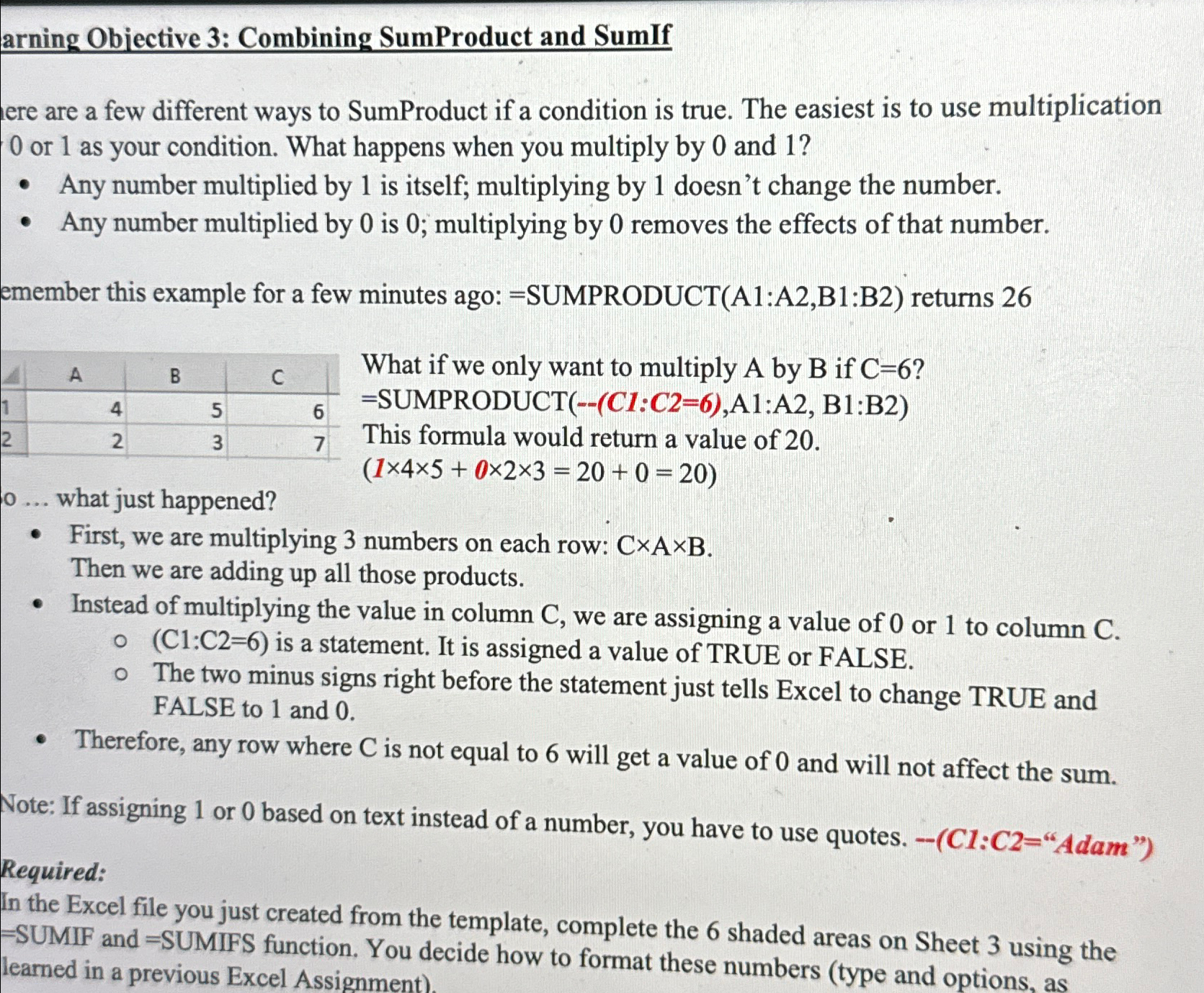
ere are a few different ways to SumProduct if a condition is true. The easiest is to use multiplication 0 or 1 as your condition. What happens when you multiply by 0 and 1 ? - Any number multiplied by 1 is itself; multiplying by 1 doesn't change the number. - Any number multiplied by 0 is 0 ; multiplying by 0 removes the effects of that number. emember this example for a few minutes ago: =SUMPRODUCT(A1:A2,B1:B2) returns 26 What if we only want to multiply A by B if C=6 ? = SUMPRODUCT(--(C1:C2=6),A1:A2, B1:B2) This formula would return a value of 20 . (145+023=20+0=20) o... what just happened? - First, we are multiplying 3 numbers on each row: CAB. Then we are adding up all those products. - Instead of multiplying the value in column C, we are assigning a value of 0 or 1 to column C. - (C1:C2=6) is a statement. It is assigned a value of TRUE or FALSE. - The two minus signs right before the statement just tells Excel to change TRUE and FALSE to 1 and 0 . - Therefore, any row where C is not equal to 6 will get a value of 0 and will not affect the sum. Note: If assigning 1 or 0 based on text instead of a number, you have to use quotes. (C1:C2= "Adam") Required: In the Excel file you just created from the template, complete the 6 shaded areas on Sheet 3 using the = SUMIF and = SUMIFS function. You decide how to
Step by Step Solution
There are 3 Steps involved in it
To resolve the problem using SUMIF and SUMIFS youll need to understand their functions SUMIF Functio... View full answer

Get step-by-step solutions from verified subject matter experts
 Study Help