



Question: As part of this task, you will be creating a Google drawing of the following types of plate boundaries. Be sure to label each
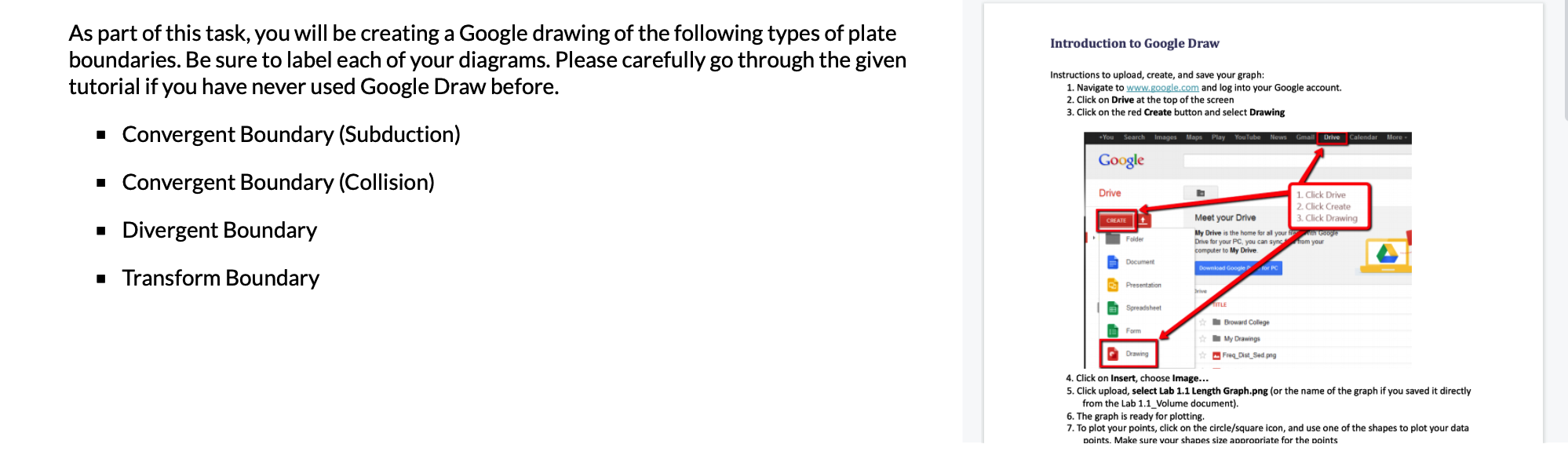
As part of this task, you will be creating a Google drawing of the following types of plate boundaries. Be sure to label each of your diagrams. Please carefully go through the given tutorial if you have never used Google Draw before. Convergent Boundary (Subduction) Convergent Boundary (Collision) Divergent Boundary Transform Boundary Introduction to Google Draw Instructions to upload, create, and save your graph: 1. Navigate to www.google.com and log into your Google account. 2. Click on Drive at the top of the screen 3. Click on the red Create button and select Drawing +You Search Images Maps Play YouTube News Gmail Drive Calendar More. Google Drive CREATE Folder Document Presentation Spreadsheet Form Drawing Meet your Drive My Drive is the home for all your f with Google Drive for your PC, you can sync from your computer to My Drive Download Google for PC Drive TITLE 1. Click Drive 2. Click Create 3. Click Drawing Broward College My Drawings Freq Dist Sed png 4. Click on Insert, choose Image... 5. Click upload, select Lab 1.1 Length Graph.png (or the name of the graph if you saved it directly from the Lab 1.1 Volume document). 6. The graph is ready for plotting. 7. To plot your points, click on the circle/square icon, and use one of the shapes to plot your data points. Make sure your shapes size appropriate for the points
Step by Step Solution
3.43 Rating (150 Votes )
There are 3 Steps involved in it
Solution Continent 1 4 Ocean S of Plate 1 Trench Mounta... View full answer

Get step-by-step solutions from verified subject matter experts