







Question: ASP Gridview Update and Delete button not working. Hi there, I am working with an asp gridview connected to an sql database and am trying
ASP Gridview Update and Delete button not working.
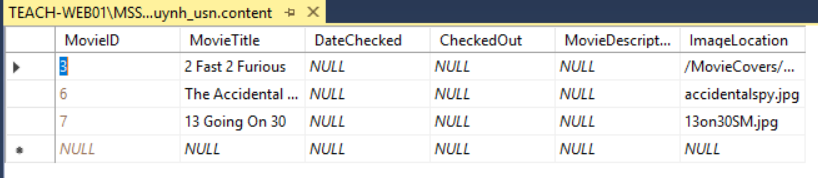
Hi there, I am working with an asp gridview connected to an sql database and am trying to implement an update and delete function but it does not work.
I keep getting this error whenever I try. Error reading the database. Index was out of range. Must be non-negative and less than the size of the collection.
below is my code
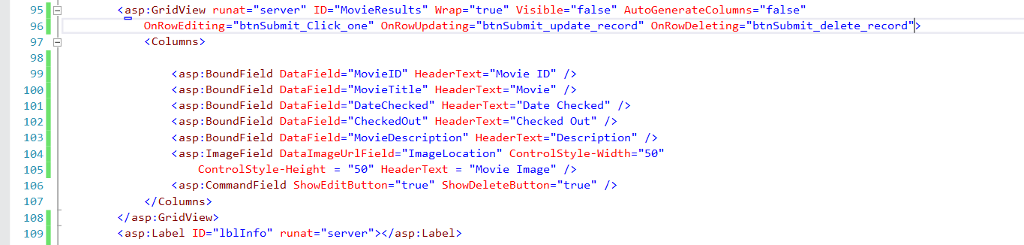
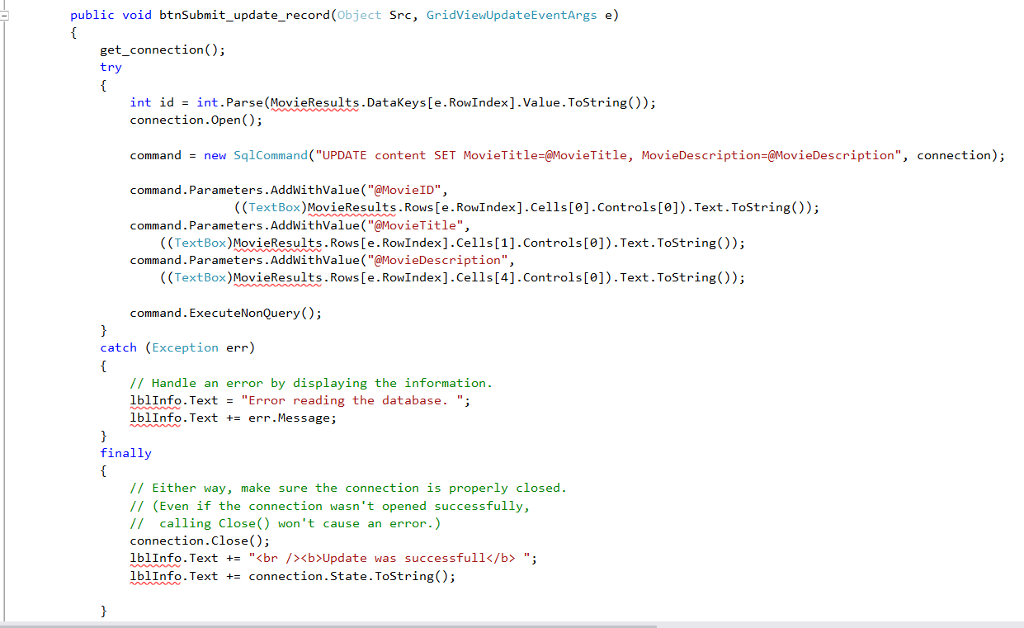
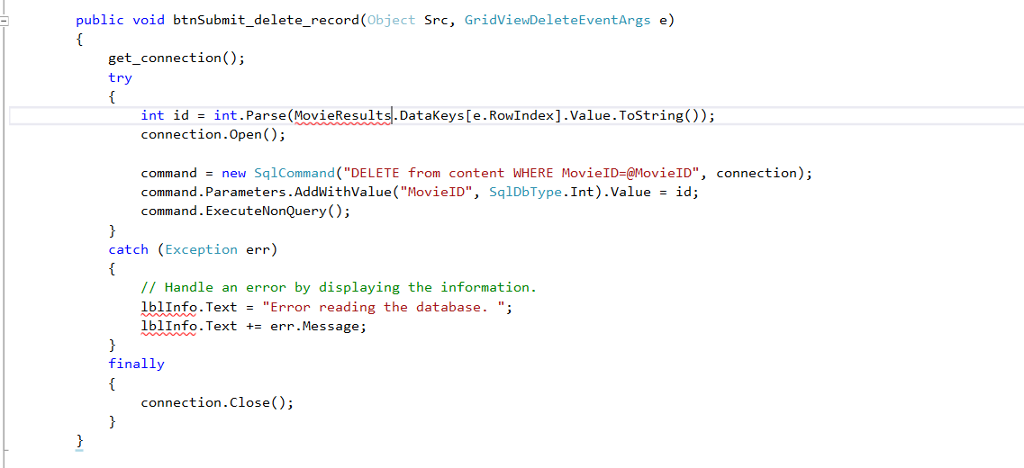
Whenever I hit the Update or Delete button I get the error. I'm mostly focusing on trying to edit the movie title and description and movie ID as well.
Error reading the database. Index was out of range. Must be non-negative and less than the size of the collection.
asp : GridView runat-"server" 1D-"movieResults" Wrap-"true" Visible-"false" AutoGenerateColumns-"false" OnRowEditing-"btnSubmit_Click_one" OnRowUpdating-"btnSubmit_update_record" OnRowDeleting-"btnSubmit_delete_record" 97 98
Step by Step Solution
There are 3 Steps involved in it

Get step-by-step solutions from verified subject matter experts
 Study Help