





Question: ASP GridView, Why does Update affect all rows instead of a single row? Hello there, I am working with asp.net and gridview with a table

ASP GridView, Why does Update affect all rows instead of a single row?

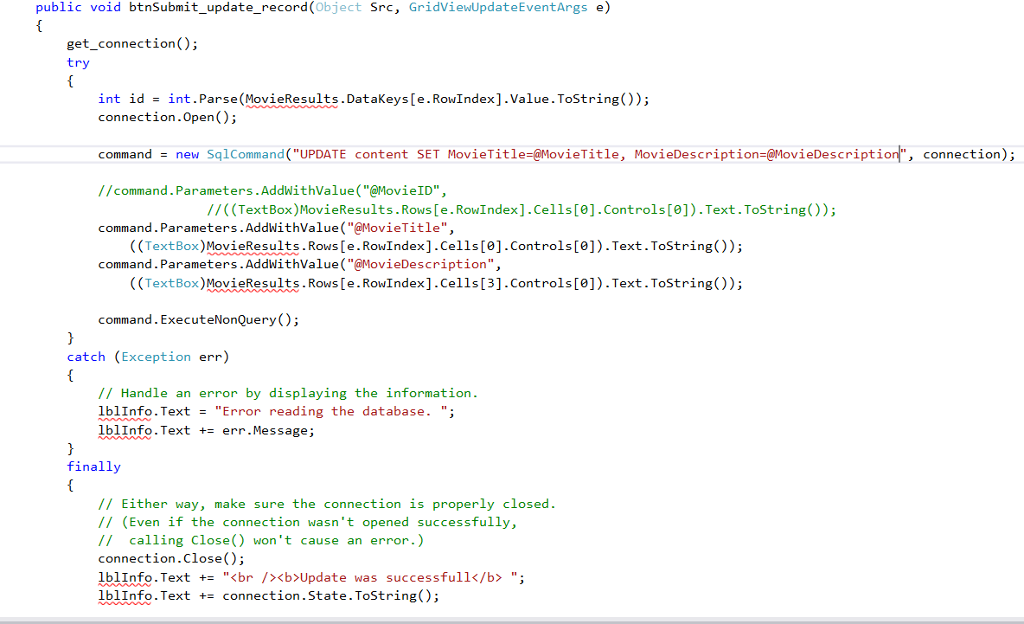
Hello there, I am working with asp.net and gridview with a table connected to a database. I having a problem using the update of my gridview, when ever i click update, all rows are affected by the update and changed to the same thing and I don't understand why, my add record and delete work just fine, it's the update thats giving me trouble.
ASP GridView, Why does Update affect all rows instead of a single

row? Hello there, I am working with asp.net and gridview with a

This is what the table looks like when I decide to edit one row.
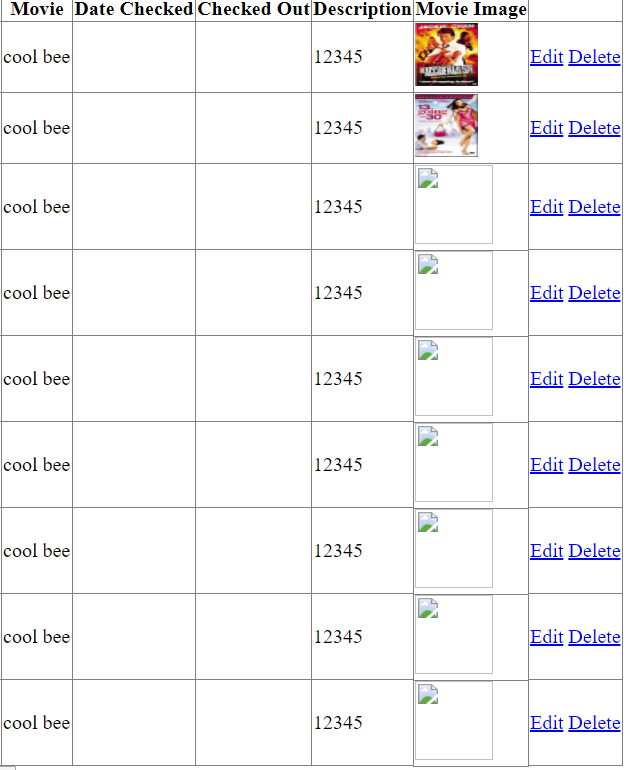
table connected to a database. I having a problem using the update

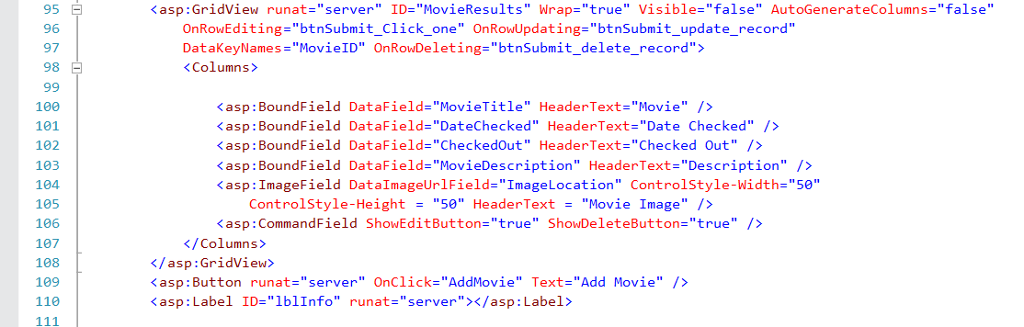
Kasp:GridView runat-"server" ID-"MovieResults" Wrap-"true" Visible-"false" AutoGenerateColumns-"false" OnRowEditing="btnSubmit Click one" OnRowUpdatinge "btnSubmit update DataKeyNames="MovieID" OnRowDeleting="btnSubmit delete record"> record" 100 101 102 103 104 105 106 107 108 109 110 Kasp: BoundField DataField-"MovieTitle" HeaderText-"Movie" /> Kasp: BoundField DataField-"DateChecked" HeaderText-"Date Checked"/> asp : BoundField DataField="movieDe scription" HeaderText-"Description" /> Kasp: ImageField DataImageUrlField-"ImageLocation" Controlstyle-Width-"5e" ControlStyle-Height"50" HeaderText"Movie Image" /> : Label> /> ute 1 eue rne Eem 56789 Kasp:GridView runat-"server" ID-"MovieResults" Wrap-"true" Visible-"false" AutoGenerateColumns-"false" OnRowEditing="btnSubmit Click one" OnRowUpdatinge "btnSubmit update DataKeyNames="MovieID" OnRowDeleting="btnSubmit delete record"> record" 100 101 102 103 104 105 106 107 108 109 110 Kasp: BoundField DataField-"MovieTitle" HeaderText-"Movie" /> Kasp: BoundField DataField-"DateChecked" HeaderText-"Date Checked"/> asp : BoundField DataField="movieDe scription" HeaderText-"Description" /> Kasp: ImageField DataImageUrlField-"ImageLocation" Controlstyle-Width-"5e" ControlStyle-Height"50" HeaderText"Movie Image" /> : Label> /> ute 1 eue rne Eem 56789

Step by Step Solution

There are 3 Steps involved in it

1 Expert Approved Answer
Step: 1 Unlock blur-text-image
Question Has Been Solved by an Expert!

Get step-by-step solutions from verified subject matter experts

Step: 2 Unlock
Step: 3 Unlock

Students Have Also Explored These Related Databases Questions!