



Question: assessment tool. With each score range you will be prompted by the survey to reflect on your score. In some cases, the score range summary
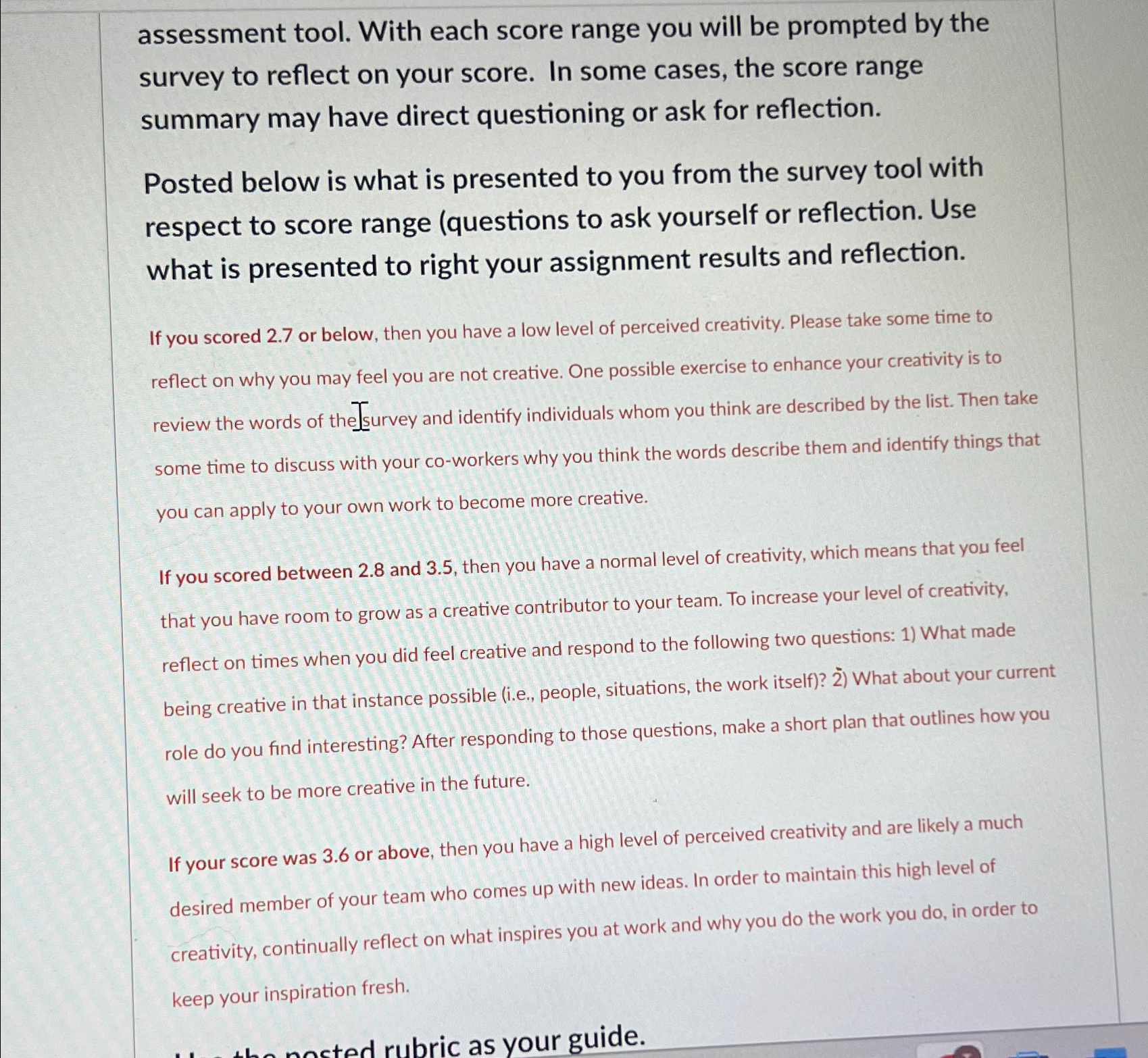
assessment tool. With each score range you will be prompted by the survey to reflect on your score. In some cases, the score range summary may have direct questioning or ask for reflection.
Posted below is what is presented to you from the survey tool with respect to score range questions to ask yourself or reflection. Use what is presented to right your assignment results and reflection.
If you scored or below, then you have a low level of perceived creativity. Please take some time to reflect on why you may feel you are not creative. One possible exercise to enhance your creativity is to review the words of the Isurvey and identify individuals whom you think are described by the list. Then take some time to discuss with your coworkers why you think the words describe them and identify things that you can apply to your own work to become more creative.
If you scored between and then you have a normal level of creativity, which means that you feel that you have room to grow as a creative contributor to your team. To increase your level of creativity, reflect on times when you did feel creative and respond to the following two questions: What made being creative in that instance possible ie people, situations, the work itself What about your current role do you find interesting? After responding to those questions, make a short plan that outlines how you will seek to be more creative in the future.
If your score was or above, then you have a high level of perceived creativity and are likely a much desired member of your team who comes up with new ideas. In order to maintain this high level of creativity, continually reflect on what inspires you at work and why you do the work you do in order to keep your inspiration fresh.
Step by Step Solution
There are 3 Steps involved in it
1 Expert Approved Answer
Step: 1 Unlock

Question Has Been Solved by an Expert!
Get step-by-step solutions from verified subject matter experts
Step: 2 Unlock
Step: 3 Unlock