Question: Assignment 4 (MS Project) - 30 pts. Individual Assignment Submit the MS Project Plan to the Appropriate Assignment Module In general, to start a new
Assignment 4 (MS Project) - 30 pts. Individual
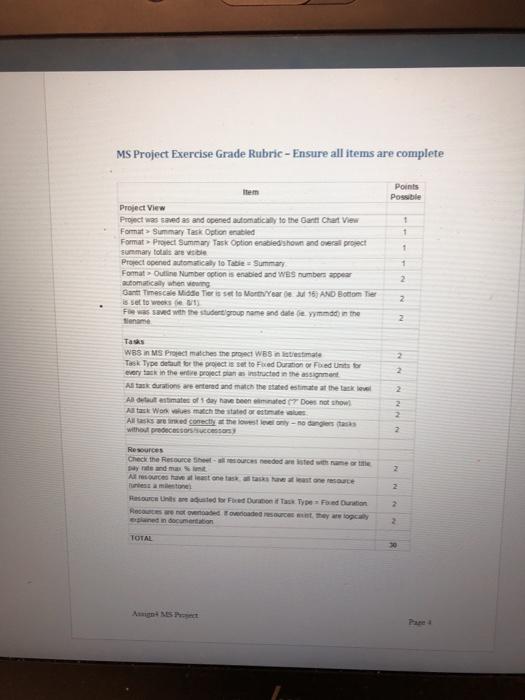
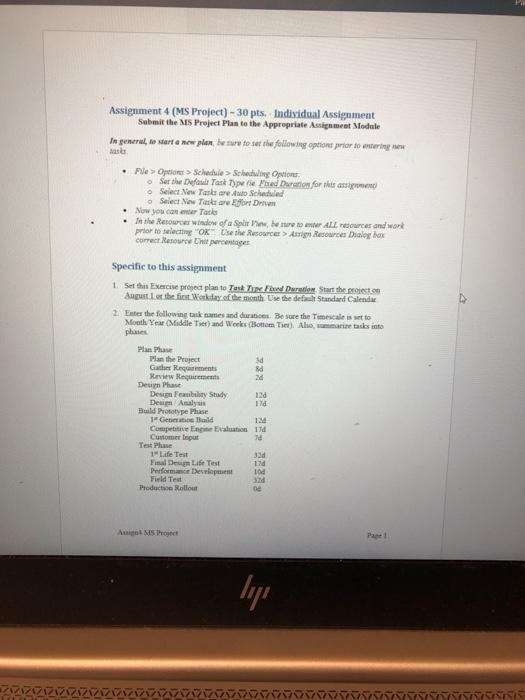
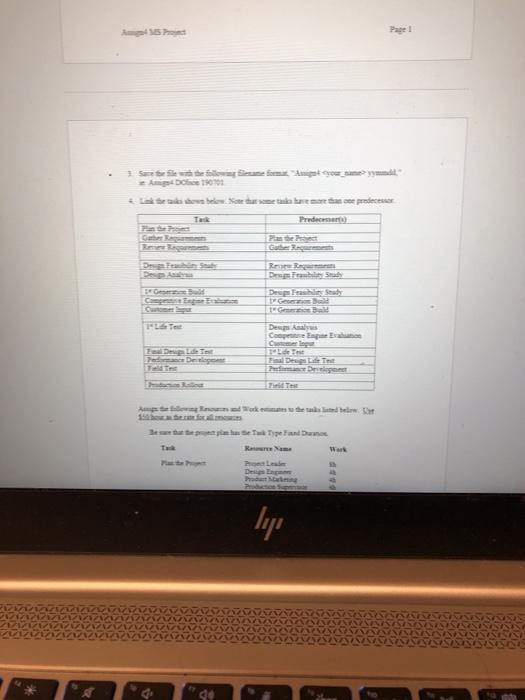
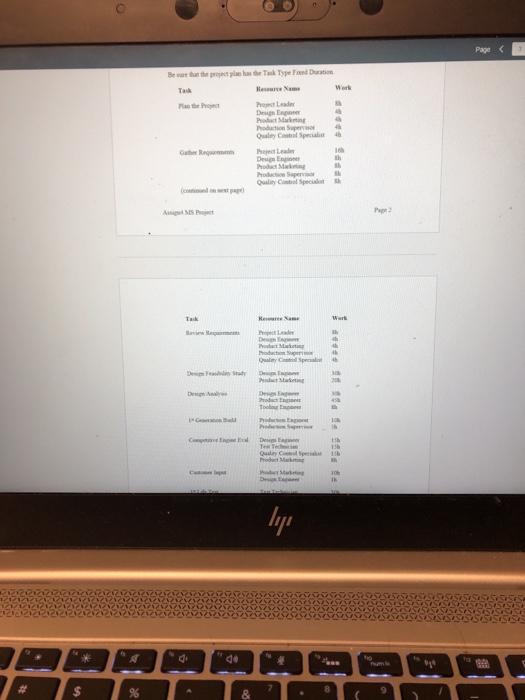
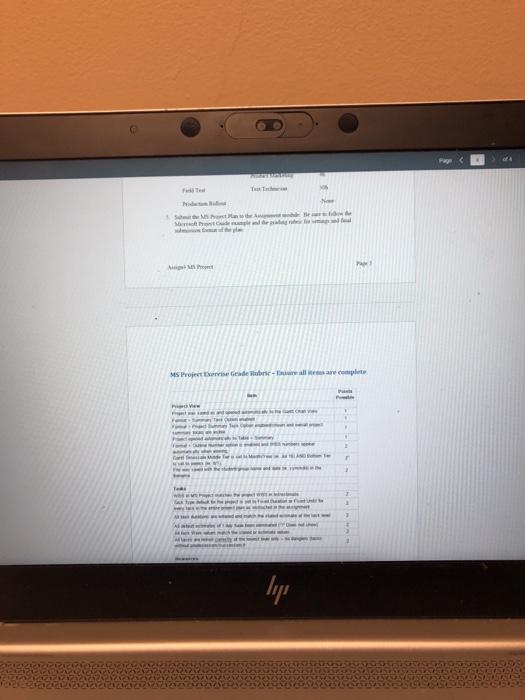
Assignment 4 (MS Project) - 30 pts. Individual Assignment Submit the MS Project Plan to the Appropriate Assignment Module In general, to start a new plan be sure to set the following options prior to entering sex Me > Oport > Schedule > Scheduling Options Set the Default Tank Type 1 sed Dranes for this assigned Select New Take A Scheduled Select Ne Tulfort Drive Now you can der Takes In the Resources Window of Sple here to ALL rources and work prior to select "OKse the Resources Resource Dialog box correct Resource the percentage Specific to this assignment 1. Set this Exercise project plan to Test Tub Duration Start the preston sugust the first Workday of the month Use the default Standard Calendae 2. Enter the following task sames and duration Be sure the Timescale is set to Mouth Year Middle Tiet) and Weeks (Bottom Tier) Ale, mais tasks into Plan Plus Plan the Project sd Gates Requirements Bd Review Requiem Design Plus Design Feability Study 12d De Analys Ild Build Prototype Phase 1GBuld 12 Compte Enge Evaluation 11 10 Test Phase Life Test 33d Final Design Life Test 120 Performances 100 Fuld Test Throduction Rollout Ang MS Project lyje See otrosani #Lakeshore predecesser Preda Gube Despre Despre Dewi CE El Dede 1 Pediatrie tormwork at a themes and below or foam Beste Ta Type Fund Damer T RN lije Page Summary Task Option enabled Format Project Summary Task Option enabled shown and overal project summary to a wide Project opened automatically to Table = Summary Format Outline Number option is enabled and WeS numbers per automatically when young Sant Timescale Middle Tier is set to MrYear 16) AND Bottom Tier is set to weeks 1 Few sand with the student group name and date feminde in the Siename 1 2 2 2 2 2 Taas WBS IN MS Project matches the groW6S intrestimate Task Type det for the project is set to Fixed Duration of Fed Units for con tack in the entire project manas instructed in the assignment Ataskartions are entered and match the ed estimate at the task A tout astmates of day have bed 7 Does not show Atack Wonestach the state or emate All tasks worked conectly the lowest only-ne dangers tasks with processors 2 2 2 2 2 Resources Check the Resource Ceeded rested with more Days and mat All I want one takstone resowe Tamilton Resource is used for Fred Dunn fase Tyd Duration Recure not we owe they w ned in documentation 2 2 2 TOTAL 10 Assignment 4 (MS Project) - 30 pts. Individual Assignment Submit the MS Project Plan to the Appropriate Assignment Module In general, to start a new plan be sure to set the following options prior to entering sex Me > Oport > Schedule > Scheduling Options Set the Default Tank Type 1 sed Dranes for this assigned Select New Take A Scheduled Select Ne Tulfort Drive Now you can der Takes In the Resources Window of Sple here to ALL rources and work prior to select "OKse the Resources Resource Dialog box correct Resource the percentage Specific to this assignment 1. Set this Exercise project plan to Test Tub Duration Start the preston sugust the first Workday of the month Use the default Standard Calendae 2. Enter the following task sames and duration Be sure the Timescale is set to Mouth Year Middle Tiet) and Weeks (Bottom Tier) Ale, mais tasks into Plan Plus Plan the Project sd Gates Requirements Bd Review Requiem Design Plus Design Feability Study 12d De Analys Ild Build Prototype Phase 1GBuld 12 Compte Enge Evaluation 11 10 Test Phase Life Test 33d Final Design Life Test 120 Performances 100 Fuld Test Throduction Rollout Ang MS Project lyje See otrosani #Lakeshore predecesser Preda Gube Despre Despre Dewi CE El Dede 1 Pediatrie tormwork at a themes and below or foam Beste Ta Type Fund Damer T RN lije Page Summary Task Option enabled Format Project Summary Task Option enabled shown and overal project summary to a wide Project opened automatically to Table = Summary Format Outline Number option is enabled and WeS numbers per automatically when young Sant Timescale Middle Tier is set to MrYear 16) AND Bottom Tier is set to weeks 1 Few sand with the student group name and date feminde in the Siename 1 2 2 2 2 2 Taas WBS IN MS Project matches the groW6S intrestimate Task Type det for the project is set to Fixed Duration of Fed Units for con tack in the entire project manas instructed in the assignment Ataskartions are entered and match the ed estimate at the task A tout astmates of day have bed 7 Does not show Atack Wonestach the state or emate All tasks worked conectly the lowest only-ne dangers tasks with processors 2 2 2 2 2 Resources Check the Resource Ceeded rested with more Days and mat All I want one takstone resowe Tamilton Resource is used for Fred Dunn fase Tyd Duration Recure not we owe they w ned in documentation 2 2 2 TOTAL 10
Step by Step Solution

There are 3 Steps involved in it

1 Expert Approved Answer
Step: 1 Unlock blur-text-image

Question Has Been Solved by an Expert!

Get step-by-step solutions from verified subject matter experts

Step: 2 Unlock
Step: 3 Unlock

Students Have Also Explored These Related General Management Questions!