







Question: Assignment Description: In this assignment you will write and complete the lab2-1.py program, and submit the file to BrightSpace for credit. There are several parts
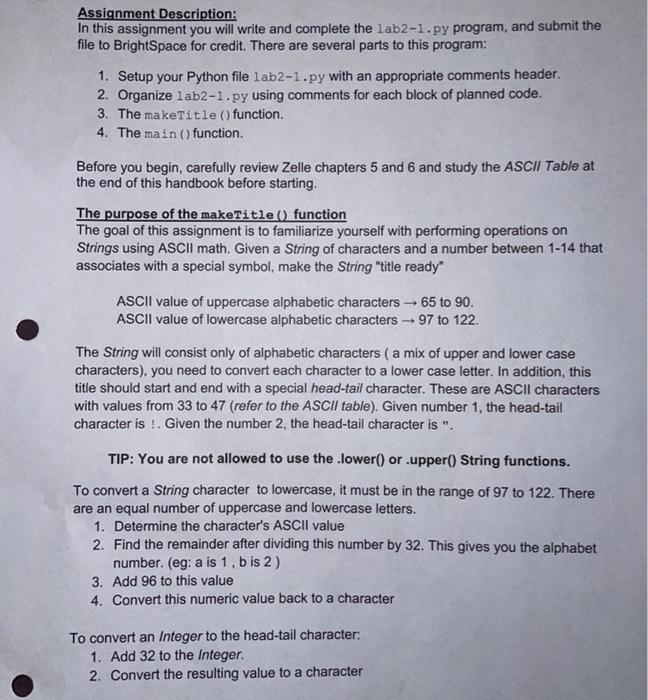
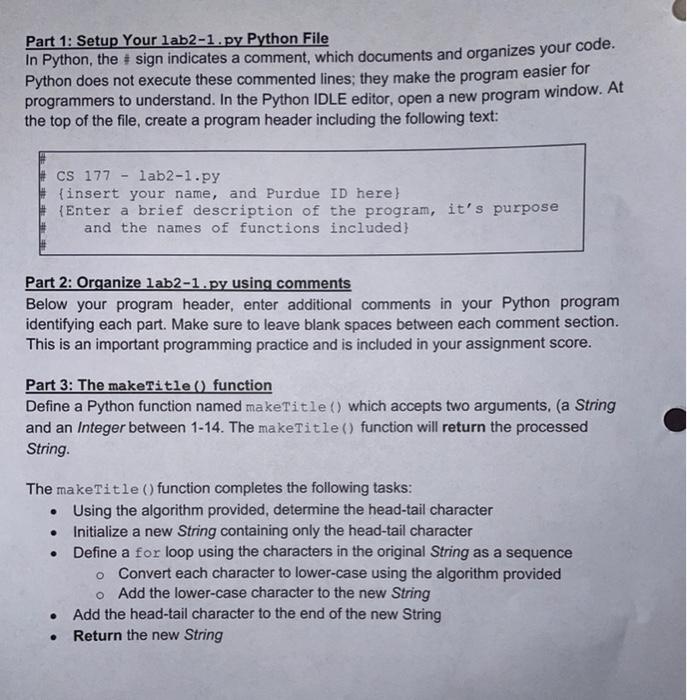
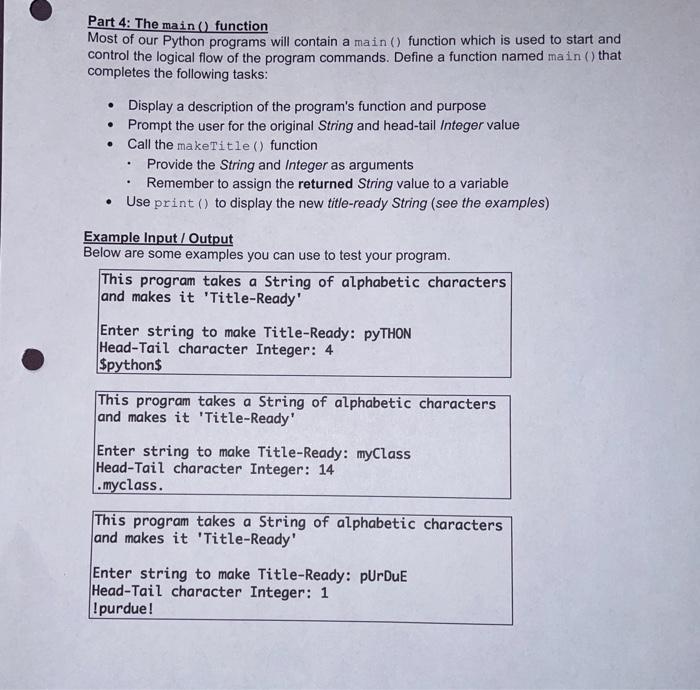
Assignment Description: In this assignment you will write and complete the lab2-1.py program, and submit the file to BrightSpace for credit. There are several parts to this program: 1. Setup your Python file lab2-1.py with an appropriate comments header. 2. Organize lab2-1.py using comments for each block of planned code. 3. The makeTitle() function. 4. The main() function. Before you begin, carefully review Zelle chapters 5 and 6 and study the ASCII Table at the end of this handbook before starting The purpose of the makeTitle() function The goal of this assignment is to familiarize yourself with performing operations on Strings using ASCII math. Given a String of characters and a number between 1-14 that associates with a special symbol, make the String "title ready" ASCII value of uppercase alphabetic characters - 65 to 90. ASCII value of lowercase alphabetic characters - 97 to 122. The String will consist only of alphabetic characters ( a mix of upper and lower case characters), you need to convert each character to a lower case letter. In addition, this title should start and end with a special head-tail character. These are ASCII characters with values from 33 to 47 (refer to the ASCII table). Given number 1, the head-tail character is !. Given the number 2, the head-tail character is ". TIP: You are not allowed to use the lower() or .upper() String functions. To convert a String character to lowercase, it must be in the range of 97 to 122. There are an equal number of uppercase and lowercase letters. 1. Determine the character's ASCII value 2. Find the remainder after dividing this number by 32. This gives you the alphabet number. (eg: a is 1. bis 2) 3. Add 96 to this value 4. Convert this numeric value back to a character To convert an Integer to the head-tail character: 1. Add 32 to the Integer 2. Convert the resulting value to a character Part 1: Setup Your lab2-1.py Python File In Python, the # sign indicates a comment, which documents and organizes your code. Python does not execute these commented lines; they make the program easier for programmers to understand. In the Python IDLE editor, open a new program window. At the top of the file, create a program header including the following text: CS 177 - lab2-1.py (insert your name, and Purdue ID here) Enter a brief description of the program, it's purpose and the names of functions included) Part 2: Organize lab2-1.py using comments Below your program header, enter additional comments in your Python program identifying each part. Make sure to leave blank spaces between each comment section. This is an important programming practice and is included in your assignment score. Part 3: The makeTitle() function Define a Python function named makeTitle which accepts two arguments, (a String and an Integer between 1-14. The makeTitle() function will return the processed String. . The makeTitle() function completes the following tasks: Using the algorithm provided, determine the head-tail character Initialize a new String containing only the head-tail character Define a for loop using the characters in the original String as a sequence o Convert each character to lower-case using the algorithm provided o Add the lower-case character to the new String Add the head-tail character to the end of the new String Return the new String . Part 4: The main () function Most of our Python programs will contain a main () function which is used to start and control the logical flow of the program commands. Define a function named main () that completes the following tasks: . . Display a description of the program's function and purpose Prompt the user for the original String and head-tail Integer value Call the makeTitle() function Provide the String and Integer as arguments Remember to assign the returned String value to a variable Use print () to display the new title-ready String (see the examples) . Example Input/Output Below are some examples you can use to test your program. This program takes a string of alphabetic characters and makes it 'Title-Ready' Enter string to make Title-Ready: pyTHON Head-Tail character Integer: 4 Spython$ This program takes a string of alphabetic characters and makes it 'Title-Ready' Enter string to make Title-Ready: myClass Head-Tail character Integer: 14 .myclass. This program takes a string of alphabetic characters and makes it 'Title-Ready' Enter string to make Title-Ready: pUrduE Head-Tail character Integer: 1 Ipurdue
Step by Step Solution
There are 3 Steps involved in it

Get step-by-step solutions from verified subject matter experts
 Study Help