







Question: Assignment Description This assignment provides the opportunity to work with an array of objects and an object that contains another object. The array of objects
Assignment Description
This assignment provides the opportunity to work with an array of objects and an object that contains another object. The array of objects will hold race car objects and each race car object has an odometer object. The code will simulate a race in which each race car must race at least miles. The race completes once all race cars have raced at least miles.
In the code, perform four tasks:
Task : create the race car objects as described below and place them into an array.
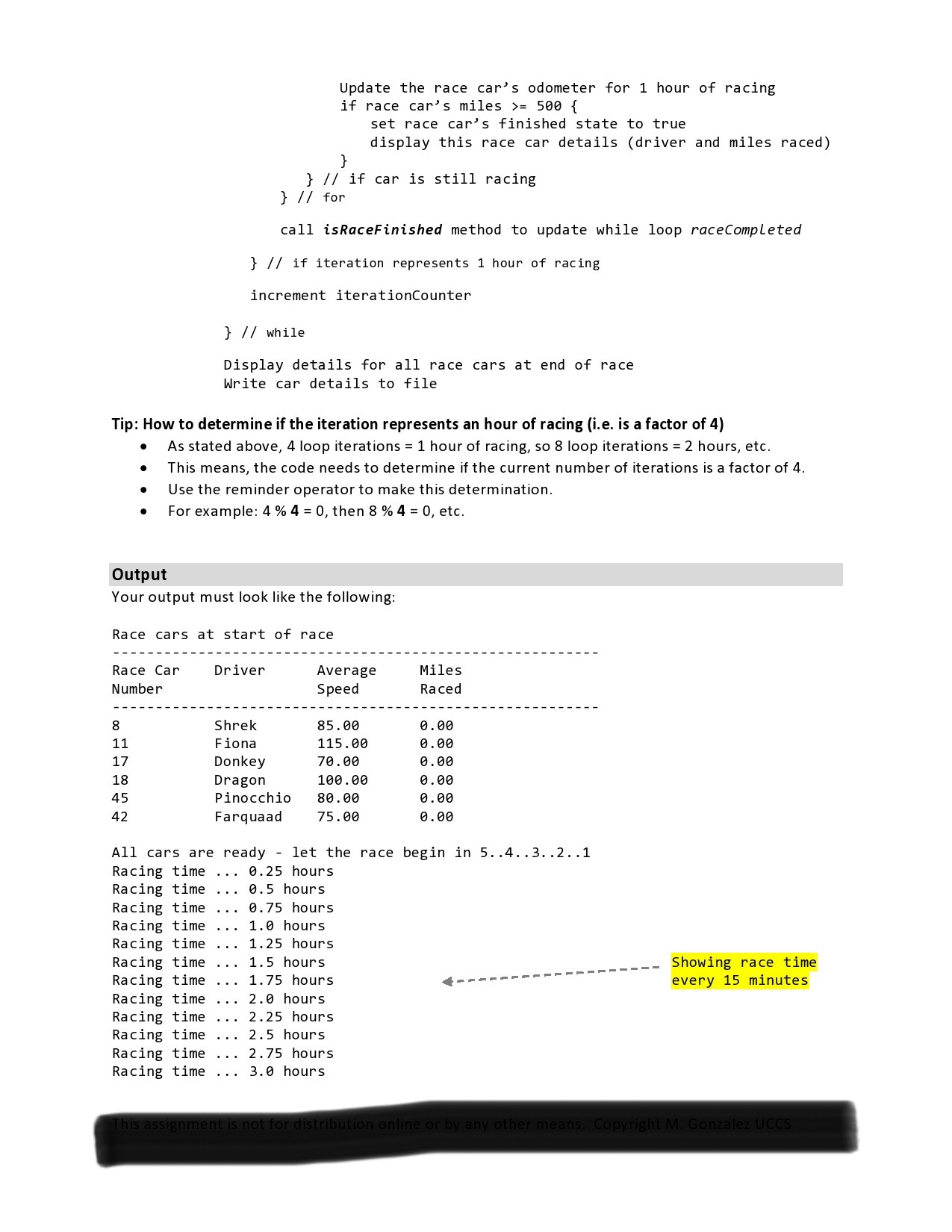
Task : simulate a race until ALL the race cars reach at least miles.
Task : display all race cars that have finished during each hour of the race.
Task : display the details for all races cars after the race is complete.
In this assignment, the completed program contains three classes:
Assignment contains main test program that creates and works with the other classes
RaceCar represents one race car
Odometer represents the odometer in a race car
Details for both RaceCar and Odometer classes are provided in the Classes section below.
Specifications
Read these specifications to get an overview of assignment. When writing code, first create the classes.
Add this assignment to your project called CS
Create a Java class within that project called LastnameFirstNameAssignment
Follow CS Programming Assignments Policy"
Write a test program ie main that:
Creates an array that stores race cars.
Calls createRaceCars method to fill the array
i This method creates the race cars using the information in the following table and places the race cars into the array.
ii Note: creation of the race cars is done manually in this method, so no user input is required to create the race cars. Hardcoding is allowed only in this method.
Race Car #
Driver
Average Race Speed
Shrek
mph
Fiona
mph
Donkey
mph
Dragon
mph
Pinocchio
mph
Farquaad
mph
Calls displayAllRaceCars method to display on the console the details for each race car.
i Display the race car details before the race starts
ii Race car # driver, average speed, miles raced zero at this point
Call raceSimulation method to start the race!
i See the Must Do and Tips section for information to help with this method.
Call displayAllRaceCars method to display on the console details for each car
i Display the race car details at race completion.
ii Display race car # driver, average speed, and miles raced.
iii. The miles raced should have changed for each car.
Call writeCarDetailsToFile method to write the details for each race car to a file.
i The code for this method is provided for you, see step # below.
The test program ie main must have these methods:
Place these methods after main inside the Assignment class
Note that static is needed on these methods since they are after main in the Assignment class
Create the race cars for the race based on the assignment sheet table and
fill the incoming array with the race cars
public static void createRaceCarsRaceCar raceCars
Display the details drivers name and miles raced for a single race car
public static void displayRaceCarRaceCar raceCar
Display the details for each race car in the array
Display race car # driver name, average speed, and miles raced
public static void displayAllRaceCarsRaceCar raceCars
Simulate the race which continues until all car reach miles
See Must Do and Tips for details regarding this method
public static void raceSimulationRaceCar raceCars
Determines if the race is finished.
If the "finished" variable for all race cars is true, return true
otherwise return false
public static boolean isRaceFinishedRaceCar raceCars
Print the details for each race car in the race cars array to a file
public static void writeRaceCarDetailsToFileRaceCar raceCars throws IOException
To start learning how to use files, do the following:
Include the writeRaceCarDetailsToFile method provided below in your code.
This method writes to a file the details for each race car at the end of the race simulation.
To write to a file:
i Add the file processing pieces in steps a and b below to your code:
ii Include the writeRaceCarDetailsToFile method provided in step c
a Include the import statements
import java.ioFile;
import java.ioIOException;
import java.ioPrintWriter;
b Main needs to throw an IOException
public static void mainString args throws IOException
c Copy the following code into your assignment. It will write the details for each race car in the array to a file named Assignmenttxt
public static void writeRaceCarDetailsToFileRaceCar raceCars throws IOException
Setup the file reference variable to refer to a text file.
Assignmenttxt is the file that will be created on your hard drive.
File fil
Step by Step Solution
There are 3 Steps involved in it
1 Expert Approved Answer
Step: 1 Unlock

Question Has Been Solved by an Expert!
Get step-by-step solutions from verified subject matter experts
Step: 2 Unlock
Step: 3 Unlock
 Study Help