







Question: Assignment In the table below, there are exam scores from a class of students. The first exam was worth 150 points and the second exam
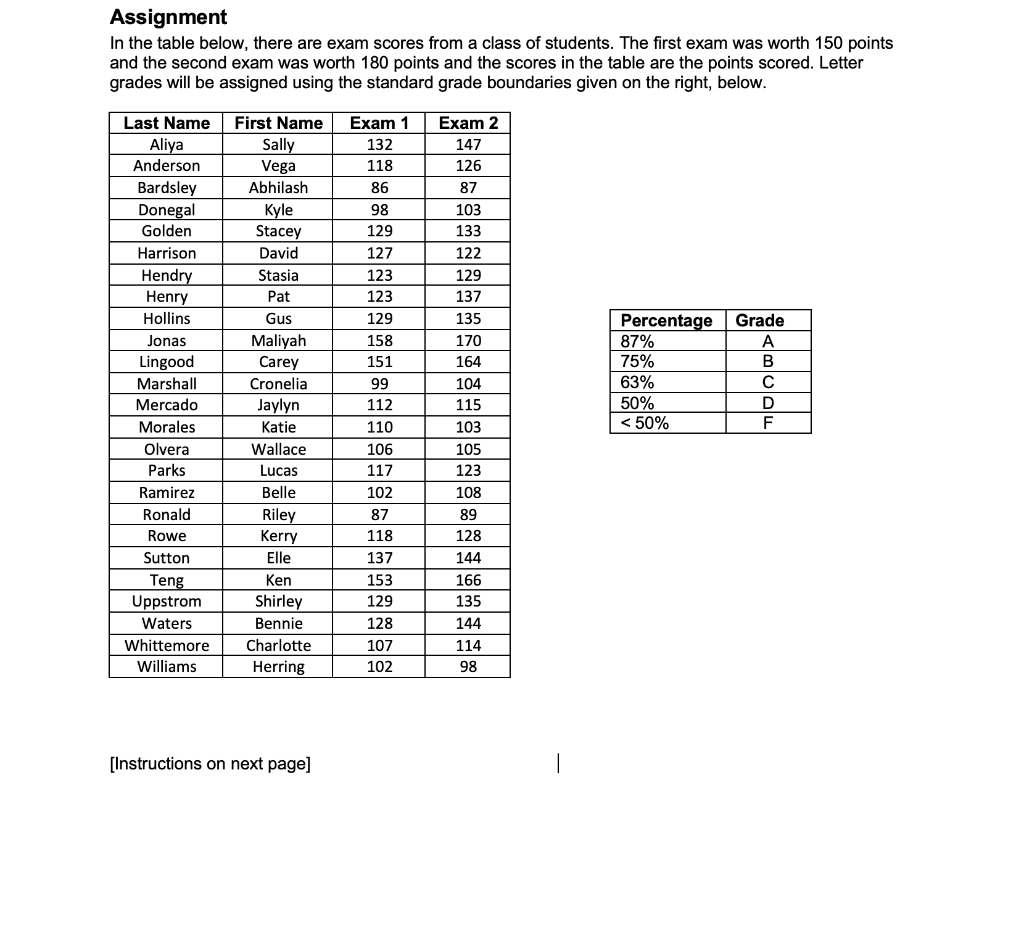
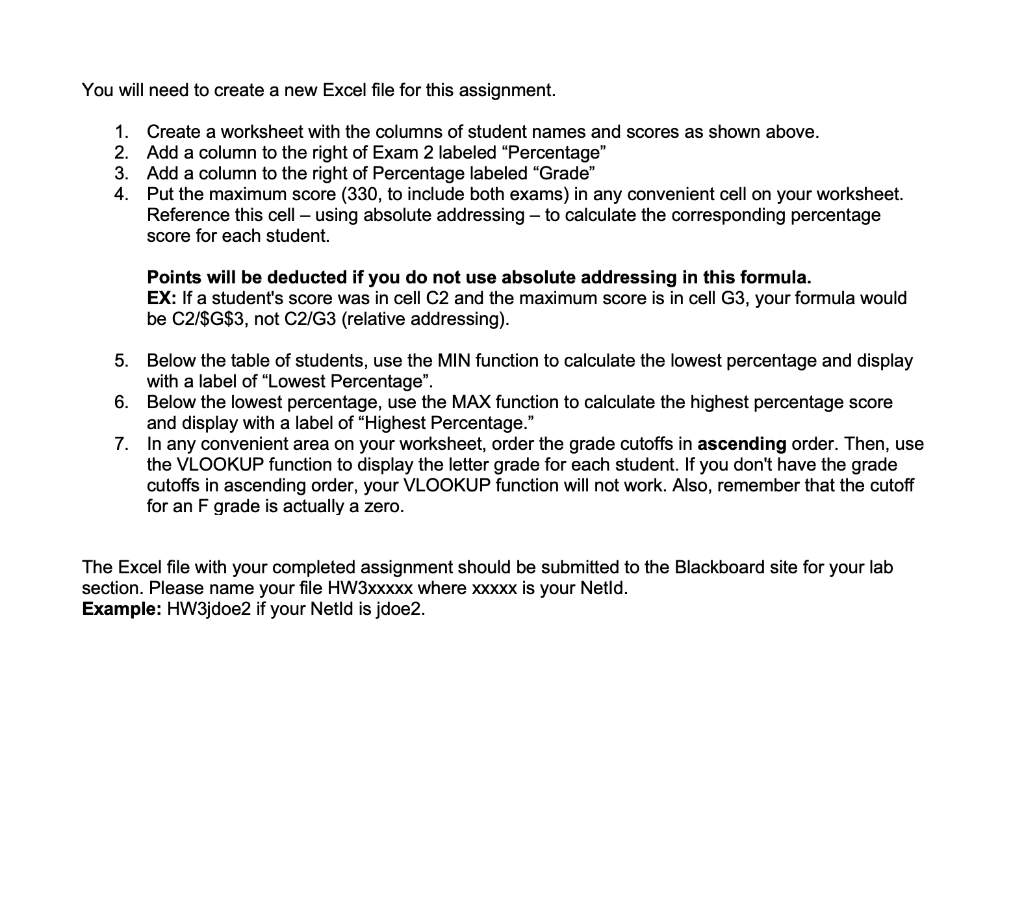
Assignment In the table below, there are exam scores from a class of students. The first exam was worth 150 points and the second exam was worth 180 points and the scores in the table are the points scored. Letter grades will be assigned using the standard grade boundaries given on the right, below. [Instructions on next page] You will need to create a new Excel file for this assignment. 1. Create a worksheet with the columns of student names and scores as shown above. 2. Add a column to the right of Exam 2 labeled "Percentage" 3. Add a column to the right of Percentage labeled "Grade" 4. Put the maximum score (330, to include both exams) in any convenient cell on your worksheet. Reference this cell - using absolute addressing - to calculate the corresponding percentage score for each student. Points will be deducted if you do not use absolute addressing in this formula. EX: If a student's score was in cell C2 and the maximum score is in cell G3, your formula would be C2/\$G $3, not C2/G3 (relative addressing). 5. Below the table of students, use the MIN function to calculate the lowest percentage and display with a label of "Lowest Percentage". 6. Below the lowest percentage, use the MAX function to calculate the highest percentage score and display with a label of "Highest Percentage." 7. In any convenient area on your worksheet, order the grade cutoffs in ascending order. Then, use the VLOOKUP function to display the letter grade for each student. If you don't have the grade cutoffs in ascending order, your VLOOKUP function will not work. Also, remember that the cutoff for an F grade is actually a zero. The Excel file with your completed assignment should be submitted to the Blackboard site for your lab section. Please name your file HW3xxxxx where xxxxx is your Netld. Example: HW3jdoe2 if your Netld is jdoe2
Step by Step Solution
There are 3 Steps involved in it

Get step-by-step solutions from verified subject matter experts
 Study Help