







Question: ASSIGNMENT Submit your MATLAB script via Canvas using the MATLAB Grader. Label each part and include comments where applicable. PROCEDURE From Example 14 in Chapter
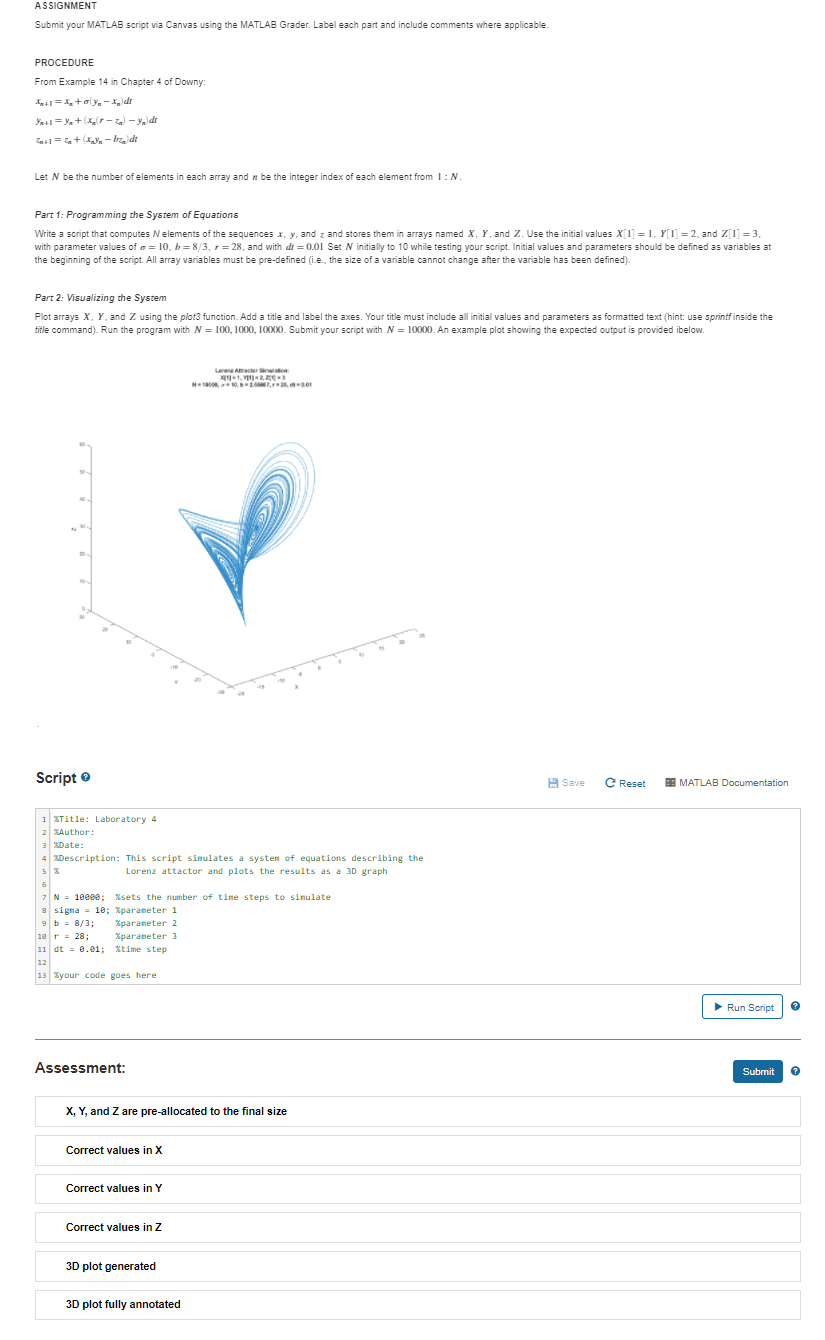
ASSIGNMENT Submit your MATLAB script via Canvas using the MATLAB Grader. Label each part and include comments where applicable. PROCEDURE From Example 14 in Chapter 4 of Downy: 4+1=X+oy-Xd Ya=+X--yldt =+ X-bz, de Let N be the number of elements in each array and n be the integer index of each element from 1: N. Part 1: Programming the System of Equations Write a script that computes elements of the sequences x, y, and z and stores them in arrays named X, Yand Z. Use the initial values X[= 1, Y[T = 2. and Z 1 = 3. with parameter values of s = 10,b=8/3, r=28, and with dt = 0.01 Set N initially to 10 while testing your script. Initial values and parameters should be defined as variables at the beginning of the script. All array variables must be pre-defined (i.e., the size of a variable cannot change after the variable has been defined). Part 2: Visualizing the System Plot arrays X, Y. and Z using the plot3 function. Add a title and label the axes. Your title must include all initial values and parameters as formatted text (hint: use sprintf inside the title command). Run the program with N = 100, 1000, 10000. Submit your script with N = 10000. An example plot showing the expected output is provided ibelow. Loren AS 4.2.2003 2000-2007, 28,00 Script Save e Reset ES MATLAB Documentation 1 Title: Laboratory 4 2 Author: 3 Date: 4 Description: This script simulates a system of equations describing the 5 % Lorenz attactor and plots the results as a 3D graph 7 N = 18000; Xsets the number of tine steps to simulate 8 Sigma = 10; Xparameter 1 9 b = 8/3; Xparameter 2 10 = 28: Xparameter 3 11 dt = 0.01; Xtime step 12 13 your code goes here Run Script ? Assessment: Submit X, Y, and Z are pre-allocated to the final size Correct values in X Correct values in Y Correct values in Z 3D plot generated 3D plot fully annotated
Step by Step Solution
There are 3 Steps involved in it

Get step-by-step solutions from verified subject matter experts
 Study Help