







Question: Assignment Tasks: Task 1 103,04,05||10 Marks Question No. 1 [03][4 Marks] Design and create a chart using Graphics Builder using the table EMPLOYEES . Select
![Assignment Tasks: Task 1 103,04,05||10 Marks Question No. 1 [03][4 Marks]](https://dsd5zvtm8ll6.cloudfront.net/si.experts.images/questions/2024/09/66f3901c3f386_17166f3901bd14dd.jpg)
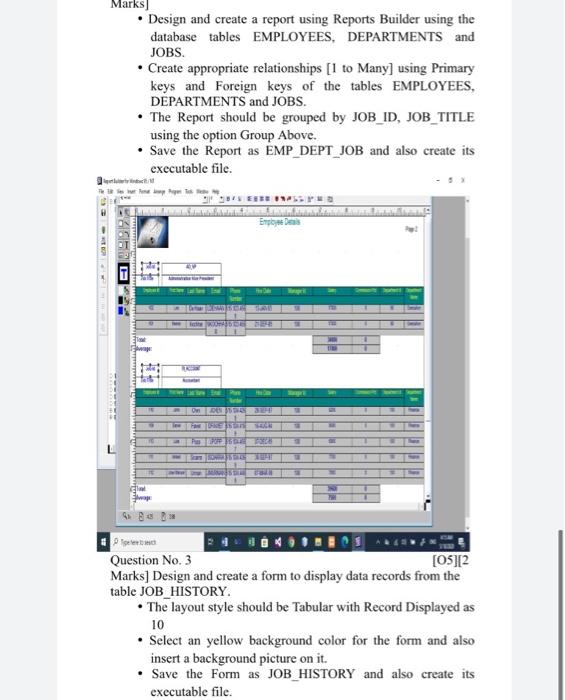
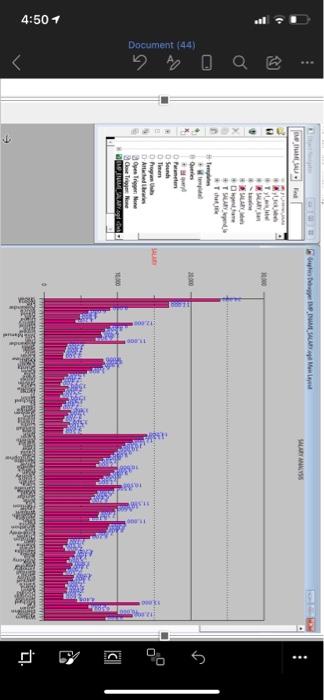
Assignment Tasks: Task 1 103,04,05||10 Marks Question No. 1 [03][4 Marks] Design and create a chart using Graphics Builder using the table EMPLOYEES . Select the data from the column ENAME for its X-axis values and the data from another column SALARY for its Y-axis values. Display the data labels of Y-axis field. Save the Chart as EMP_ENAME_SALARY and also create its executable file. Question No. 2 [04)14 Marks Design and create a report using Reports Builder using the database tables EMPLOYEES. DEPARTMENTS and JOBS Create appropriate relationships (I to Many) using Primary keys and Foreign keys of the tables EMPLOYEES DEPARTMENTS and JOBS The Report should be grouped by JOB_ID, JOB_TITLE using the option Group Above Save the Report as EMP_DEPT_JOB and also create its executable file Marks) Design and create a report using Reports Builder using the database tables EMPLOYEES, DEPARTMENTS and JOBS. Create appropriate relationships [1 to Many] using Primary keys and Foreign keys of the tables EMPLOYEES, DEPARTMENTS and JOBS. The Report should be grouped by JOB_ID, JOB_TITLE using the option Group Above. Save the Report as EMP_DEPT_JOB and also create its executable file. IS EEEE #YPE Embos AGBD : DES 1 --- Pete Question No. 3 [05][2 Marks] Design and create a form to display data records from the table JOB_HISTORY. The layout style should be Tabular with Record Displayed as 10 Select an yellow background color for the form and also insert a background picture on it. Save the form as JOB_HISTORY and also create its executable file. DE SACADAM RAMUS RSS Tyle WAR ** + SLAV 20 Document (44) . + Ole O Parameters . Sound Tinen Dhya the Anched in Home Trene MARY 100 C e . 4:50 1 . TO Assignment Tasks: Task 1 103,04,05||10 Marks Question No. 1 [03][4 Marks] Design and create a chart using Graphics Builder using the table EMPLOYEES . Select the data from the column ENAME for its X-axis values and the data from another column SALARY for its Y-axis values. Display the data labels of Y-axis field. Save the Chart as EMP_ENAME_SALARY and also create its executable file. Question No. 2 [04)14 Marks Design and create a report using Reports Builder using the database tables EMPLOYEES. DEPARTMENTS and JOBS Create appropriate relationships (I to Many) using Primary keys and Foreign keys of the tables EMPLOYEES DEPARTMENTS and JOBS The Report should be grouped by JOB_ID, JOB_TITLE using the option Group Above Save the Report as EMP_DEPT_JOB and also create its executable file Marks) Design and create a report using Reports Builder using the database tables EMPLOYEES, DEPARTMENTS and JOBS. Create appropriate relationships [1 to Many] using Primary keys and Foreign keys of the tables EMPLOYEES, DEPARTMENTS and JOBS. The Report should be grouped by JOB_ID, JOB_TITLE using the option Group Above. Save the Report as EMP_DEPT_JOB and also create its executable file. IS EEEE #YPE Embos AGBD : DES 1 --- Pete Question No. 3 [05][2 Marks] Design and create a form to display data records from the table JOB_HISTORY. The layout style should be Tabular with Record Displayed as 10 Select an yellow background color for the form and also insert a background picture on it. Save the form as JOB_HISTORY and also create its executable file. DE SACADAM RAMUS RSS Tyle WAR ** + SLAV 20 Document (44) . + Ole O Parameters . Sound Tinen Dhya the Anched in Home Trene MARY 100 C e . 4:50 1 . TO
Step by Step Solution
There are 3 Steps involved in it

Get step-by-step solutions from verified subject matter experts
 Study Help