







Question: Assignment The object of this assignment is to construct a mini-banking system that helps us manage banking data. Notice that you can copy and
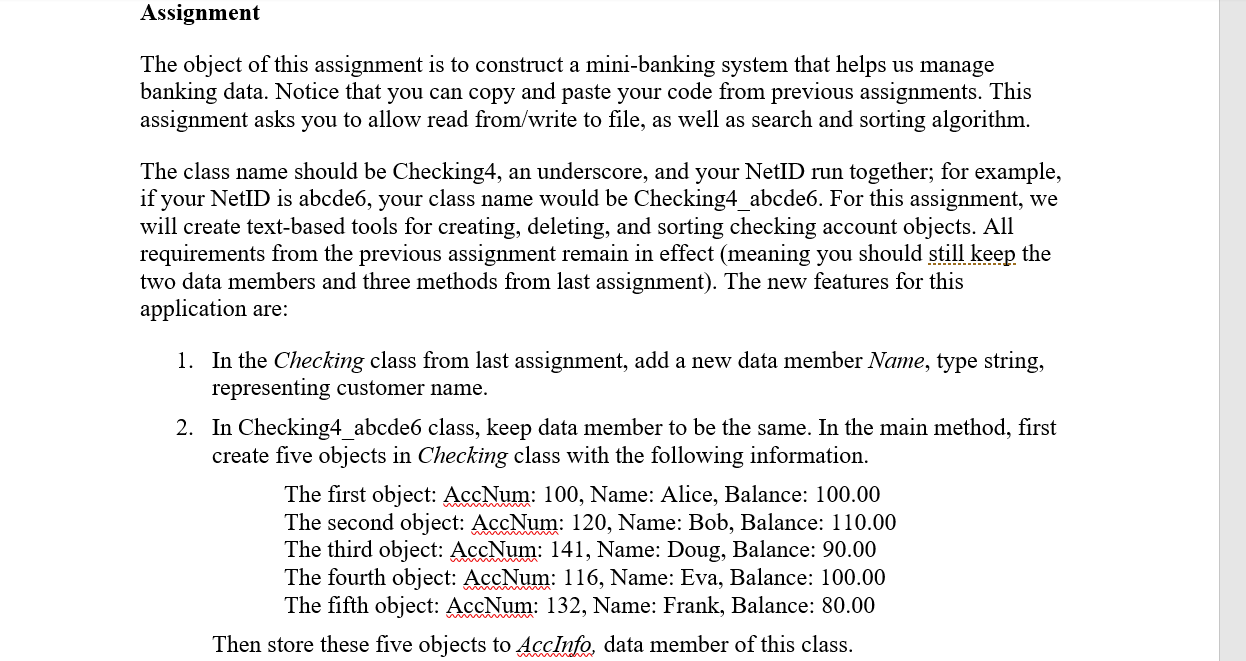
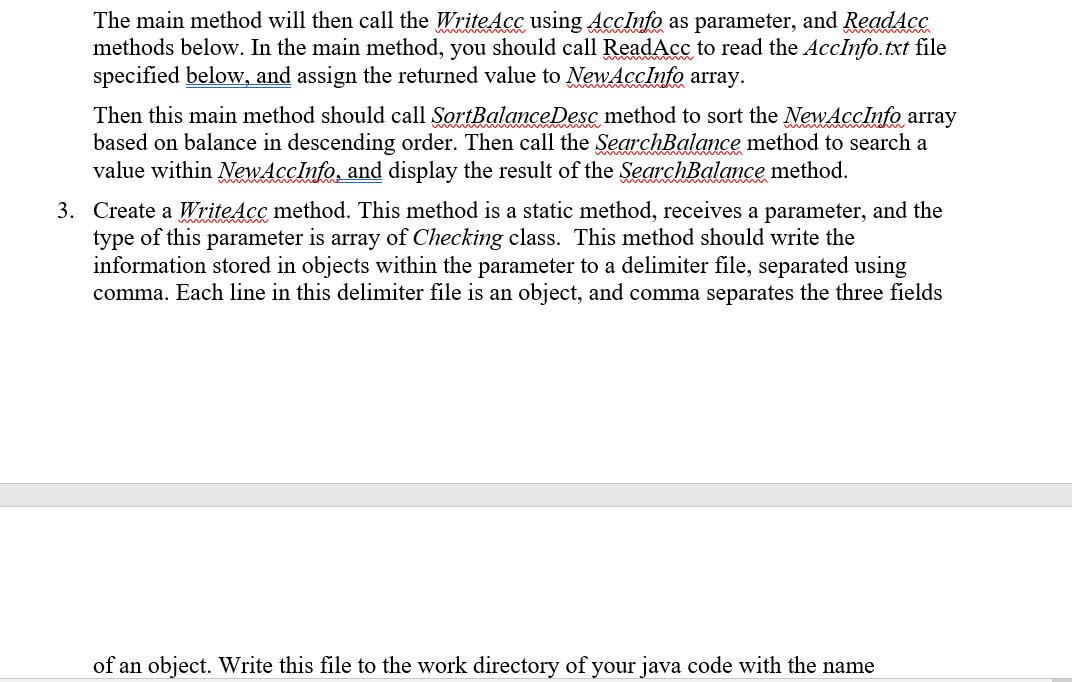
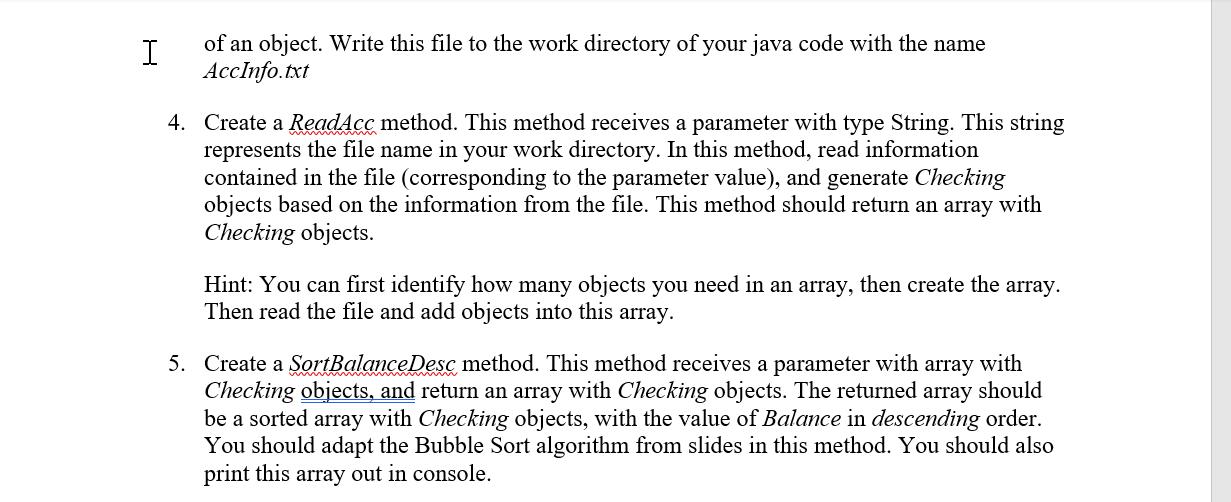
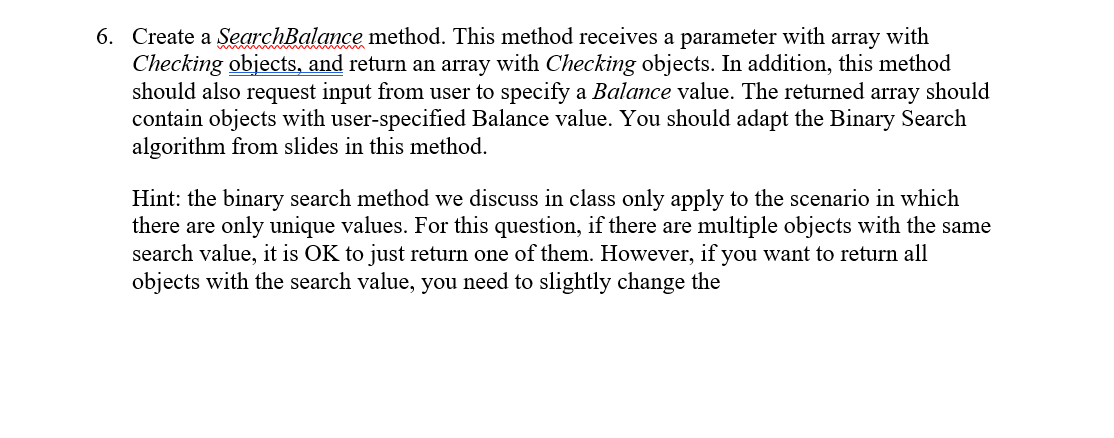
Assignment The object of this assignment is to construct a mini-banking system that helps us manage banking data. Notice that you can copy and paste your code from previous assignments. This assignment asks you to allow read from/write to file, as well as search and sorting algorithm. The class name should be Checking4, an underscore, and your NetID run together; for example, if your NetID is abcde6, your class name would be Checking4_abcde6. For this assignment, we will create text-based tools for creating, deleting, and sorting checking account objects. All requirements from the previous assignment remain in effect (meaning you should still keep the two data members and three methods from last assignment). The new features for this application are: 1. In the Checking class from last assignment, add a new data member Name, type string, representing customer name. 2. In Checking4_abcde6 class, keep data member to be the same. In the main method, first create five objects in Checking class with the following information. The first object: AccNum: 100, Name: Alice, Balance: 100.00 The second object: AccNum: 120, Name: Bob, Balance: 110.00 The third object: AccNum: 141, Name: Doug, Balance: 90.00 The fourth object: AccNum: 116, Name: Eva, Balance: 100.00 The fifth object: AccNum: 132, Name: Frank, Balance: 80.00 Then store these five objects to AccInfo, data member of this class. The main method will then call the WriteAcc using AccInfo as parameter, and ReadAcc methods below. In the main method, you should call ReadAcc to read the AccInfo.txt file specified below, and assign the returned value to NewAccInfo array. Then this main method should call SortBalance Desc method to sort the NewAccInfo array based on balance in descending order. Then call the SearchBalance method to search a value within NewAccInfo, and display the result of the SearchBalance method. 3. Create a WriteAcc method. This method is a static method, receives a parameter, and the type of this parameter is array of Checking class. This method should write the information stored in objects within the parameter to a delimiter file, separated using comma. Each line in this delimiter file is an object, and comma separates the three fields of an object. Write this file to the work directory of your java code with the name I of an object. Write this file to the work directory of your java code with the name AccInfo.txt 4. Create a ReadAcc method. This method receives a parameter with type String. This string represents the file name in your work directory. In this method, read information contained in the file (corresponding to the parameter value), and generate Checking objects based on the information from the file. This method should return an array with Checking objects. Hint: You can first identify how many objects you need in an array, then create the array. Then read the file and add objects into this array. 5. Create a SortBalance Desc method. This method receives a parameter with array with Checking objects, and return an array with Checking objects. The returned array should be a sorted array with Checking objects, with the value of Balance in descending order. You should adapt the Bubble Sort algorithm from slides in this method. You should also print this array out in console. 6. Create a SearchBalance method. This method receives a parameter with array with Checking objects, and return an array with Checking objects. In addition, this method should also request input from user to specify a Balance value. The returned array should contain objects with user-specified Balance value. You should adapt the Binary Search algorithm from slides in this method. Hint: the binary search method we discuss in class only apply to the scenario in which there are only unique values. For this question, if there are multiple objects with the same search value, it is OK to just return one of them. However, if you want to return all objects with the search value, you need to slightly change the
Step by Step Solution
There are 3 Steps involved in it

Get step-by-step solutions from verified subject matter experts
 Study Help