Question: Assignment-2: Excel 2013 (10 marks) TOPIC: Same topic as your Powerpoint assignment. You are instructed to use the table of data you have designed and
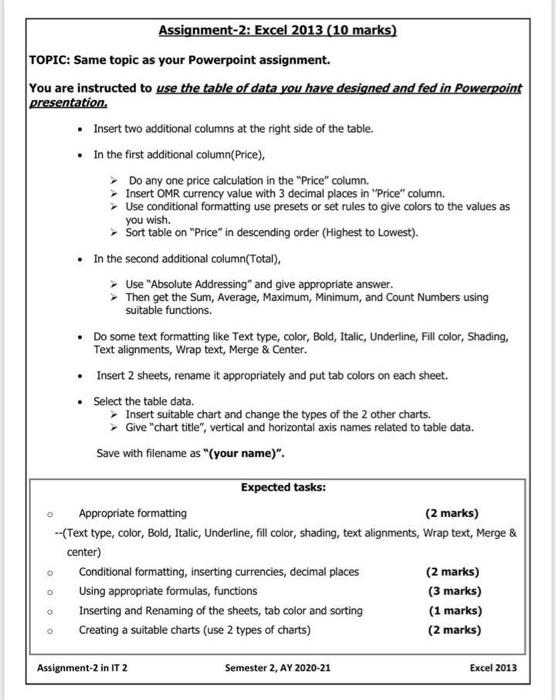
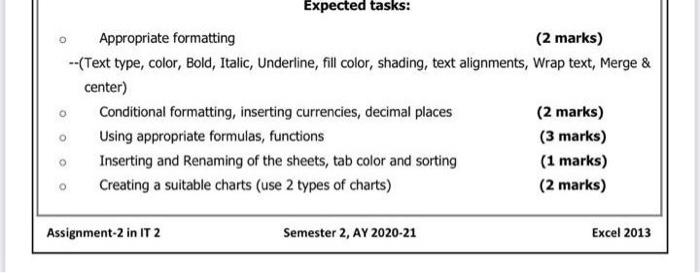
Assignment-2: Excel 2013 (10 marks) TOPIC: Same topic as your Powerpoint assignment. You are instructed to use the table of data you have designed and fed in Powerpoint presentation Insert two additional columns at the right side of the table. In the first additional column(Price), Do any one price calculation in the "Price" column. Insert OMR currency value with 3 decimal places in "Price" column. Use conditional formatting use presets or set rules to give colors to the values as you wish. Sort table on "Price" in descending order (Highest to Lowest). In the second additional column(Total), Use "Absolute Addressing" and give appropriate answer. Then get the Sum, Average, Maximum, Minimum, and Count Numbers using suitable functions. Do some text formatting like Text type, color, Bold, Italic, Underline, Fill color, Shading, Text alignments, Wrap text, Merge & Center. Insert 2 sheets, rename it appropriately and put tab colors on each sheet. Select the table data. Insert suitable chart and change the types of the 2 other charts. Give "chart title", vertical and horizontal axis names related to table data. Save with filename as "(your name)". Expected tasks: Appropriate formatting (2 marks) --(Text type, color, Bold, Italic, Underline, fill color, shading, text alignments, Wrap text, Merge & center) Conditional formatting, inserting currencies, decimal places (2 marks) Using appropriate formulas, functions (3 marks) Inserting and Renaming of the sheets, tab color and sorting (1 marks) Creating a suitable charts (use 2 types of charts) (2 marks) o Assignment-2 in IT 2 Semester 2, AY 2020-21 Excel 2013 Expected tasks: Appropriate formatting (2 marks) --(Text type, color, Bold, Italic, Underline, fill color, shading, text alignments, Wrap text, Merge & center) Conditional formatting, inserting currencies, decimal places (2 marks) Using appropriate formulas, functions (3 marks) Inserting and Renaming of the sheets, tab color and sorting (1 marks) Creating a suitable charts (use 2 types of charts) (2 marks) O Assignment-2 in IT 2 Semester 2, AY 2020-21 Excel 2013 Assignment-2: Excel 2013 (10 marks) TOPIC: Same topic as your Powerpoint assignment. You are instructed to use the table of data you have designed and fed in Powerpoint presentation Insert two additional columns at the right side of the table. In the first additional column(Price), Do any one price calculation in the "Price" column. Insert OMR currency value with 3 decimal places in "Price" column. Use conditional formatting use presets or set rules to give colors to the values as you wish. Sort table on "Price" in descending order (Highest to Lowest). In the second additional column(Total), Use "Absolute Addressing" and give appropriate answer. Then get the Sum, Average, Maximum, Minimum, and Count Numbers using suitable functions. Do some text formatting like Text type, color, Bold, Italic, Underline, Fill color, Shading, Text alignments, Wrap text, Merge & Center. Insert 2 sheets, rename it appropriately and put tab colors on each sheet. Select the table data. Insert suitable chart and change the types of the 2 other charts. Give "chart title", vertical and horizontal axis names related to table data. Save with filename as "(your name)". Expected tasks: Appropriate formatting (2 marks) --(Text type, color, Bold, Italic, Underline, fill color, shading, text alignments, Wrap text, Merge & center) Conditional formatting, inserting currencies, decimal places (2 marks) Using appropriate formulas, functions (3 marks) Inserting and Renaming of the sheets, tab color and sorting (1 marks) Creating a suitable charts (use 2 types of charts) (2 marks) o Assignment-2 in IT 2 Semester 2, AY 2020-21 Excel 2013 Expected tasks: Appropriate formatting (2 marks) --(Text type, color, Bold, Italic, Underline, fill color, shading, text alignments, Wrap text, Merge & center) Conditional formatting, inserting currencies, decimal places (2 marks) Using appropriate formulas, functions (3 marks) Inserting and Renaming of the sheets, tab color and sorting (1 marks) Creating a suitable charts (use 2 types of charts) (2 marks) O Assignment-2 in IT 2 Semester 2, AY 2020-21 Excel 2013









 Study Help