







Question: Assignment-2-lab itdr2107 (Protected View) - Word ew Help Tell me what you want to do dit, it's safer to stay in Protected View. Enable Editing
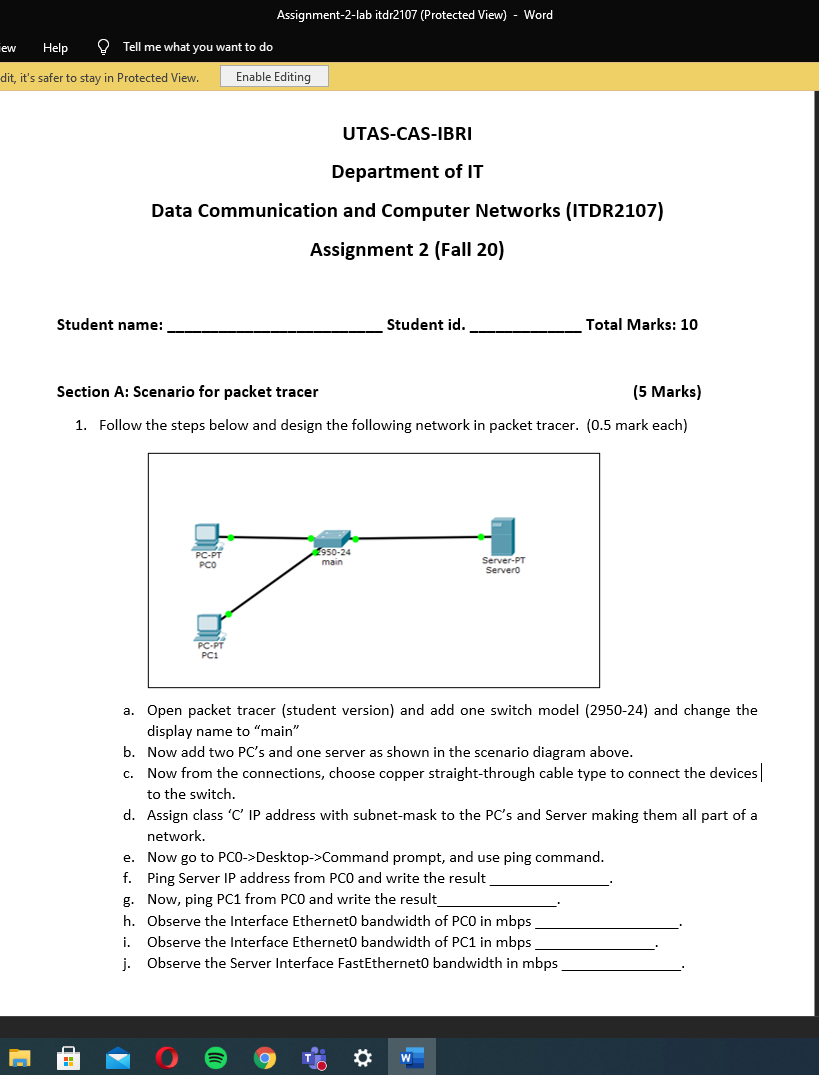
Assignment-2-lab itdr2107 (Protected View) - Word ew Help Tell me what you want to do dit, it's safer to stay in Protected View. Enable Editing UTAS-CAS-IBRI Department of IT Data Communication and Computer Networks (ITDR2107) Assignment 2 (Fall 20) Student name: Student id. Total Marks: 10 Section A: Scenario for packet tracer (5 Marks) 1. Follow the steps below and design the following network in packet tracer. (0.5 mark each) PC-PT PCO 2950-24 main Server-PT Servero PC.PT PCI a. Open packet tracer (student version) and add one switch model (2950-24) and change the display name to "main" b. Now add two PC's and one server as shown in the scenario diagram above. C. Now from the connections, choose copper straight-through cable type to connect the devices to the switch. d. Assign class 'C' IP address with subnet-mask to the PC's and Server making them all part of a network e. Now go to PCO->Desktop->Command prompt, and use ping command. f. Ping Server IP address from PCO and write the result g. Now, ping PC1 from PCO and write the result h. Observe the Interface Etherneto bandwidth of PCO in mbps Observe the Interface Etherneto bandwidth of PC1 in mbps j. Observe the Server Interface FastEtherneto bandwidth in mbps i. W
Step by Step Solution
There are 3 Steps involved in it

Get step-by-step solutions from verified subject matter experts
 Study Help