Question: Assmebly coding. 4.9 shows what the assmebly code needs to perform. The c driver is also attached. The assembly stub is also attached and has
Assmebly coding. 4.9 shows what the assmebly code needs to perform. The c driver is also attached. The assembly stub is also attached and has spots where assembly code needs tk be inserted. Along with some test cases.
Assmebly coding. 4.9 shows what the assmebly code needs to perform. The
c driver is also attached. The assembly stub is also attached and
has spots where assembly code needs tk be inserted. Along with some
test cases. 4.9 Assignment This is the specification of what the assembly
functions need to perform. Do not copy or type this code. Use

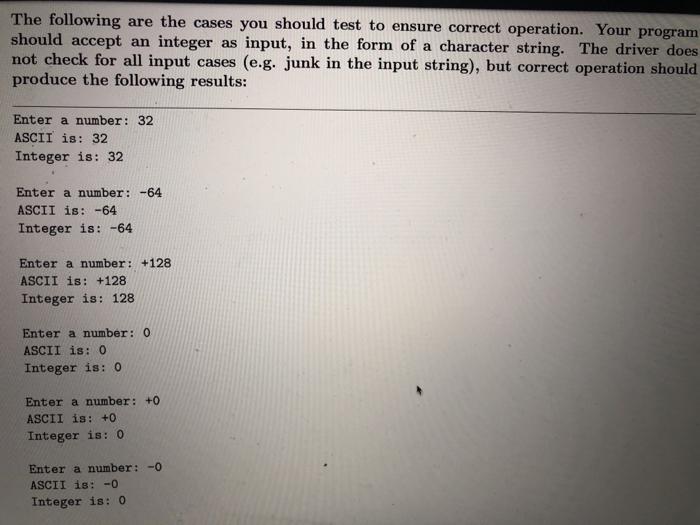
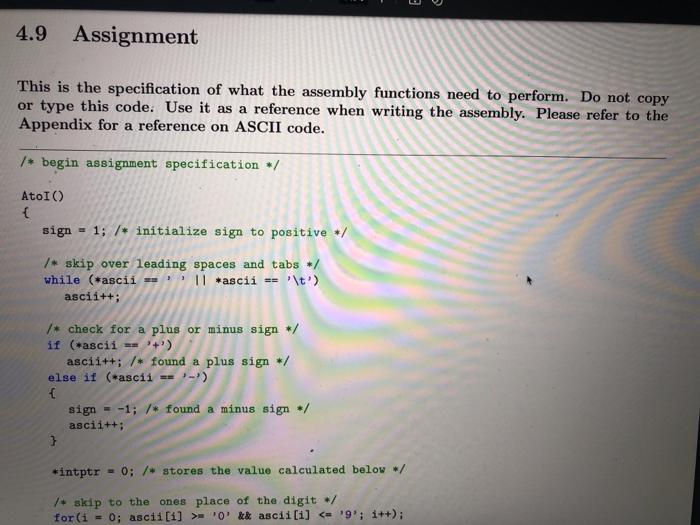
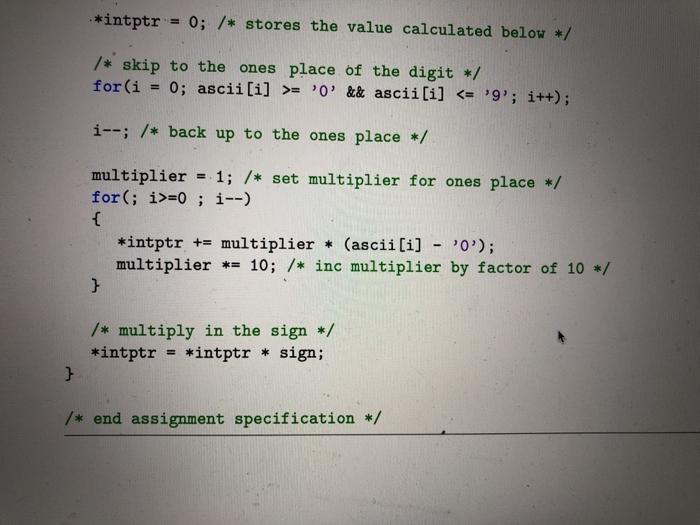
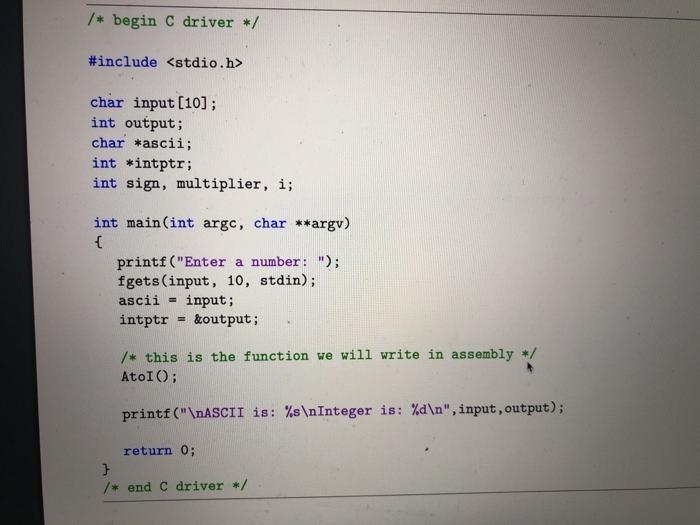
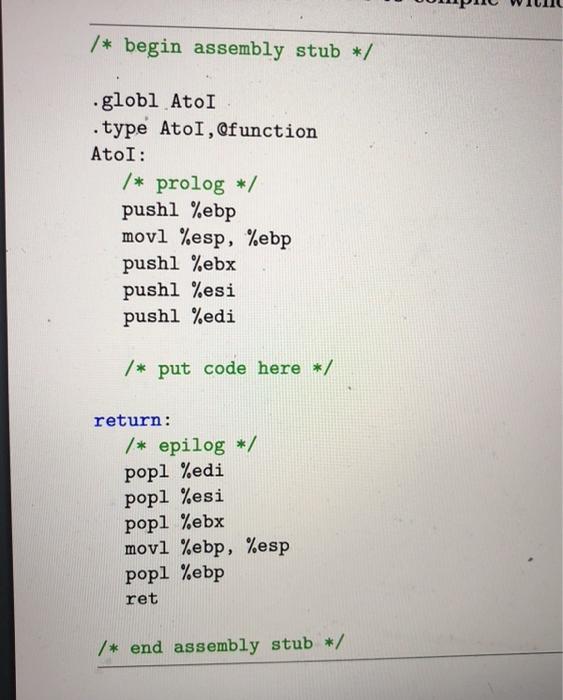
4.9 Assignment This is the specification of what the assembly functions need to perform. Do not copy or type this code. Use it as a reference when writing the assembly. Please refer to the Appendix for a reference on ASCII code. /* begin assignment specification / AtoI) { sign - 1; /* initialize sign to positive / /* skip over leading spaces and tabs */ while (*ascii = ' || *ascii == '\t') ascii++; /* check for a plus or minus sign */ if (*ascii == "+") ascii++; /* found a plus sign / else if (*ascii == ;-) { sign - -1; /* found a minus sign / ascii++; } *intptr = 0; /* stores the value calculated below */ / + skip to the ones place of the digit / for (i = 0; ascii[i] >='0' & ascii[i] = '0' && ascii[i] =0; i--) { *intptr += multiplier * (ascii[i] - 'O'); multiplier *= 10; /* inc multiplier by factor of 10 */ } /* multiply in the sign */ *intptr *intptr * sign; } /* end assignment specification */ /* begin C driver */ #include char input[10]; int output; char *ascii; int *intptr; int sign, multiplier, i; int main(int argc, char **argv) { printf("Enter a number: "); fgets (input, 10, stdin); ascii = input; intptr &output; /* this is the function we will write in assembly / AtoI(); printf(" ASCII is: %s Integer is: %d ", input, output); return 0; } /* end C driver */ /* begin assembly stub */ globl Atol .type Atol, function AtoI: /* prolog */ pushl %ebp movl %esp, %ebp pushl %ebx pushl %esi pushl %edi /* put code here */ return: /* epilog */ popl %edi popl %esi popl %ebx movl %ebp, %esp popl %ebp ret /* end assembly stub */ The following are the cases you should test to ensure correct operation. Your program should accept an integer as input, in the form of a character string. The driver does not check for all input cases (e.g. junk in the input string), but correct operation should produce the following results: Enter a number: 32 ASCII is: 32 Integer is: 32 Enter a number: -64 ASCII is: -64 Integer is: -64 Enter a number: +128 ASCII is: +128 Integer is: 128 Enter a number: 0 ASCII is: 0 Integer is: 0 Enter a number: +0 ASCII is: +0 Integer is: 0 Enter a number: - ASCII is: - Integer is: 0

Step by Step Solution

There are 3 Steps involved in it

1 Expert Approved Answer
Step: 1 Unlock blur-text-image
Question Has Been Solved by an Expert!

Get step-by-step solutions from verified subject matter experts

Step: 2 Unlock
Step: 3 Unlock

Students Have Also Explored These Related Databases Questions!