







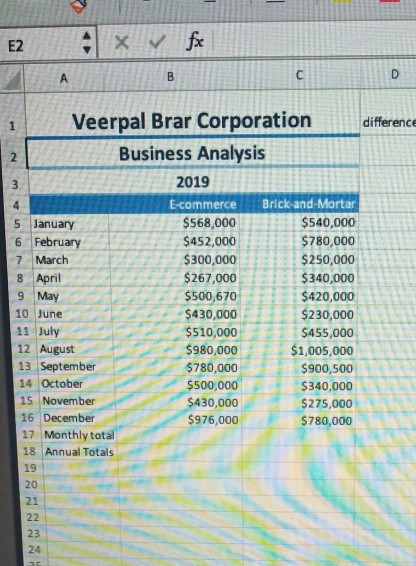
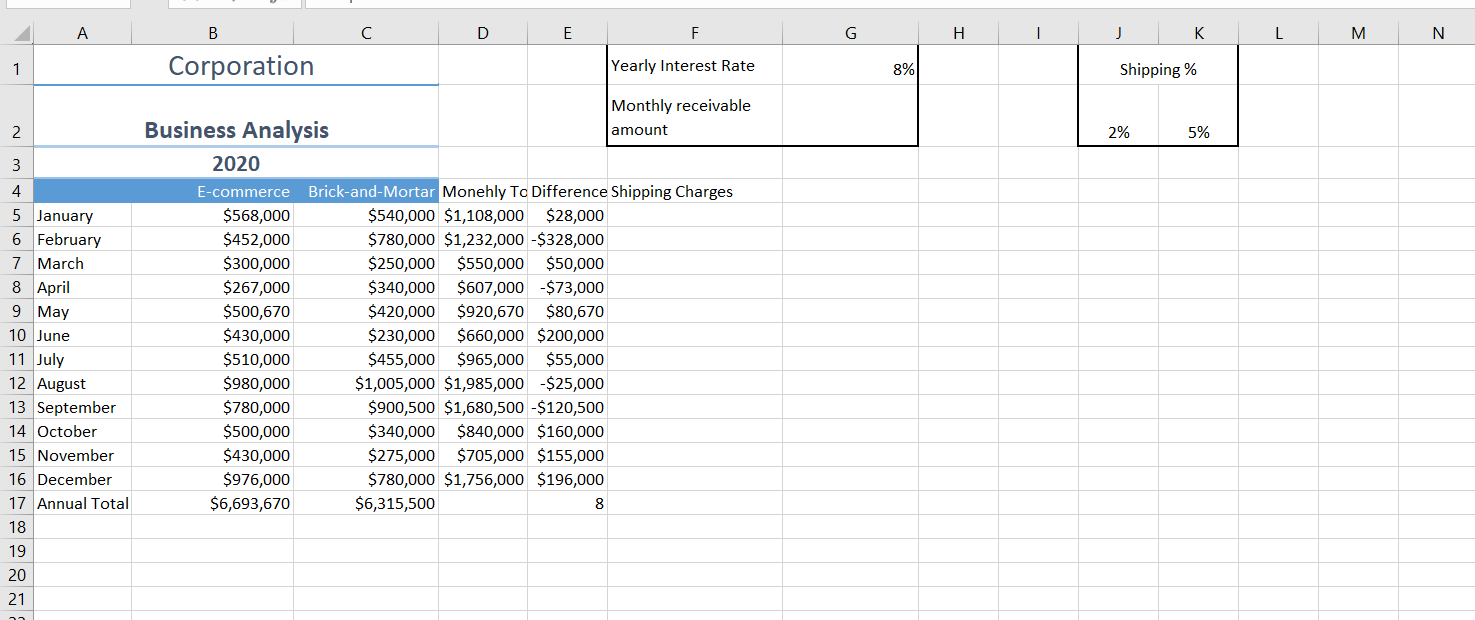
Question: At the bottom of that column, use the COUNT function to indicate how many months EC was higher than B&M. The company will also need
-
At the bottom of that column, use the COUNT function to indicate how many months EC was higher than B&M.
-
The company will also need to collect shipping charges from the E-commerce customers. Put the total monthly shipping charges in a separate column. If the EC sales are higher than $500,000 the shipping charge will be 2% of the sales; otherwise it will be 5% of the sales. These charges should be absolute referenced.
-
Assume that ALL the B&M sales were on account and that the payments would be received monthly for one year. The interest rate is found in G1. Use the payment function to indicate how much income the business will receive each month for the B&M sales.
-
You wish to classify your Total Monthly Sales as either SUPER, NORMAL, POOR. Sales >1,300,000 are SUPER, Sales between $650,000 and $1,300,000 are NORMAL; and Sales below $650,000 are POOR. Create a Vlookup Table for this information. Then add a new column which uses the Vlookup function to give a rating to each month.
Step by Step Solution
There are 3 Steps involved in it

Get step-by-step solutions from verified subject matter experts
 Study Help