







Question: AutoSave Home Insert Draw Page Layout Formulas Data Review View Automate X Cut Copy Format Aptos Narrow ( Bod . . . 1 1 A
AutoSave
Home
Insert
Draw
Page Layout
Formulas
Data
Review
View
Automate
X Cut
Copy
Format
Aptos Narrow Bod
ce Wrap Text
Merge & Center
A
B
C
D
E
F
G
H
L
M
N
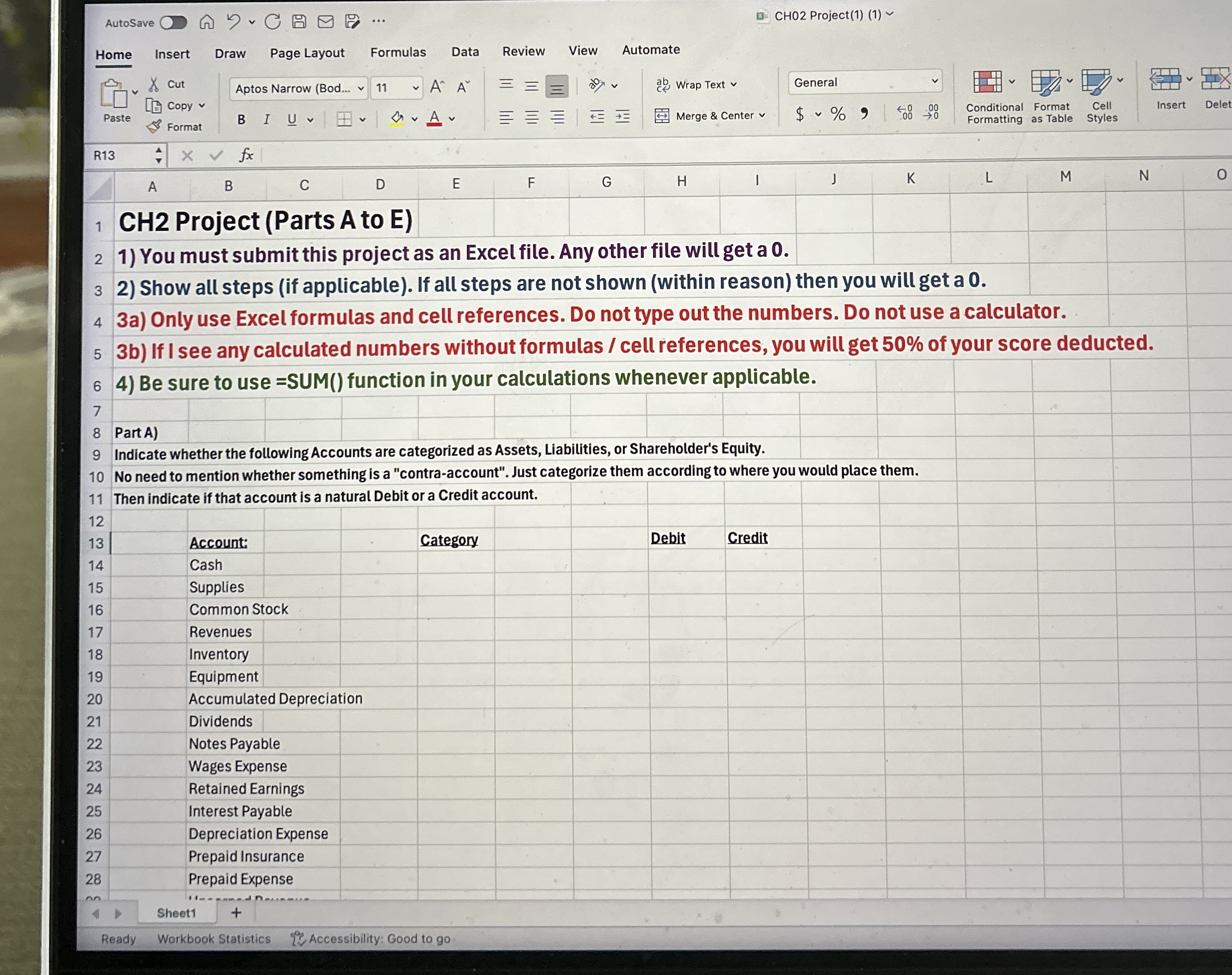
CH Project Parts A to E
You must submit this project as an Excel file. Any other file will get a
Show all steps if applicable If all steps are not shown within reason then you will get a
a Only use Excel formulas and cell references. Do not type out the numbers. Do not use a calculator.
b If I see any calculated numbers without formulas cell references, you will get of your score deducted.
Be sure to use SUM function in your calculations whenever applicable.
Part A
Indicate whether the following Accounts are categorized as Assets, Liabilities, or Shareholder's Equity.
No need to mention whether something is a "contraaccount". Just categorize them according to where you would place them.
Then indicate if that account is a natural Debit or a Credit account.
Sheet
Ready
Workbook Statistics
Accessibility: Good to go
Step by Step Solution
There are 3 Steps involved in it
1 Expert Approved Answer
Step: 1 Unlock

Question Has Been Solved by an Expert!
Get step-by-step solutions from verified subject matter experts
Step: 2 Unlock
Step: 3 Unlock
 Study Help