







Question: avaFX Tutorial Screen Design and Events Activity Instructions: The following is a step-by-step tutorial to help you learn Java GUI with JavaFX. Follow each step
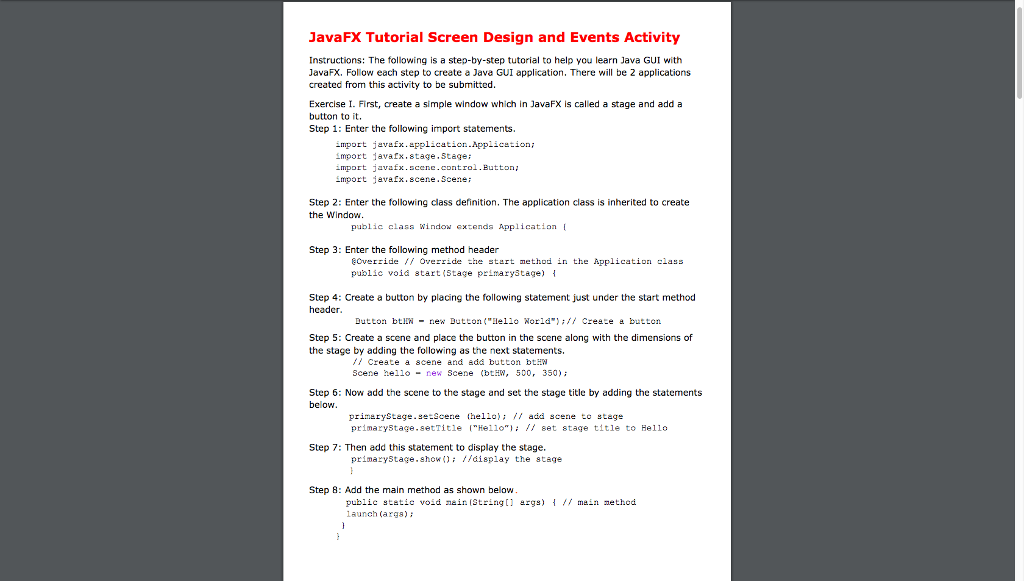
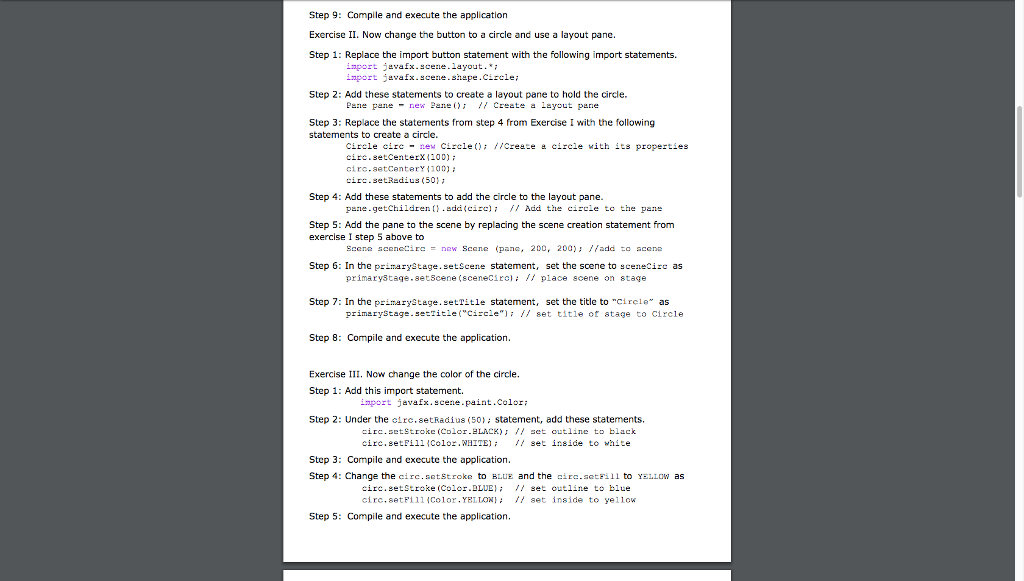
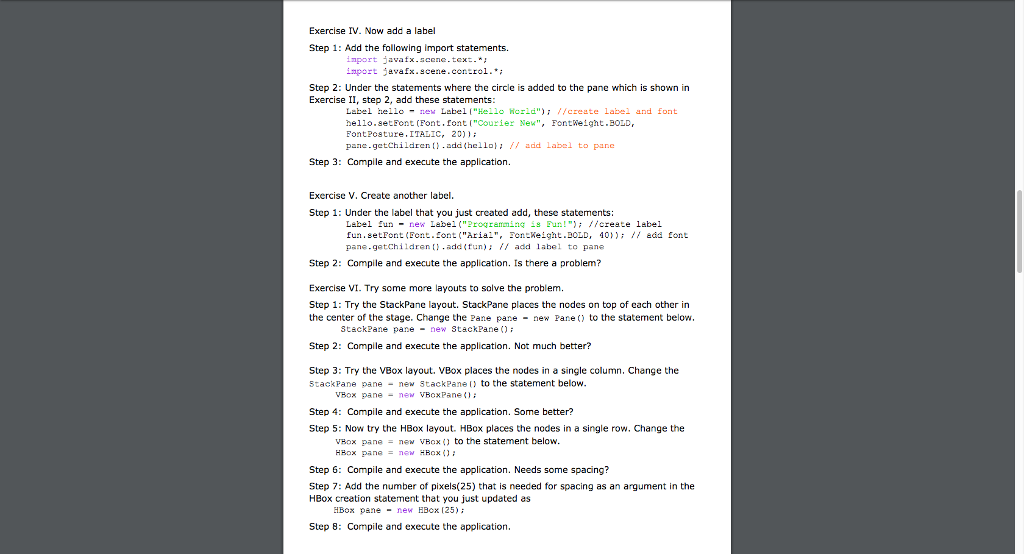
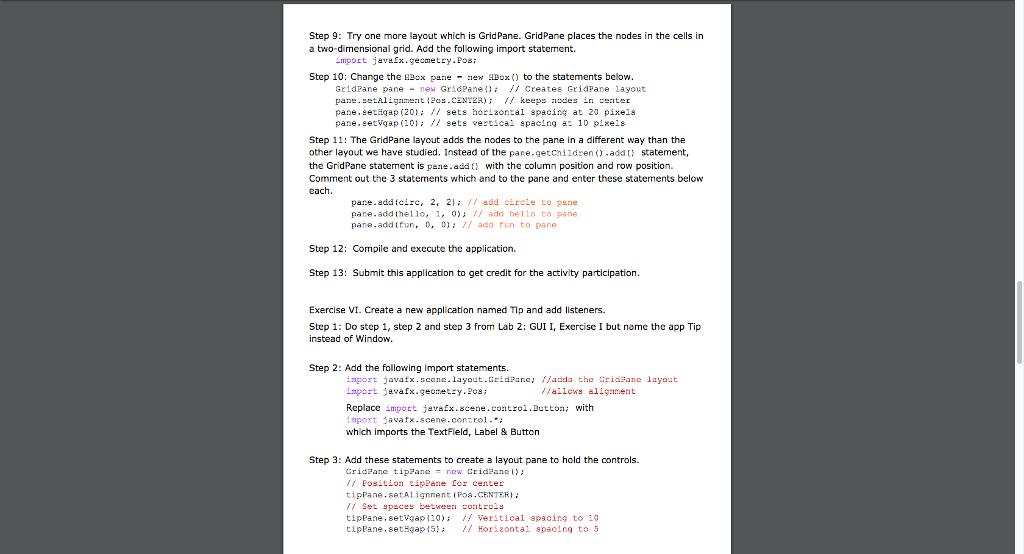
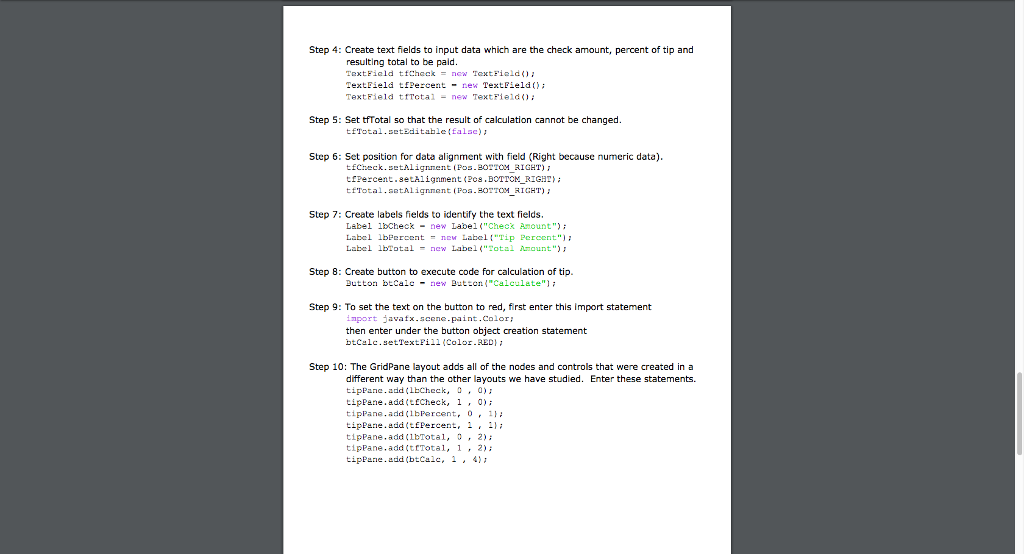
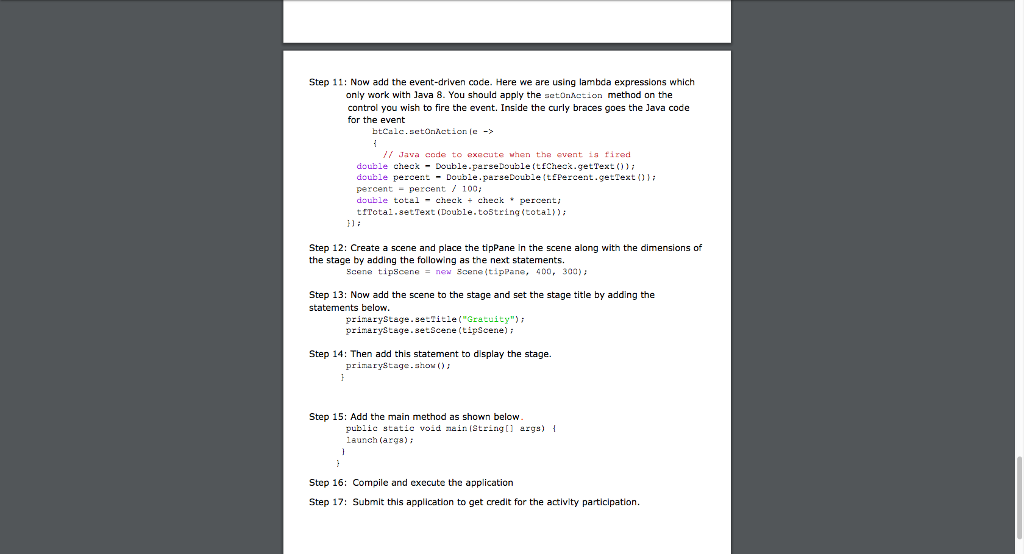
avaFX Tutorial Screen Design and Events Activity Instructions: The following is a step-by-step tutorial to help you learn Java GUI with JavaFX. Follow each step to create a Java GUI application. There will be 2 applications created from this activity to be submitted. Exercise I. First, create a simple window which in JavaFX is called a stage and adda button to it. Step 1: Enter the following import statements. import javafx.application.Applicstioni mport 1avarx.stage.Staqe: import javafx.scene.control.Button import javafx.scene.Scene: Step 2: Enter the following class definition. The application class is inherited to create the Window public class Window extends Application Step 3: Enterhefollowing method header @Override // Override the t rt me thou in the Application --ass public void 8tart(Stage primaryStage) { Step 4: Create a button by placing the following statement just under the start method hcader Dutton btIIN-new Dutton ("ae11* Norld");// Cre ce button Step 5: Create a scene and place the button in the scene along with the dimensions of the stage by adding the following as the next statements Create a scene and edd button btH Scene hello-new Scene (LHW, 500, 350) Step 6: Now add the scene to the stage and set the stage title by adding the statements below primeryStage.se-Scene tello); /, add scene to tage primaryStage.setTitie "Helloset stage title to Hello Step 7 Then add this statement to display the stage. primaryStage.show): /fdisplay the stage Step 8: Add the main method as shown below public scetic void ain[String[] rgs) { // mdin method aunch (arga)
Step by Step Solution
There are 3 Steps involved in it

Get step-by-step solutions from verified subject matter experts
 Study Help