







Question: B. Consider the table below, which provides the common module attributes (flags for most regex functions) re. I, re. IGNORECASE Case-insensitive matching re.L, re.LOCALE Matches
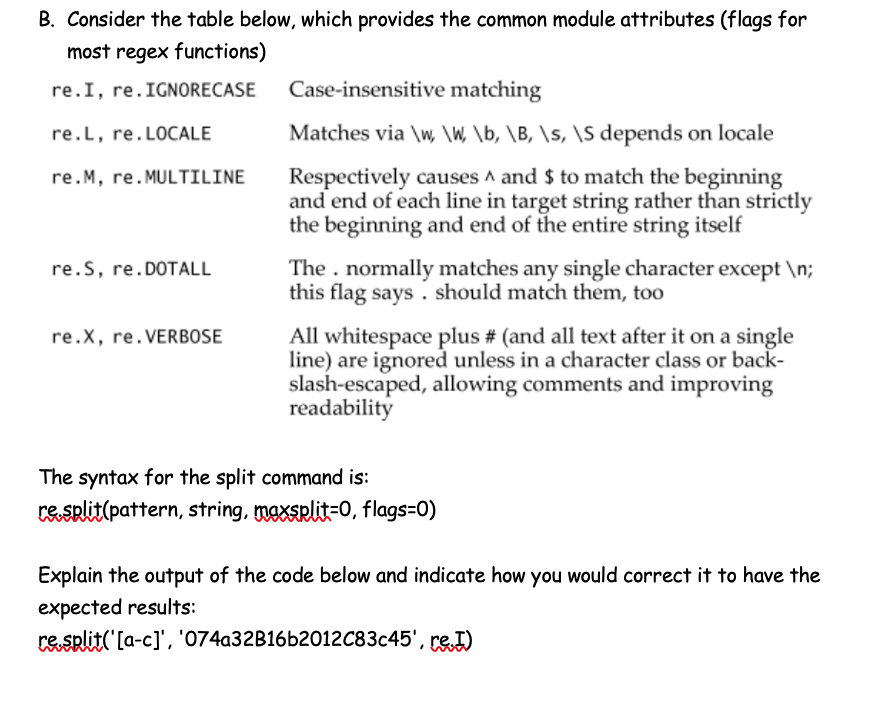
B. Consider the table below, which provides the common module attributes (flags for most regex functions) re. I, re. IGNORECASE Case-insensitive matching re.L, re.LOCALE Matches via \w, \w\b, \B, \s, \S depends on locale re.M, re.MULTILINE Respectively causes A and $ to match the beginning and end of each line in target string rather than strictly the beginning and end of the entire string itself re.s, re. DOTALL The . normally matches any single character except ; this flag says should match them, too re.x, re. VERBOSE All whitespace plus # (and all text after it on a single line) are ignored unless in a character class or back- slash-escaped, allowing comments and improving readability The syntax for the split command is: re.split(pattern, string, maxsplit=0, flags=0) Explain the output of the code below and indicate how you would correct it to have the expected results: re.split('[a-c]', '074a32B16b2012C83c45', re. I)
Step by Step Solution
There are 3 Steps involved in it

Get step-by-step solutions from verified subject matter experts
 Study Help