







Question: B) Turtle graphics Use the turtle Python built-in library functions to write code that produces the following including the blue background: REQUIREMENTS OF THE PYTHON
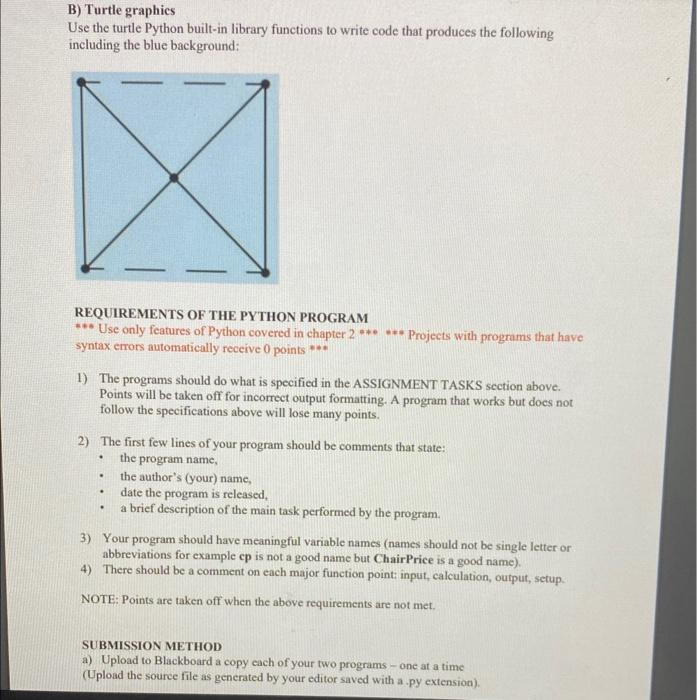
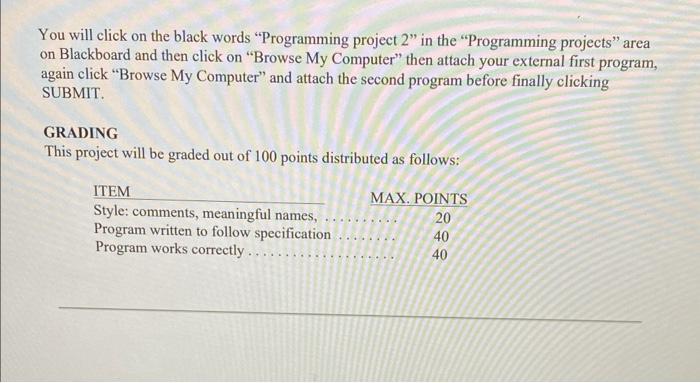
B) Turtle graphics Use the turtle Python built-in library functions to write code that produces the following including the blue background: REQUIREMENTS OF THE PYTHON PROGRAM ** Use only features of Python covered in chapter 2 Projects with programs that have syntax errors automatically receive 0 points ** 1) The programs should do what is specified in the ASSIGNMENT TASKS section above. Points will be taken off for incorrect output formatting. A program that works but does not follow the specifications above will lose many points. 2) The first few lines of your program should be comments that state: - the program name, - the author's (your) name, - date the program is released, - a brief description of the main task performed by the program. 3) Your program should have meaningful variable names (names should not be single letter or abbreviations for example ep is not a good name but ChairPrice is a good name). 4) There should be a comment on each major function point: input, calculation, output, setup. NOTE: Points are taken off when the above requirements are not met. SUBMISSION METHOD a) Upload to Blackboard a copy each of your two programs - one at a time (Upload the souree file as generated by your editor saved with a.py extension). You will click on the black words "Programming project 2" in the "Programming projects" area on Blackboard and then click on "Browse My Computer" then attach your external first program, again click "Browse My Computer" and attach the second program before finally clicking SUBMIT. GRADING This project will be graded out of 100 points distributed as follows
Step by Step Solution
There are 3 Steps involved in it

Get step-by-step solutions from verified subject matter experts
 Study Help