







Question: (b) Write a php program that will print the following receipt. The item's and its price is from a database. Quantity is the number of
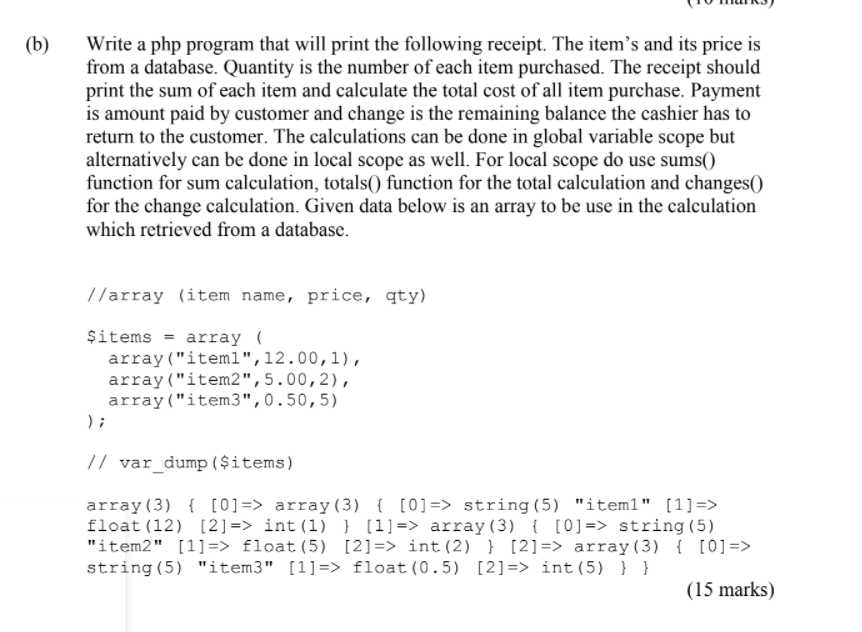
(b) Write a php program that will print the following receipt. The item's and its price is from a database. Quantity is the number of each item purchased. The receipt should print the sum of each item and calculate the total cost of all item purchase. Payment is amount paid by customer and change is the remaining balance the cashier has to return to the customer. The calculations can be done in global variable scope but alternatively can be done in local scope as well. For local scope do use sums() function for sum calculation, totals() function for the total calculation and changes() for the change calculation. Given data below is an array to be use in the calculation which retrieved from a database. //array (item name, price, qty) Sitems = array ( array("iteml",12.00,1), array("item2",5.00,2), array("item3",0.50,5) ); // var_dump($items) array(3) { [0]=> array(3) { [0]=> string(5) "iteml" [1]=> float (12) [2] => int(1) } [1]=> array(3) { [0]=> string(5) "item2" [1]=> float(5) [2] => int(2) } [2]=> array(3) { [0]=> string(5) "item3" [1]=> float(0.5) [2]=> int(5) } } (15 marks) (b) Write a php program that will print the following receipt. The item's and its price is from a database. Quantity is the number of each item purchased. The receipt should print the sum of each item and calculate the total cost of all item purchase. Payment is amount paid by customer and change is the remaining balance the cashier has to return to the customer. The calculations can be done in global variable scope but alternatively can be done in local scope as well. For local scope do use sums() function for sum calculation, totals() function for the total calculation and changes() for the change calculation. Given data below is an array to be use in the calculation which retrieved from a database. //array (item name, price, qty) Sitems = array ( array("iteml",12.00,1), array("item2",5.00,2), array("item3",0.50,5) ); // var_dump($items) array(3) { [0]=> array(3) { [0]=> string(5) "iteml" [1]=> float (12) [2] => int(1) } [1]=> array(3) { [0]=> string(5) "item2" [1]=> float(5) [2] => int(2) } [2]=> array(3) { [0]=> string(5) "item3" [1]=> float(0.5) [2]=> int(5) } } (15 marks)
Step by Step Solution
There are 3 Steps involved in it

Get step-by-step solutions from verified subject matter experts
 Study Help