







Question: BA 33] Microsoft ACCESS Assignment This assignment is about creating tables and entering data in MS Access. Before beginning this assignment, please be sure that
![BA 33\"] Microsoft ACCESS Assignment This assignment is about creating tables](https://dsd5zvtm8ll6.cloudfront.net/si.experts.images/questions/2024/11/673b64b9e0513_657673b64b9b1561.jpg)
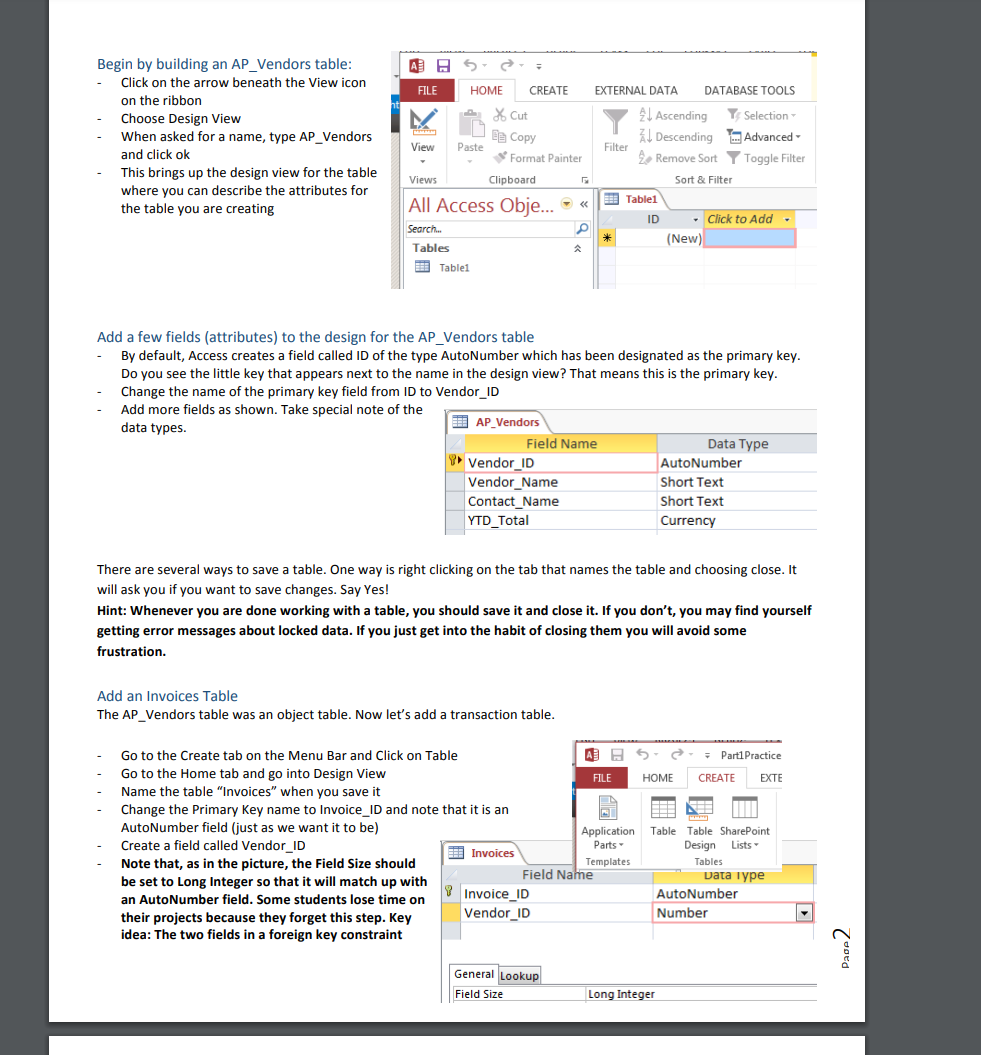
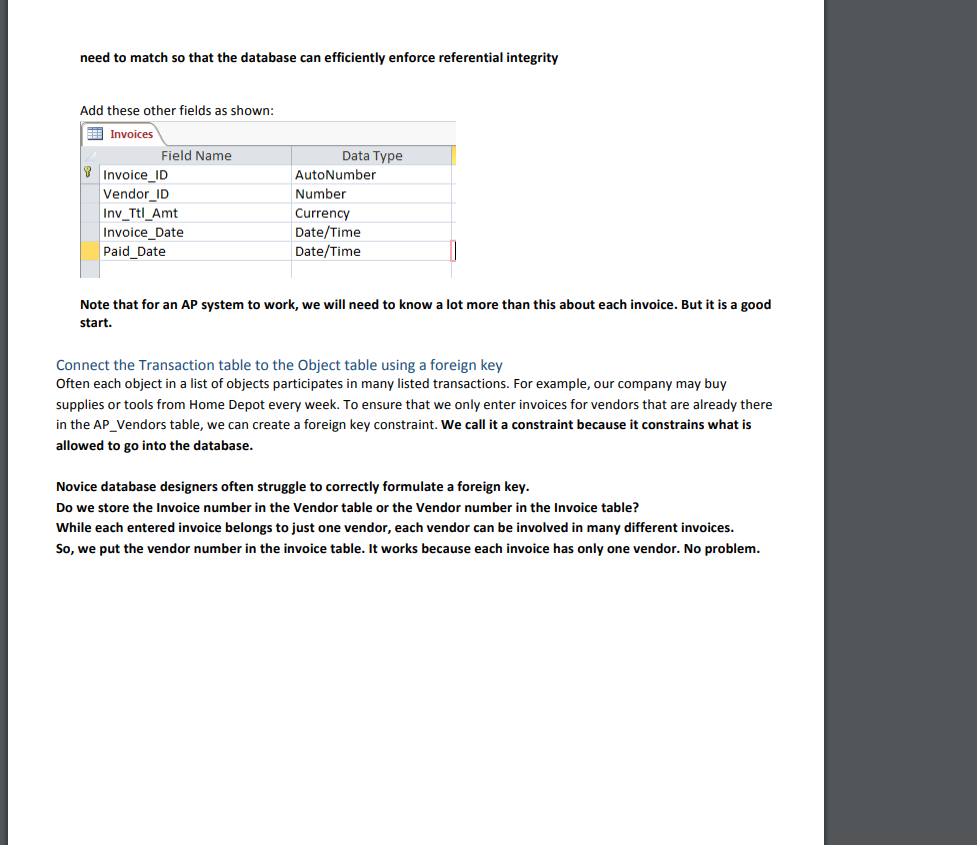
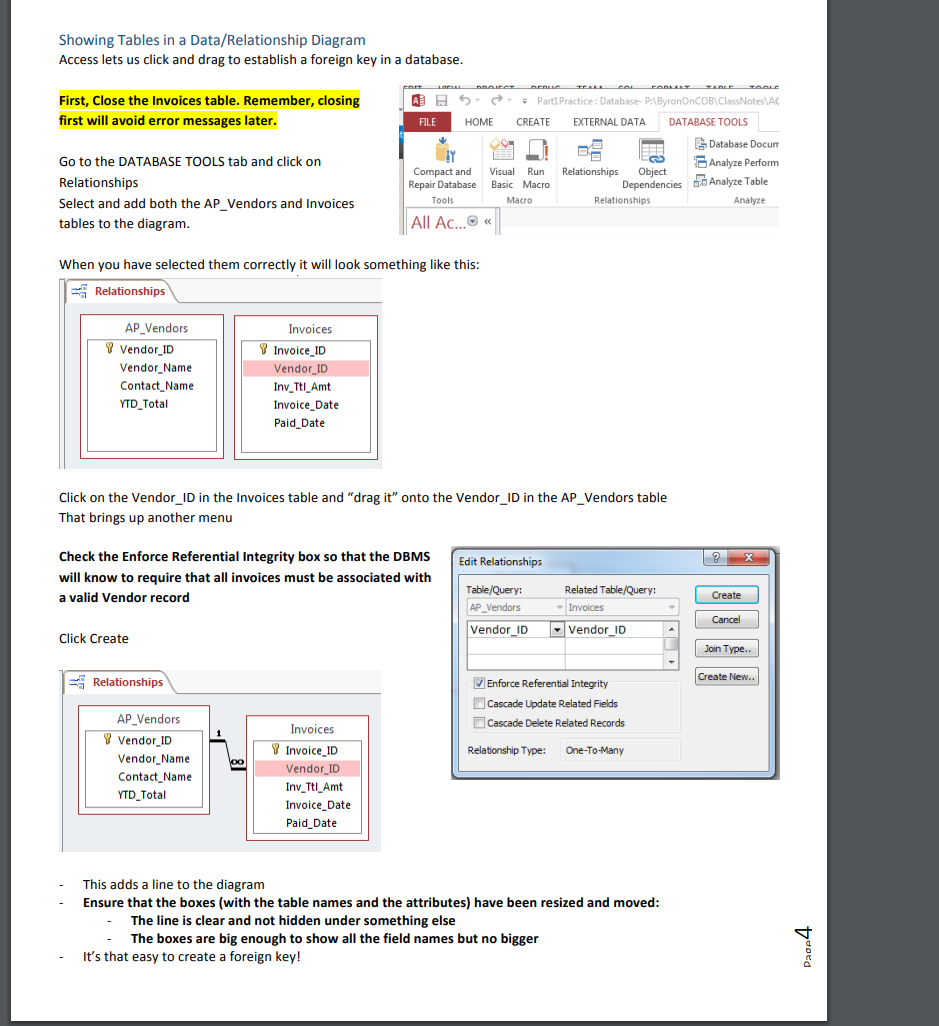
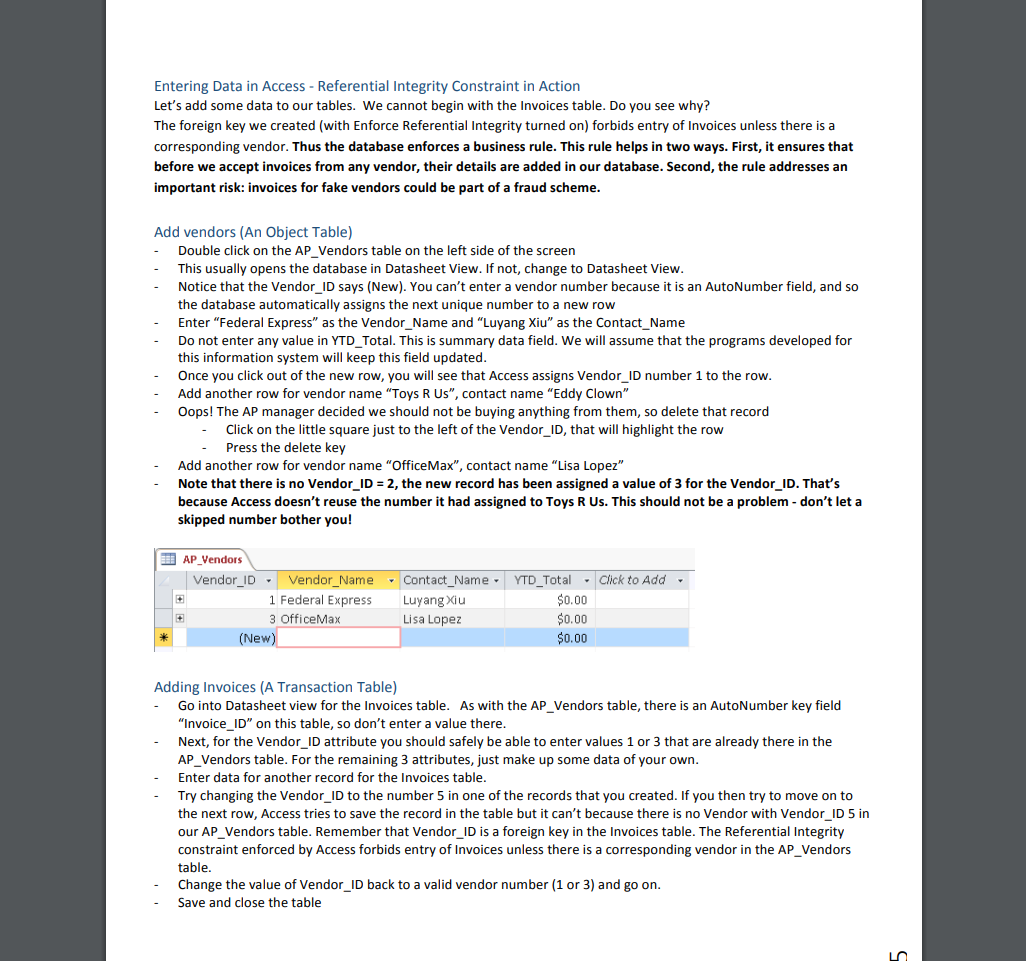
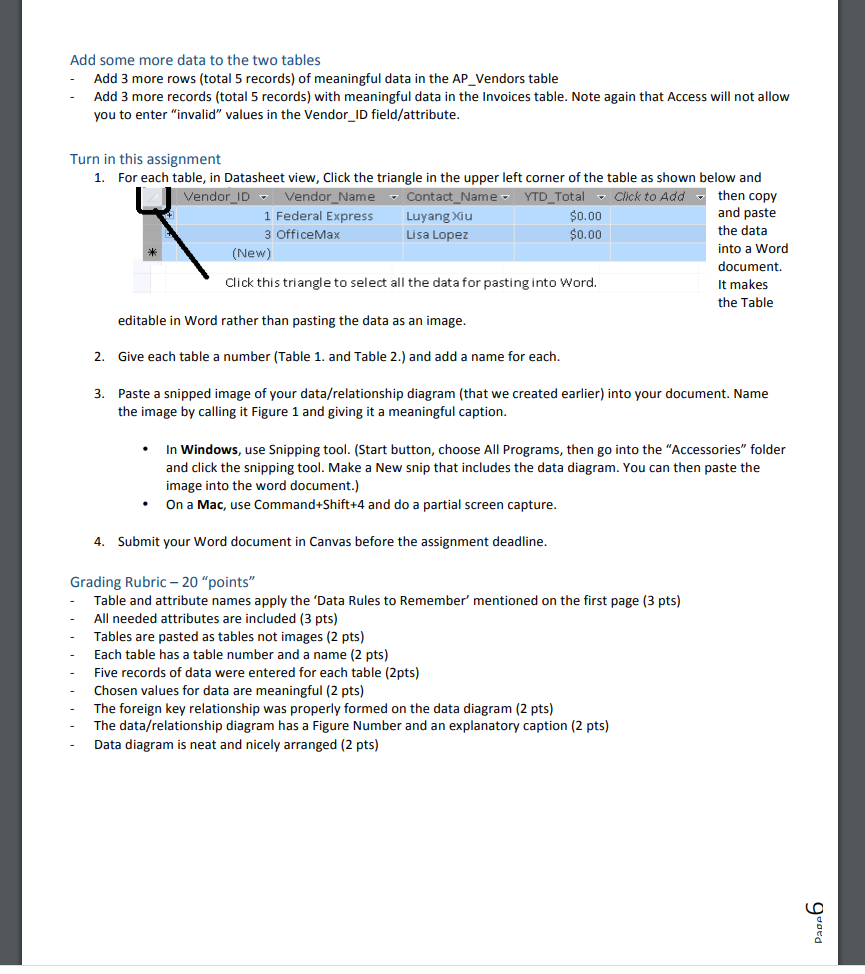
BA 33\"] Microsoft ACCESS Assignment This assignment is about creating tables and entering data in MS Access. Before beginning this assignment, please be sure that you can access Microsoft Access. This can be through a College of Business lab computer, through your own installation (Windows only not Mac! of Ofce 355, or through the College of Business Virtual Desktop Interface. Details can be found in the Database Lab video. Data name rules to remember when you design databases, you need to keep certain rules in mind. Rules like these vary from organization to organization, but here are some things to consider: Within an organization, consistency in the documentation of different systems promotes understanding and increases efficiency Choosing meaningful names helps readers quickly get a good idea of what is stored Capitalizing new words increases the readability ofthe data names Including spaces in data names can create problems when writing programs that use the data - so don't do it Be consistent. If one table is plural le.g., vendors}, all should be plural {i.e., NOT invoice}. Data Types DBMS and other computer programs have to consider data type as they manage and store data. While we don't need to become data type experts here, you should be comfortable realizing that different data types are needed and be able to understand the common ones. Short Text for most text elds such as names or addresses. Smaller field sizes help keep databases running fast and reduce the size of the les the database system has to store and process. Currency works well for dollar amounts Date ime fields store time stamps which record both a date and a time. They can be tricky when you really only want to consider the date without the time. Deal with this difference if you have to, but complete mastery of this is beyond the scope of this exercise. Number Note that the Field Size for a number can also be adjusted in a lower part ofthe design panel Field Size 'Long Integer\" is appropriate for foreign key fields that point to Autonumber fields Long integers are also appropriate for many counts fields such as number of items in stock Decimal places can also be adjusted for Double and Decimal Field Sizes - sometimes quantities should be stored using decimal values - Long Integers can hold values up to a bit over 2 billion Short Integers hold numbers up to 32,000 AutoNumber a special kind of long integer where the database assigns values to new rows automatically Long Text fields may be appropriate for descriptions or other special cases YesNo elds are appropriate for some tables, but using them in queries can require special efforts Create a Data base Dpen MS Access Choose File, New. Blank desktop database when you open your database 'Enable Content' ifand when asked Decide where to save your new database - preferable in your area on the network. Afolder on your Z: drive perhaps? You can click the browsing icon to choose a place. You can give it a meaningful name when you save it, for example BABTDAssignmentB Click Create Access assumes you want to make a new table and provides a temporary name for the table r'Tablel'r Begin by building an AP_Vendors table: Click on the arrow beneath the View icon FILE HOME CREATE EXTERNAL DATA DATABASE TOOLS on the ribbon Choose Design View K Cut 24 Ascending Ty Selection When asked for a name, type AP_Vendors B Copy View Al Descending Advanced . Paste Filter and click ok Format Painter 2. Remove Sort Toggle Filter This brings up the design view for the table Views Clipboard Sort & Filter where you can describe the attributes for All Access Obje...
Step by Step Solution
There are 3 Steps involved in it

Get step-by-step solutions from verified subject matter experts
 Study Help