







Question: Based on Mathematica Part 1 Global to local parameter transformation -- Complete the function globalToLocal. See the inline comments for more instructions. -- Add three
Based on Mathematica 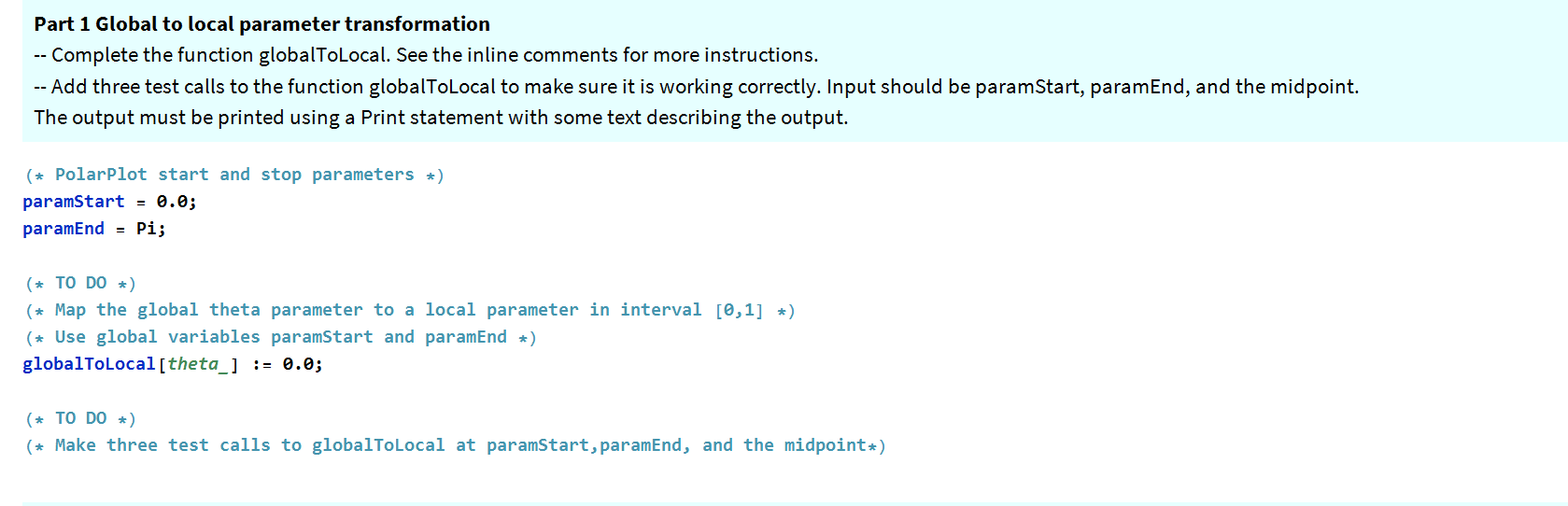
Part 1 Global to local parameter transformation -- Complete the function globalToLocal. See the inline comments for more instructions. -- Add three test calls to the function globalToLocal to make sure it is working correctly. Input should be paramStart, paramEnd, and the midpoint. The output must be printed using a Print statement with some text describing the output. (+ PolarPlot start and stop parameters *) paramStart = 0.0; paramEnd = Pi; (* TO DO ) (+ Map the global theta parameter to a local parameter in interval [0,1] =) (# Use global variables paramStart and paramEnd *) globalToLocal[theta_] := 0.0; (* TO DO ) (* Make three test calls to globalToLocal at paramStart, paramEnd, and the midpoint+) Part 1 Global to local parameter transformation -- Complete the function globalToLocal. See the inline comments for more instructions. -- Add three test calls to the function globalToLocal to make sure it is working correctly. Input should be paramStart, paramEnd, and the midpoint. The output must be printed using a Print statement with some text describing the output. (+ PolarPlot start and stop parameters *) paramStart = 0.0; paramEnd = Pi; (* TO DO ) (+ Map the global theta parameter to a local parameter in interval [0,1] =) (# Use global variables paramStart and paramEnd *) globalToLocal[theta_] := 0.0; (* TO DO ) (* Make three test calls to globalToLocal at paramStart, paramEnd, and the midpoint+)
Step by Step Solution
There are 3 Steps involved in it

Get step-by-step solutions from verified subject matter experts
 Study Help