







Question: Based on the data given (shown below) for the Academic Database, complete the following : Create the SQL DML statements for inserting rows into the
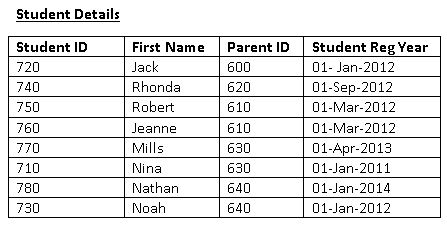
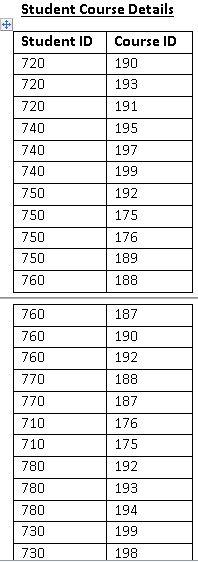
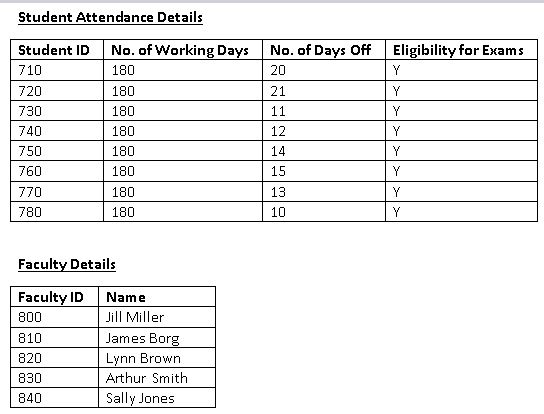
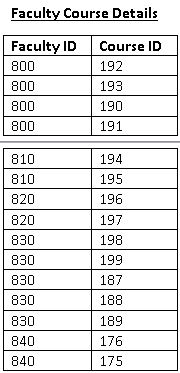
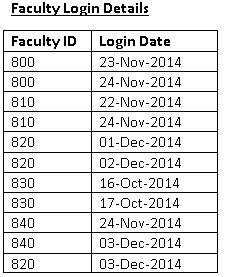
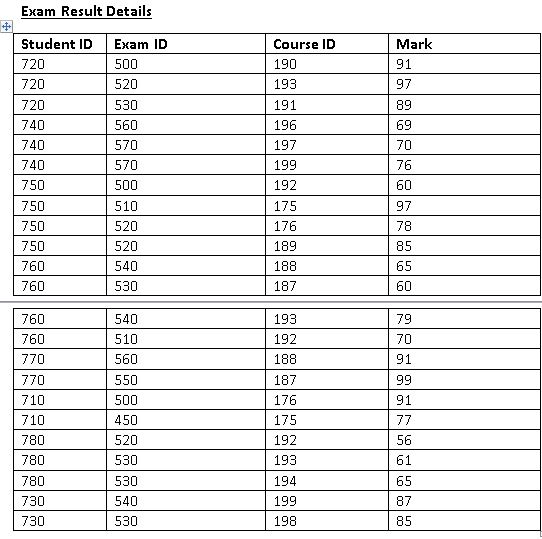
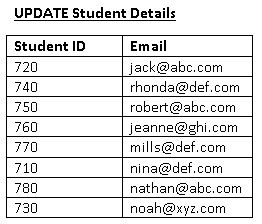
Based on the data given (shown below) for the Academic Database, complete the following :
Create the SQL DML statements for inserting rows into the tables for the Academic Database. Save these statements in a script called M10_LastNameFirstName_InsertInto (where LastName is your last name and FirstName is your first name). Run/execute these commands in Oracle Application Express.
Create the SQL DML statements for inserting data into the Student Details table in the Academic Database. Save these statements in a script called M10_LastNameFirstName_Update (where LastName is your last name and FirstName is your first name). Run/execute these commands in Oracle Application Express.
In each script created above, include the following comments:
At the beginning of the script include your name, the date, and the name of the script and a summary of what the script will do.
Throughout the script, include comments to describe briefly what each section of script will do.
When entering data, consider data that is dependent on each other (i.e. primary key data must always be added before foreign keys). Required fields must have data.
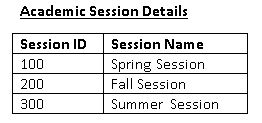
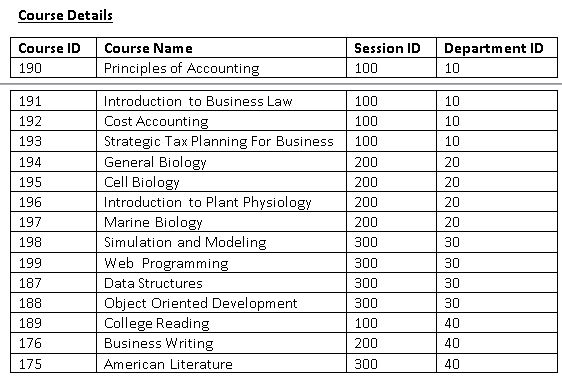
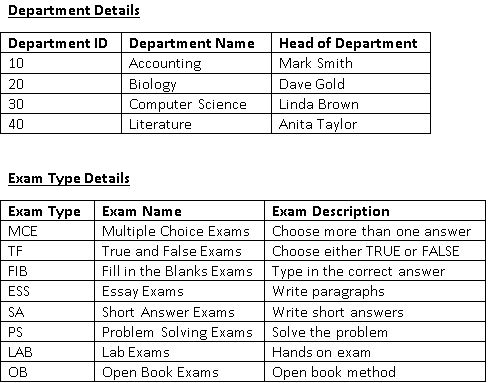
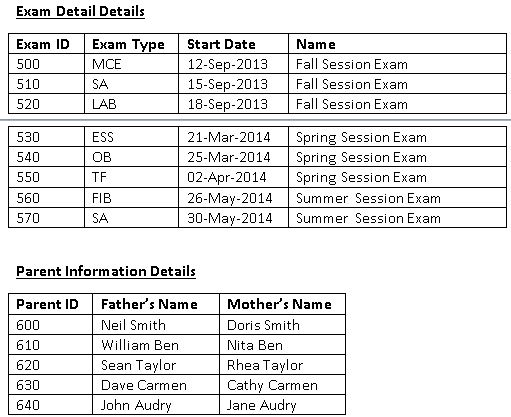
Academic Session Details Session ID Session Name 100 200 300 Spring Session Fall Session umner 5ession
Step by Step Solution
There are 3 Steps involved in it

Get step-by-step solutions from verified subject matter experts
 Study Help