







Question: Bash-related question. 6. Edit /etc/profile so that all users are greeted upon login (test this). 7. For the root account, set the prompt to something
Bash-related question.
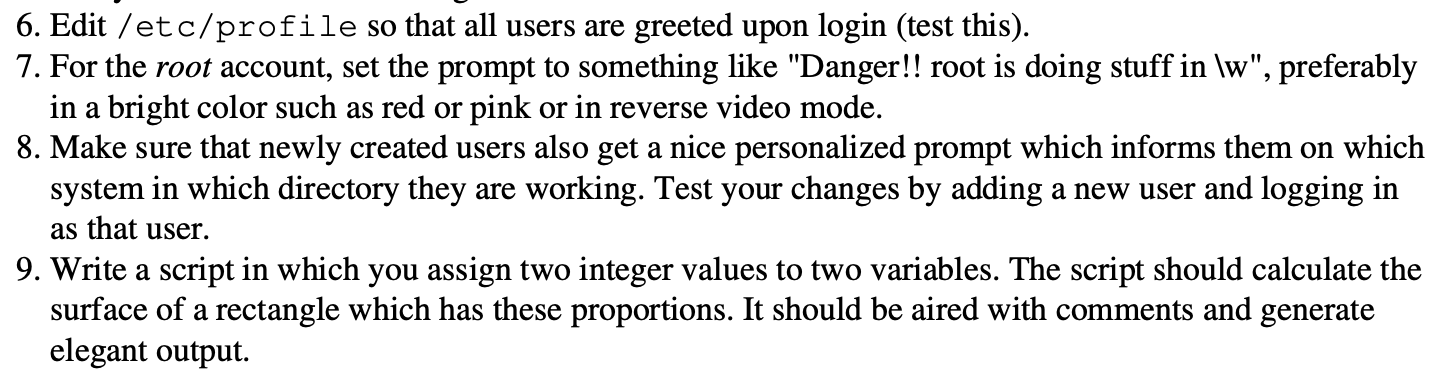
6. Edit /etc/profile so that all users are greeted upon login (test this). 7. For the root account, set the prompt to something like "Danger!! root is doing stuff in lw", preferably in a bright color such as red or pink or in reverse video mode. 8. Make sure that newly created users also get a nice personalized prompt which informs them on which system in which directory they are working. Test your changes by adding a new user and logging in as that user. 9. Write a script in which you assign two integer values to two variables. The script should calculate the surface of a rectangle which has these proportions. It should be aired with comments and generate elegant output. 6. Edit /etc/profile so that all users are greeted upon login (test this). 7. For the root account, set the prompt to something like "Danger!! root is doing stuff in lw", preferably in a bright color such as red or pink or in reverse video mode. 8. Make sure that newly created users also get a nice personalized prompt which informs them on which system in which directory they are working. Test your changes by adding a new user and logging in as that user. 9. Write a script in which you assign two integer values to two variables. The script should calculate the surface of a rectangle which has these proportions. It should be aired with comments and generate elegant output
Step by Step Solution
There are 3 Steps involved in it

Get step-by-step solutions from verified subject matter experts
 Study Help