







Question: Basic Unix/ Linus Commands Basic Unix/Linux Commands 1. Make a new directory called mac232 2. Change you location to this directory. 3. Make new directory
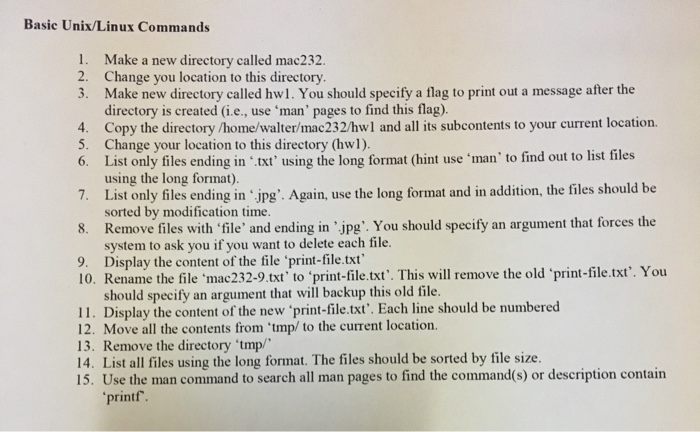
Basic Unix/Linux Commands 1. Make a new directory called mac232 2. Change you location to this directory. 3. Make new directory called hw1. You should specify a flag to print out a message after the directory is created (i.e., use 'man' pages to find this flag) 4. Copy the directory /home/walter/mac232/hwl and all its subcontents to your current location 5. Change your location to this directory (hwl). 6. List only files ending in txt using the long format (hint use 'man' to find out to list files using the long format). 7. List only files ending in 'jpg' Again, use the long format and in addition, the files should be sorted by modification time. 8. Remove files with file' and ending in 'jpg'. You should specify an argument that forces the system to ask you if you want to delete each file. 9. Display the content of the file 'print-file.txt 10. Rename the file 'mac232-9.txt' to 'print-file.txt. This will remove the old print-file.txt'. You should specify an argument that will backup this old file. 11. Display the content of the new 'print-file.txt'. Each line should be numbered 12. Move all the contents from 'tmp/ to the current location. 13. Remove the directory 'tmp/ 14. List all files using the long format. The files should be sorted by file size. 15. Use the man command to search all man pages to find the command(s) or description contain printf
Step by Step Solution
There are 3 Steps involved in it

Get step-by-step solutions from verified subject matter experts
 Study Help