







Question: Task 4: Assume you are in Slides folder (Op Sys folder), Create a file temp.txt in the Slides folder Copy temp.txt to the Applications directory
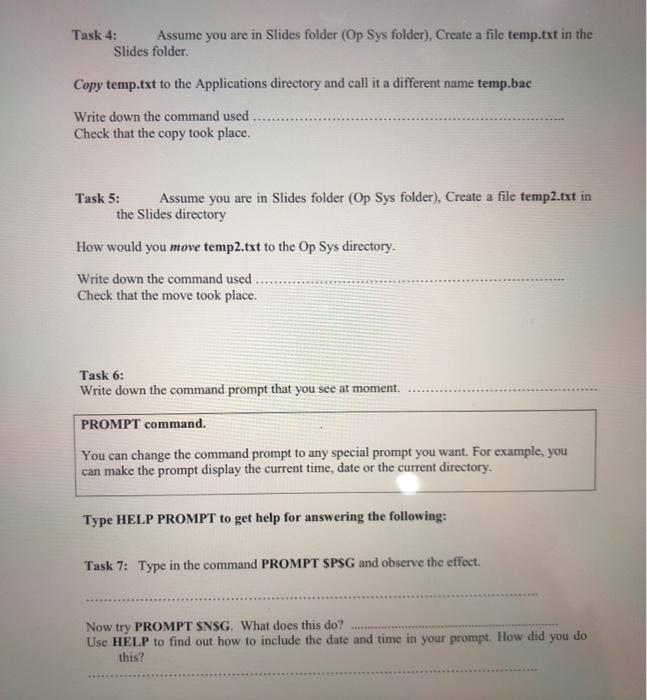
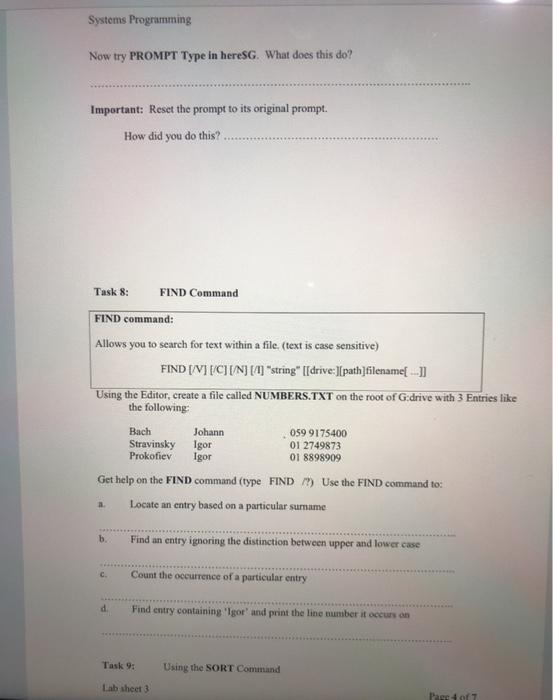
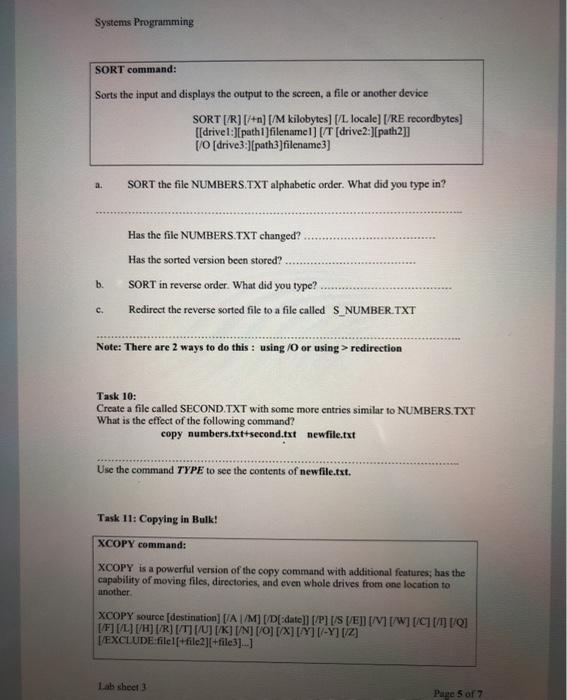
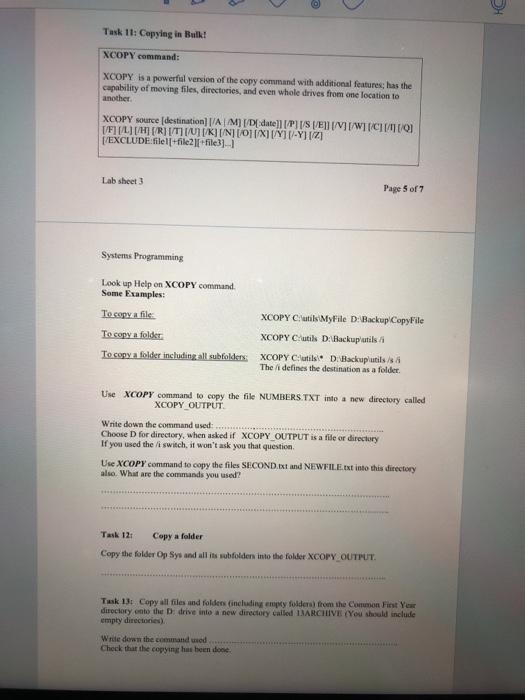
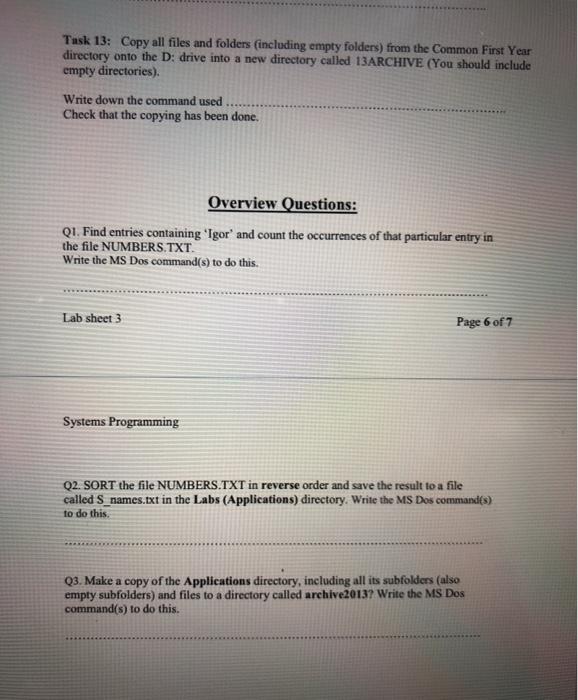
Task 4: Assume you are in Slides folder (Op Sys folder), Create a file temp.txt in the Slides folder Copy temp.txt to the Applications directory and call it a different name temp.bac Write down the command used Check that the copy took place. Task 5: Assume you are in Slides folder (Op Sys folder), Create a file temp2.txt in the Slides directory How would you move temp2.txt to the Op Sys directory. Write down the command used Check that the move took place. Task 6: Write down the command prompt that you see at moment. PROMPT command. You can change the command prompt to any special prompt you want. For example, you can make the prompt display the current time, date or the current directory. Type HELP PROMPT to get help for answering the following: Task 7: Type in the command PROMPT SPSG and observe the effect. Now try PROMPT SNSG. What does this do? Use HELP to find out how to include the date and time in your prompt. How did you do this? Systems Programming Now try PROMPT Type in hereSG. What does this do? Important: Reset the prompt to its original prompt. How did you do this? Task 8: FIND Command FIND command: Allows you to search for text within a file. (text is case sensitive) FIND [/VII/CI/N] [/U] "string" [[drive:)[path]filename[ - ]] Using the Editor, create a file called NUMBERS.TXT on the root of G:drive with 3 Entries like the following: Bach Johann 059 9175400 Stravinsky Igor 01 2749873 Prokofiev Igor 01 8898909 Get help on the FIND command (type FIND ) Use the FIND command to: Locate an entry based on a particular surname b. Find an entry ignoring the distinction between upper and lower case c. Count the occurrence of a particular entry d Find entry containing 'Igor' and print the line number it occurs on Task 9: Using the SORT Command Lab sheet 3 Page 1 Systems Programming SORT command: Sorts the input and displays the output to the screen, a file or another device SORT [/R] [/+n] [/M kilobytes) f/L locale] [/RE recordbytes) [[drivel:[pathl|filename] [/T (drive2:J[path2]] [/0 [drive3.) (path3|filename 3) a. SORT the file NUMBERS.TXT alphabetic order. What did you type in? Has the file NUMBERS.TXT changed? Has the sorted version been stored? SORT in reverse order. What did you type? Redirect the reverse sorted file to a file called S_NUMBER.TXT b. c. Note: There are 2 ways to do this: using/O or using > redirection Task 10: Create a file called SECOND TXT with some more entries similar to NUMBERS.TXT What is the effect of the following command? copy numbers.txt+second.txt newfile.txt Use the command TYPE to see the contents of newfile.txt. Task 11: Copying in Bulk! XCOPY command: XCOPY is a powerful version of the copy command with additional features; has the capability of moving files, directories, and even whole drives from one location to another. XCOPY source (destination) (Al/M] [/D[:date]] [/P] [/S [VEN [/V1[/W][/CLI DO [/F] [/L] [/H] [/R] [/T][/U][/][/N] [O] [X][Y]-Y] [Z] I/EXCLUDE:filelf+file2][+file3]...] Lab sheet Page 5 of 7 Task 11: Copying in Bulk! XCOPY command: XCOPY is a powerful version of the copy command with additional features, has the capability of moving files, directories, and even whole drives from one location to another XCOPY source (destination) [AM] [/D[date] [P][/S [EN] [/][/ WCO [/F][/L][/H (RI[/TI//KINOIX][/Y[-Y][2 [/EXCLUDE:filel[+file2|file31-1 Lab sheet Page 5 of 7 Systems Programming Look up Help on XCOPY command Some Examples: To copy a file To copy a folder To copy a folder including all subfolders XCOPY Cutils MyFile D: Backup Copy File XCOPY C/utils D. Backup'utis XCOPY Cutils De Backupluissa The defines the destination as a folder Use XCOPY command to copy the file NUMBERS.TXT into a new directory called XCOPY OUTPUT Write down the command used: Choose D for directory, when asked if XCOPY OUTPUT is a file or directory If you used the li switch, it won't ask you that question Use XCOPYcommand to copy the files SECOND.Ext and NEWFILE.txt into this directory also. What are the commands you used? Task 12 Copy a folder Copy the folder Op Sys and all its subfolders into the folder XCOPY OUTPUT Tusk 13: Copy all files and folders including empty folders from the Common Fist Yew directory out the drive into a new directory called MARCHIVE {You should include empty directories Write down the commanded Check that the copying has been done Tusk 13: Copy all files and folders (including empty folders) from the Common First Year directory onto the D: drive into a new directory called 13ARCHIVE (You should include empty directories). Write down the command used. Check that the copying has been done. Overview Questions: Q1. Find entries containing 'Igor' and count the occurrences of that particular entry in the file NUMBERS.TXT. Write the MS Dos command(s) to do this. Lab sheet 3 Page 6 of 7 Systems Programming Q2. SORT the file NUMBERS.TXT in reverse order and save the result to a file called S_names.txt in the Labs (Applications) directory. Write the MS Dos command(s) to do this Q3. Make a copy of the Applications directory, including all its subfolders (also empty subfolders) and files to a directory called archive2013? Write the MS Dos command(s) to do this
Step by Step Solution
There are 3 Steps involved in it

Get step-by-step solutions from verified subject matter experts
 Study Help