







Question: Been having trouble figuring how to do this lab correctly. Arrays confuse me a bit. Any help is appreciated! Down below I have provided the
Been having trouble figuring how to do this lab correctly. Arrays confuse me a bit. Any help is appreciated! Down below I have provided the instruction on how it's supposed to be done with the challenge part and as well the sample output to give an idea on how it will look. This is c++
Here is a link provided for the CaseChange.cpp and the Caesar Cipher.zip mention in the lab. Once again thank you very much for the help!
https://www.dropbox.com/sh/63i4xzeuomv3cwc/AAAjz3Ngv5jtMCsuxGiHOEvNa?dl=0
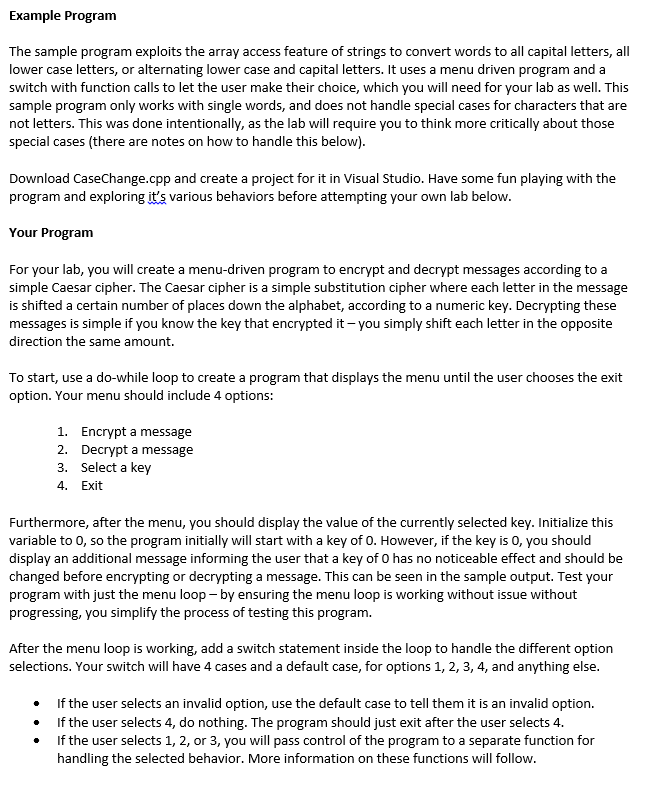
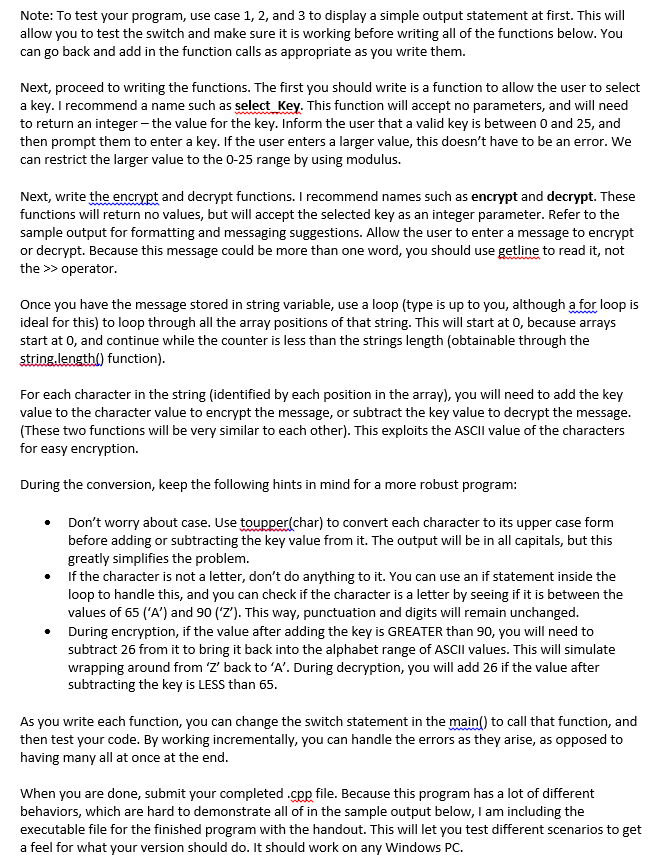
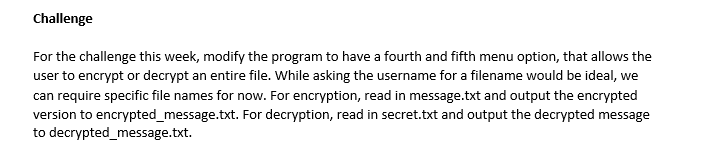
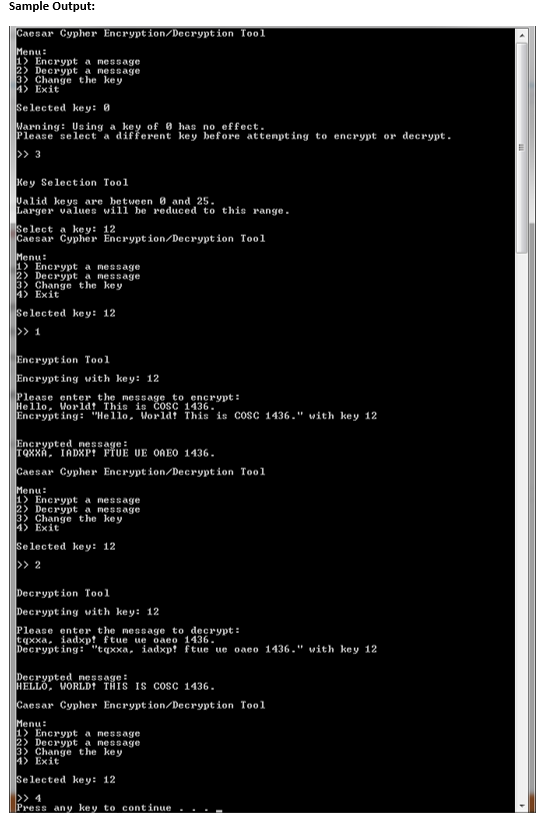
Example Program The sample program exploits the array access feature of strings to convert words to all capital letters, all lower case letters, or alternating lower case and capital letters. It uses a menu driven program and a switch with function calls to let the user make their choice, which you will need for your lab as well. This sample program only works with single words, and does not handle special cases for characters that are not letters. This was done intentionally, as the lab will require you to think more critically about those special cases (there are notes on how to handle this below) Download CaseChange.cpp and create a project for it in Visual Studio. Have some fun playing with the program and exploring it's various behaviors before attempting your own lab below Your Program For your lab, you will create a menu-driven program to encrypt and decrypt messages according to a simple Caesar cipher. The Caesar cipher is a simple substitution cipher where each letter in the message is shifted a certain number of places down the alphabet, according to a numeric key. Decrypting these messages is simple if you know the key that encrypted it -you simply shift each letter in the opposite direction the same amount. To start, use a do-while loop to create a program that displays the menu until the user chooses the exit option. Your menu should include 4 options: 1. 2. 3. 4. Encrypt a message Decrypt a message Select a key Exit should display the value of the currently selected key. Initialize this Furthermore, after the menu, you variable to 0, so the program initially will start with a key of 0. However, if the key is 0, you should display an additional message informing the user that a key of 0 has no noticeable effect and should be changed before encrypting or decrypting a message. This can be seen in the sample output. Test your program with just the menu loop by ensuring the menu loop is working without issue without progressing, you simplify the process of testing this program. After the menu loop is working, add a switch statement inside the loop to handle the different option selections. Your switch will have 4 cases and a default case, for options 1, 2, 3, 4, and anything else . . . If the user selects an invalid option, use the default case to tell them it is an invalid option. If the user selects 4, do nothing. The program should just exit after the user selects 4. If the user selects 1, 2, or 3, you will pass control of the program to a separate function for handling the selected behavior. More information on these functions will follow
Step by Step Solution
There are 3 Steps involved in it

Get step-by-step solutions from verified subject matter experts
 Study Help