







Question: Beginning stages of using MATLAB. Please help, cannot figure out last 2 problems In both cases, display'x'to make sure that it has been modified properly
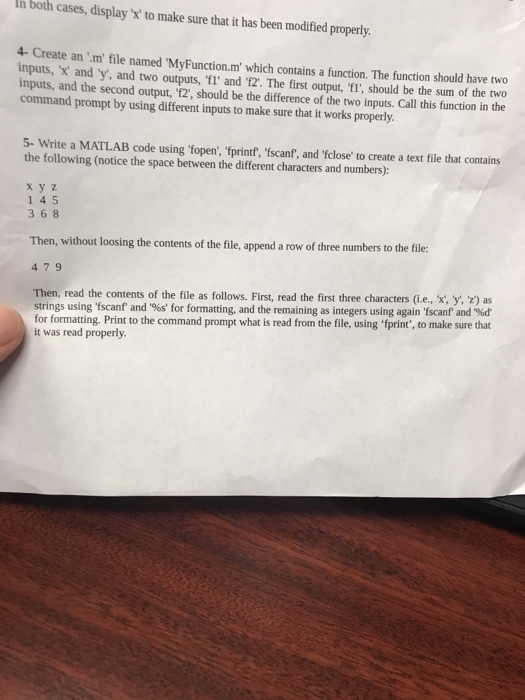
In both cases, display'x'to make sure that it has been modified properly 4-Create an m file named MyFunction.m which contains a function. The function should have two inputs, 'x and y, and two outputs, 'fl' and 12. The first output, 'Yl'; should be the sum of the two inputs, and the second output,'12, should be the difference of the two inputs. Call this function in the command prompt by using different inputs to make sure that it works properly 5- Write a MATLAB code using fopen', fprintf, 'fscanf', and 'fclose' to create a text file that contains the following (notice the space between the different characters and numbers): x y z 145 3 6 8 Then, without loosing the contents of the file, append a row of three numbers to the file: 479 Then, read the contents of the file as follows. First, read the first three characters (i.e., 'x y, z) as strings using 'fscanf and %s' for formatting, and the remaining as integers using again fscanf and %d' for formatting. Print to the command prompt what is read from the file, using fprint', to make sure that it was read properly
Step by Step Solution
There are 3 Steps involved in it

Get step-by-step solutions from verified subject matter experts
 Study Help