







Question: ------ -----------------------------------------------------------------------------BELOW IS THE CANONBALTRAJECTORY.JAVA ------------------------------------------------------ ------ -----------------------------------------------------------------------------BELOW IS THE CANONBALTRAJECTORY.JAVA ------------------------------------------------------ package Cannon_ball; import java.awt.Color; import java.awt.Graphics; import java.awt.Graphics2D; import java.util.ArrayList; import javax.swing.JFrame; import
------ -----------------------------------------------------------------------------BELOW IS THE CANONBALTRAJECTORY.JAVA ------------------------------------------------------
------ -----------------------------------------------------------------------------BELOW IS THE CANONBALTRAJECTORY.JAVA ------------------------------------------------------
package Cannon_ball;
import java.awt.Color;
import java.awt.Graphics;
import java.awt.Graphics2D;
import java.util.ArrayList;
import javax.swing.JFrame;
import javax.swing.JPanel;
public class CannonballTrajectory extends JPanel {
ArrayList trajectory;
public CannonballTrajectory(ArrayListtrajectory)
{
this.trajectory=trajectory;
}
public void paintComponent(Graphics g)
{
Graphics2D g2=(Graphics2D)g;
int height=getHeight();
Point start=trajectory.get(0);
Point current;
g2.setColor(Color.BLACK);
for(int idx=1; idx
{
current=trajectory.get(idx);
g2.drawLine((int)start.getxCoord(),height-(int)start.getyCoord(),(int)current.getxCoord(),height-(int)current.getyCoord());
start=current;
}
}
//
public static void main(String[]args)
{
JFrame frame=new JFrame("Cannon Ball" + "Trajectory");
Cannonball myCannon=new Cannonball(0);
CannonballTrajectory trajectory=new CannonballTrajectory(myCannon.shoot(45,70,1));
CannonballTrajectory trajectory1=new CannonballTrajectory(myCannon.shoot(70,80,1));
frame.add(trajectory);
frame.setSize(550,350);
frame.setVisible(true);
frame.setDefaultCloseOperation(JFrame.EXIT_ON_CLOSE);
}
}
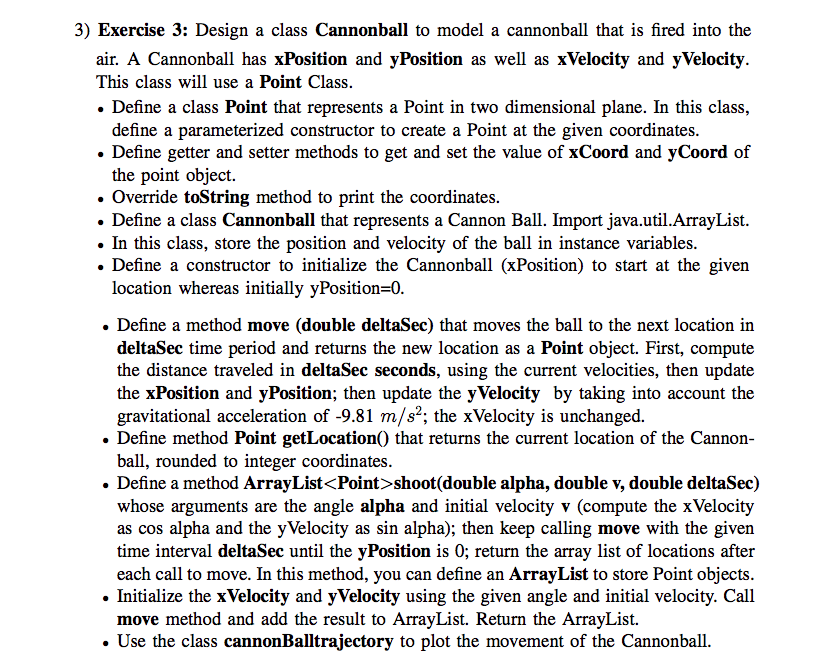
3) Exercise 3: Design a class Cannonball to model a cannonball that is fired into the air. A Cannonball has xPosition and yPosition as well as xVelocity and yVelocity. This class will use a Point Class . Define a class Point that represents a Point in two dimensional plane. In this class define a parameterized constructor to create a Point at the given coordinates . Define getter and setter methods to get and set the value of xCoord and yCoord of the point object. . Override toString method to print the coordinates. . Define a class Cannonball that represents a Cannon Ball. Import java.util.ArrayList. . In this class, store the position and velocity of the ball in instance variables . Define a constructor to initialize the Cannonball (xPosition) to start at the given location whereas initially yPosition -0 . Define a method move (double deltaSec) that moves the ball to the next location in deltaSec time period and returns the new location as a Point object. First, compute the distance traveled in deltaSec seconds, using the current velocities, then update the xPosition and yPosition; then update the yVelocity by taking into account the gravitational acceleration of -9.81 m/s2; the xVelocity is unchanged. . Define method Point getLocation) that returns the current location of the Cannon- ball, rounded to integer coordinates . Define a method ArrayList
Step by Step Solution
There are 3 Steps involved in it

Get step-by-step solutions from verified subject matter experts
 Study Help