







Question: BETWEEN Using the Products table, write a query that finds products with prices between $ 15 and $ 18. Using the Supliers table, find suppliers
BETWEEN
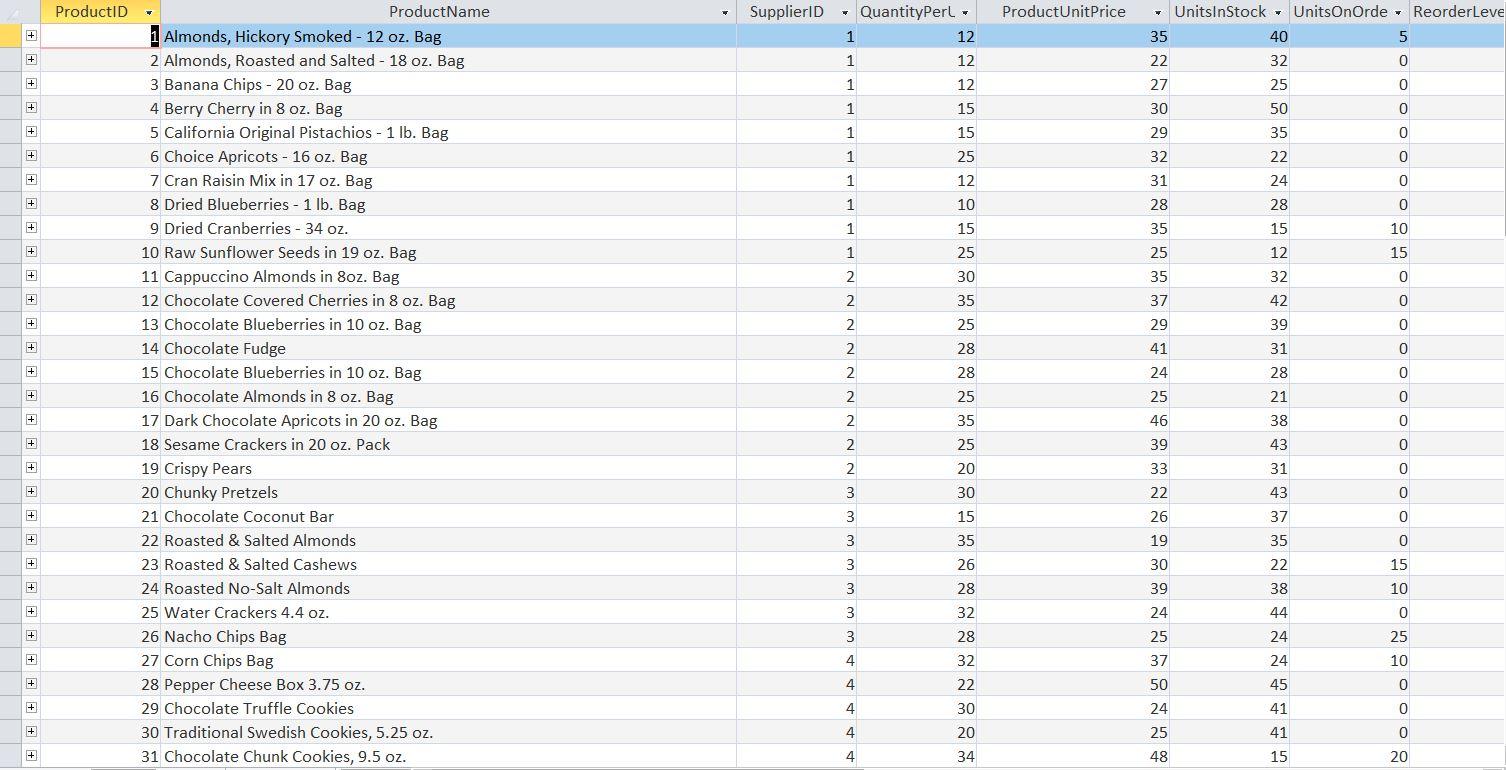
Using the Products table, write a query that finds products with prices between $ 15 and $ 18.
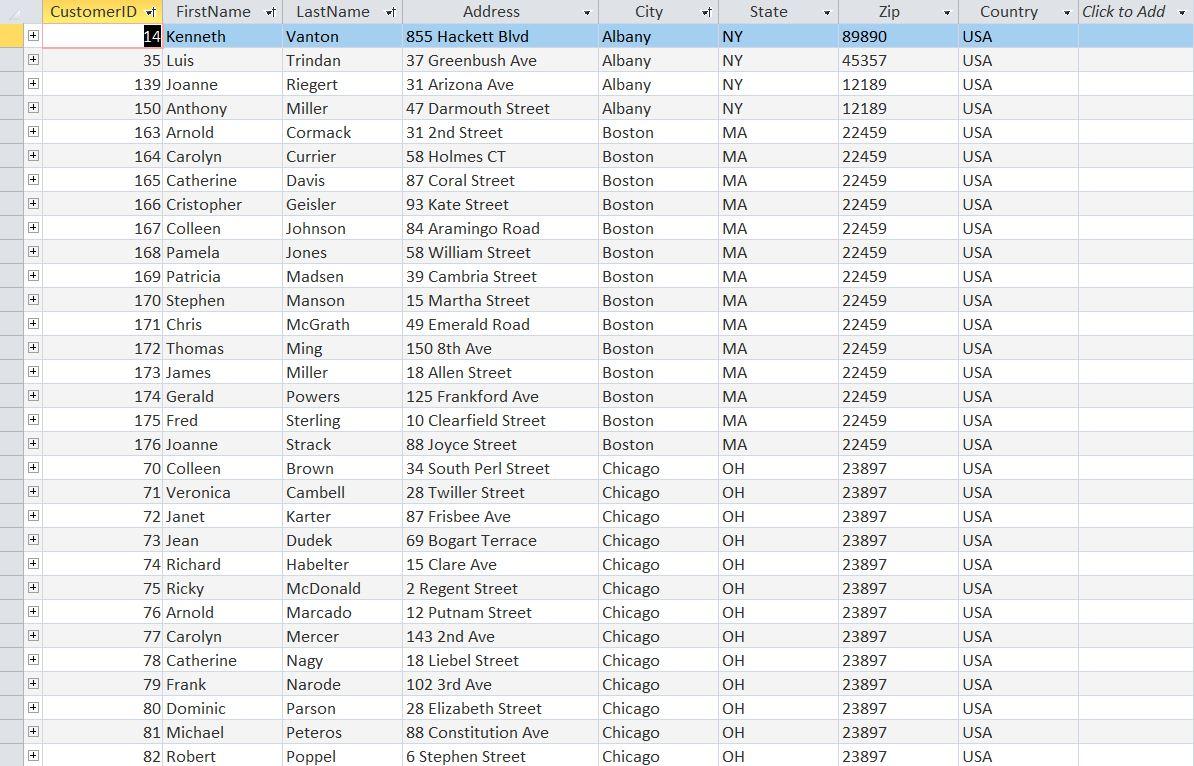
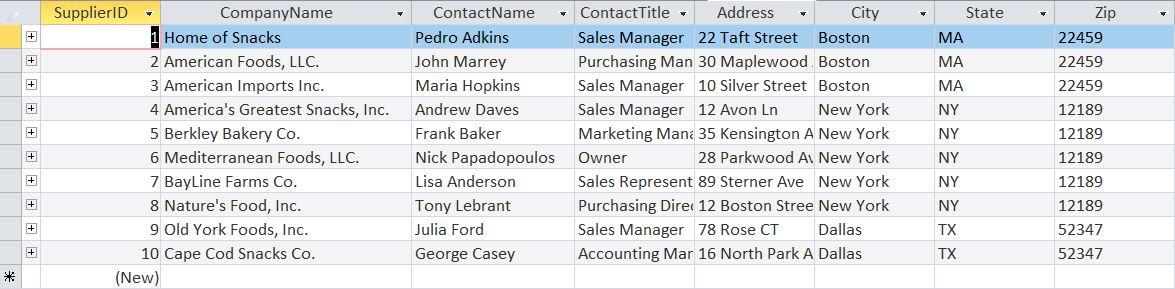
Using the Supliers table, find suppliers whose postal codes start at 12 - 22 and whose postal code falls within this range (use the Left function Left (Zip, 2) to return the first two characters)
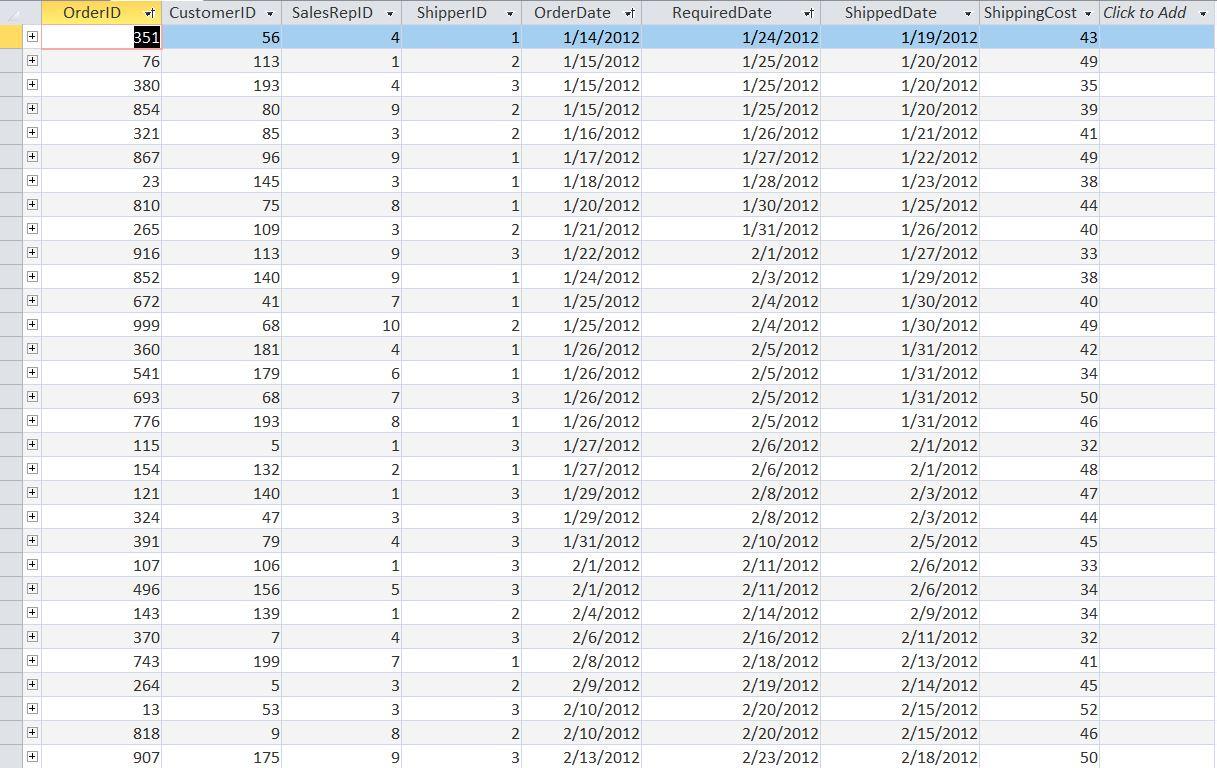
Using the Orders table, write a query that finds orders placed between 15/6/2012 and 15/8/2013.
Find orders that were placed between 2013 and 2014 using the Orders table (The Year (orderdate) function will return the year field in the date)
Using the Products table, write a query that finds products with prices other than $ 10 - $ 40.
JOINs
Write a query listing FirstName, LastName, Address, OrderDate, ShippingCost fields by combining Customers and Orders tables using INNER JOIN.
Write a query that lists FirstName, LastName, Address, OrderDate, ShippingCost fields by combining Customers and Orders tables using LEFT JOIN.
Write a query that lists FirstName, LastName, Address, OrderDate, ShippingCost fields by combining Customers and Orders tables using RIGHT JOIN.
Write a query that lists the FirstName, LastName, Address, OrderDate, ShippingCost fields and lists customers whose first letter does not begin with "a-d" by combining the Customers and Orders tables using INNER JOIN.
Write a query that lists FirstName, LastName, Address, OrderDate, ShippingCost fields by combining Customers and Orders tables using RIGHT JOIN and finds orders that are not placed between 15/6/2012 and 15/8/2013.
Step by Step Solution
There are 3 Steps involved in it

Get step-by-step solutions from verified subject matter experts
 Study Help