







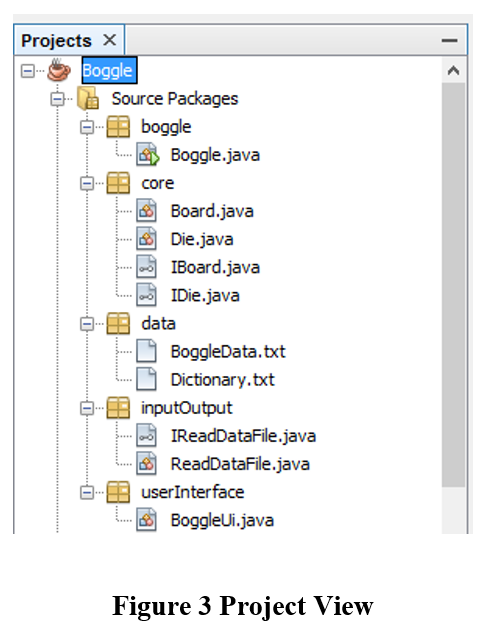
Question: Boggle.java Add to method main() Instantiate an instance of class BoggleUi, passing the reference object of class Board as an argument userInterface package Create class
| Boggle.java | Add to method main() Instantiate an instance of class BoggleUi, passing the reference object of class Board as an argument |
| userInterface package | Create class BoggleUi |
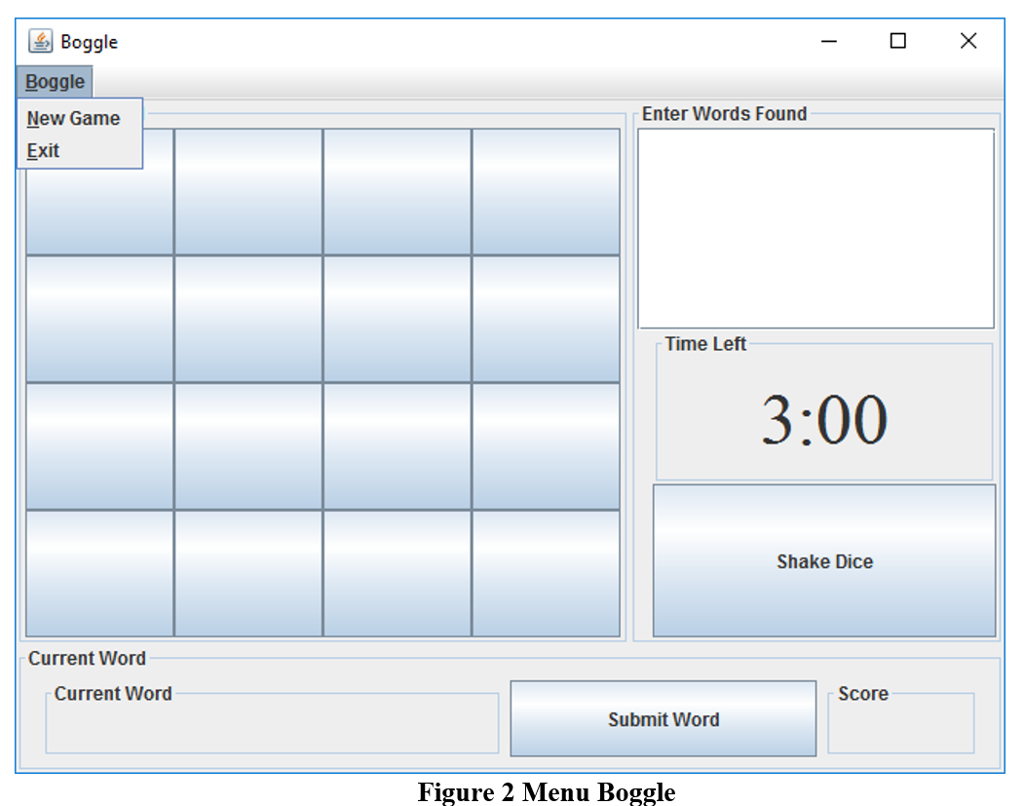
| BoggleUi.java | Add member variables of type JFrame JMenuBar JMenu JMenuItem JMenuItem JPanel JButton[][] JPanel JScrollPane JTextPane JLabel JButton JPanel JLabel JButton JLabel A custom constructor should be defined that receives a parameter of type Board classSet member variable of type class Board to the parameter passed in call method initComponents() A method initComponents() should initialize all the components for the UI and called from the constructorSet the default size of the JFrame Set the default close operation of the JFrame Use default layout manager BorderLayout Set up the JMenuBarJMenu Boggle should be added to the JMenuBar JMenuItems New Game and Exit should be added to the JMenu Boggle A JPanel should be created to hold the current word being created by the userRecommend using default Layout Manager FlowLayout A JLabel for the current word being created A JButton to submit the current word created A JLabel for the players score A JPanel should be created to hold the JButtons of diceThe JPanel for the Boggle board should be a 4 x 4 grid that displays a JButton for each die Recommend using Layout Manager GridLayout A JPanel should be created to holdRecommend using Layout Manager BoxLayout the JTextArea for the user to enter their words the JScrollPane for the JTextArea to scroll as necessary the JLabel that displays time left for the current round of play the JButton to shake the dice JMenuBar should be set on the JFrame Add all the components to the JFrame Set the visibility of the JFrame |
| Test Cases | ||
|
| Action | Expected outcome |
| Test Case 1 | User interface displays | User interface is similar to figure 1 |
| Test Case 2 | Boggle menu | Boggle menu looks like figure 2 |
| Test case 3 | Project view | Project view matches figure 3 |
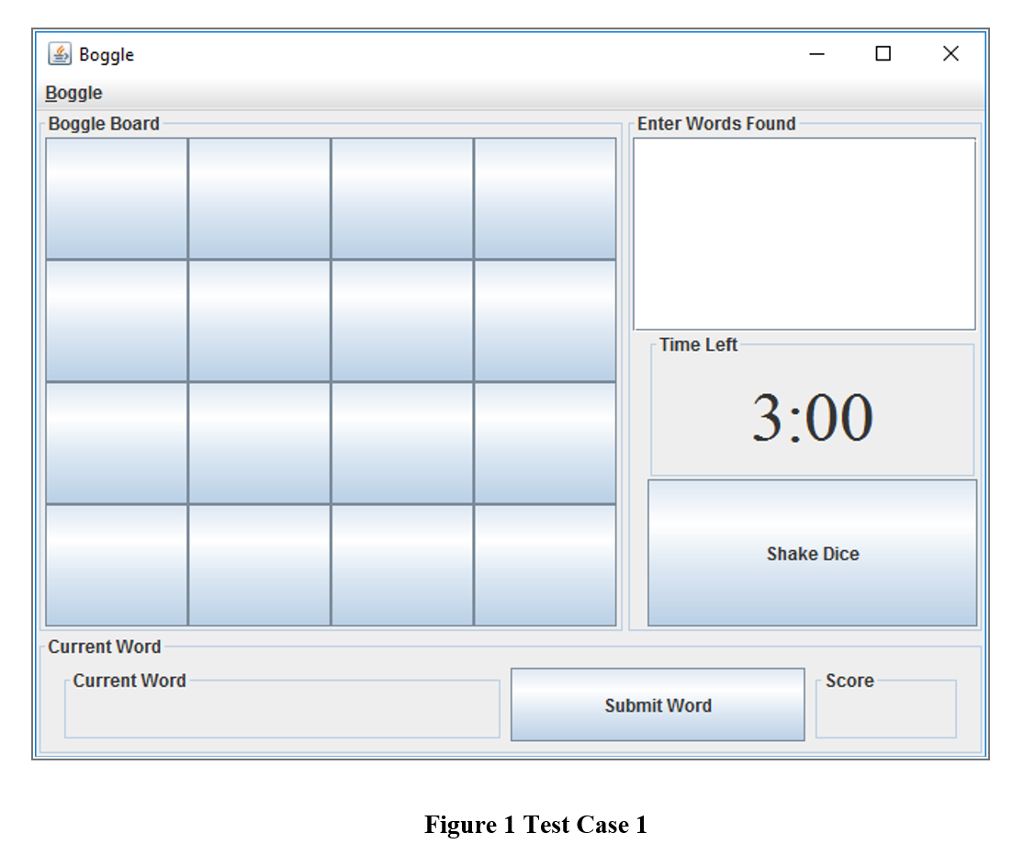
Boggle Boggle Boggle Board Current Word Current Word Enter Words Found Time Left 3:00 Shake Dice Score Submit Word Figure 1 Test Case 1
Step by Step Solution
There are 3 Steps involved in it

Get step-by-step solutions from verified subject matter experts
 Study Help