





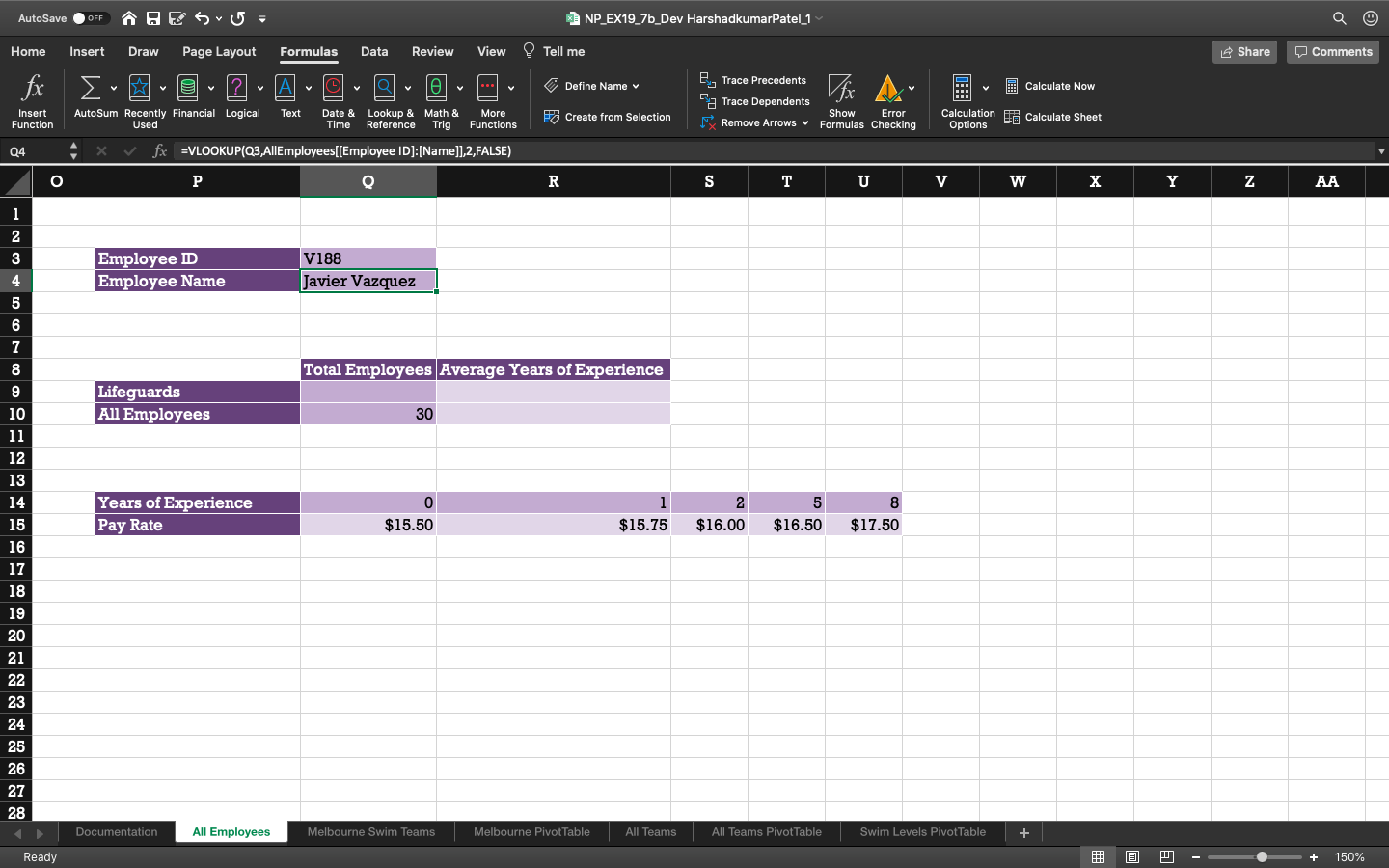
Question: Brittany created a formula with the LOOKWP function to look up an employee names by their Employee ID. She also wants to alert users when

Brittany created a formula with the LOOKWPBrittany created a formula with the LOOKWP

Brittany created a formula with the LOOKWP function to look up an employee names by their Employee ID. She also wants to alert users when they enter an incorrect ID number. In cell 04, nest the existing XLOOKUP function in an IFERRAR function. If the XLgKue function returns an error result, the text Invalid Employee ID should be displayed. AutoSave OFF THE S 5 = Home Insert Draw Page Layout Formulas fx {. - @2 - A-9 Share Comments Data 9 Review View - O - O NP_EX19_7b_Dev HarshadkumarPatel_1 Tell me e Trace Precedents Fa Trace Dependents Create from Selection Remove Arrows Define Name v Calculate Now Insert Function AutoSum Recently Financial Logical Used Text Date & Lookup & Math & Time Reference Trig More Functions | Show Error Formulas Checking Calculation Options Calculate Sheet Q4 X f x =VLOOKUP(Q3,AllEmployees[[Employee ID]:[Name]],2,FALSE) 1 Employee D Employee Name V188 Javier Vazquez Total Employees Average Years of Experience Lifeguards All Employees 30 Years of Experience Pay Rate $138 $1578_$16051630szs 2 $16.00 5 $16.50 8 $17.50 $15.50 $15.75 18 21 22 25 26 27 28 Documentation All Employees Melbourne Swim Teams Melbourne PivotTable All Teams All Teams PivotTable Swim Levels Pivot Table + Ready @ 0 - - + 150%

Step by Step Solution

There are 3 Steps involved in it

1 Expert Approved Answer
Step: 1 Unlock blur-text-image

Question Has Been Solved by an Expert!

Get step-by-step solutions from verified subject matter experts

Step: 2 Unlock
Step: 3 Unlock

Students Have Also Explored These Related General Management Questions!