







Question: BS Build the visual components - Learning to use the Visual Studio tools to build a Windows Form desktop app. Learning how to declare, create,
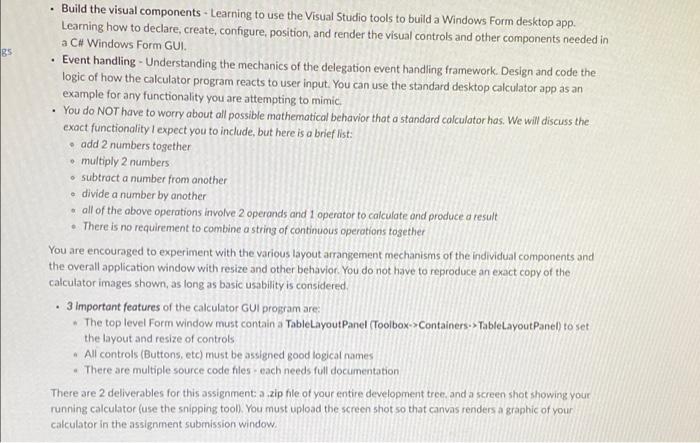
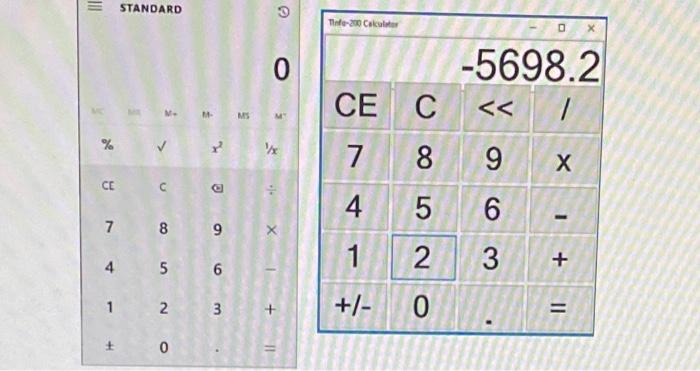
BS Build the visual components - Learning to use the Visual Studio tools to build a Windows Form desktop app. Learning how to declare, create, configure, position, and render the visual controls and other components needed in a C# Windows Form GUI. Event handling - Understanding the mechanics of the delegation event handling framework Design and code the logic of how the calculator program reacts to user input. You can use the standard desktop calculator app as an example for any functionality you are attempting to mimic, You do NOT have to worry about all possible mathematical behavior that a standard calculator has. We will discuss the exact functionality I expect you to include, but here is a brief list: add 2 numbers together multiply 2 numbers subtract a number from another divide a number by another all of the above operations involve 2 operands and 1 operator to calculate and produce a result There is no requirement to combine a string of continuous operations together You are encouraged to experiment with the various layout arrangement mechanisms of the individual components and the overall application window with resize and other behavior. You do not have to reproduce an exact copy of the calculator images shown, as long as basic usability is considered 3 Important features of the calculator GUI program are: The top level Form window must contain a TableLayoutPanel (Toolbox->Containers-> TableLayout Panel) to set the layout and resize of controls All controls (Buttons, etc) must be assigned good logical names There are multiple source code files cach needs full documentation There are 2 deliverables for this assignment, a zip file of your entire development tree and a screen shot showing your running calculator (use the snipping tool) You must upload the screen shot so that canvas renders a graphic of your calculator in the assignment subrnission window. III STANDARD Toto-200 Calculator O 0 -5698.2 CE MS o C 8 % 7 9 CEC 4 5 6 7 8 9 1 4 5 6 2 3 + 1 2 3 + +/- O = + 0
Step by Step Solution
There are 3 Steps involved in it

Get step-by-step solutions from verified subject matter experts
 Study Help