







Question: Code in C# This program assignment follows the material from Chapters 14 and 15 in your book: GUI interfaces using Windows Forms. You are to
 Code in C#
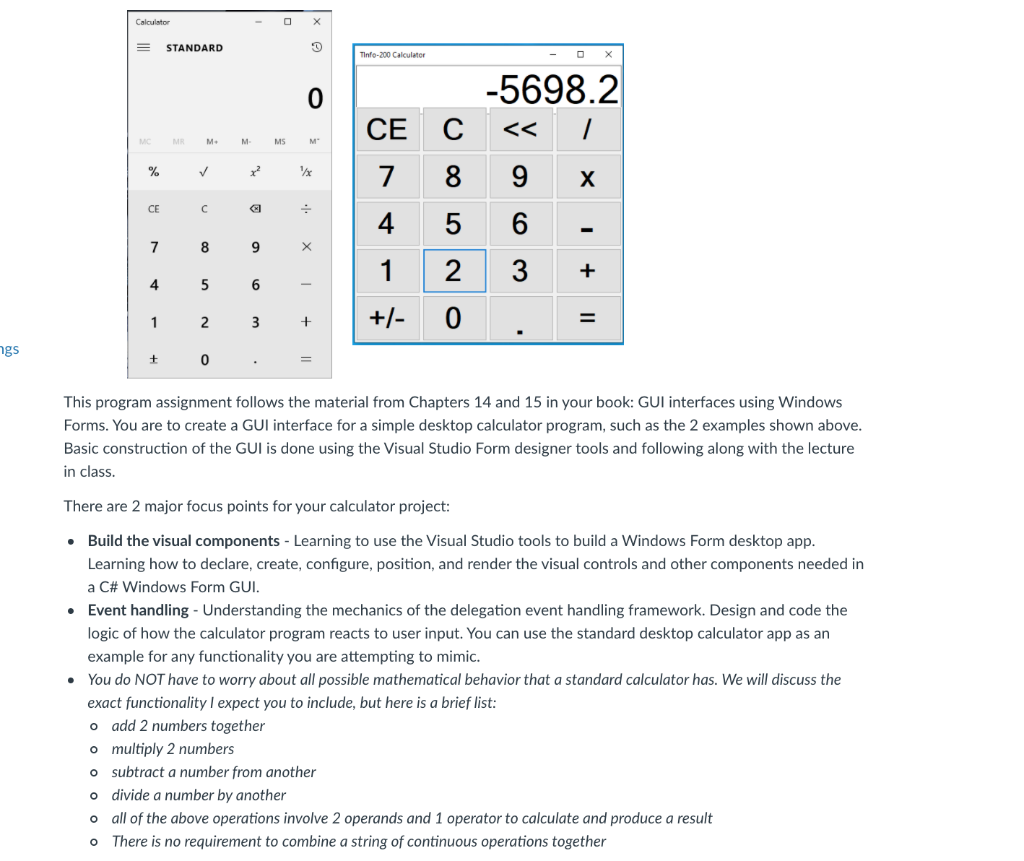
This program assignment follows the material from Chapters 14 and 15 in your book: GUI interfaces using Windows Forms. You are to create a GUI interface for a simple desktop calculator program, such as the 2 examples shown above. Basic construction of the GUI is done using the Visual Studio Form designer tools and following along with the lecture in class.
There are 2 major focus points for your calculator project:
- Build the visual components - Learning to use the Visual Studio tools to build a Windows Form desktop app. Learning how to declare, create, configure, position, and render the visual controls and other components needed in a C# Windows Form GUI.
- Event handling - Understanding the mechanics of the delegation event handling framework. Design and code the logic of how the calculator program reacts to user input. You can use the standard desktop calculator app as an example for any functionality you are attempting to mimic.
- You do NOT have to worry about all possible mathematical behavior that a standard calculator has. We will discuss the exact functionality I expect you to include, but here is a brief list:
- add 2 numbers together
- multiply 2 numbers
- subtract a number from another
- divide a number by another
- all of the above operations involve 2 operands and 1 operator to calculate and produce a result
- There is no requirement to combine a string of continuous operations together
You are encouraged to experiment with the various layout arrangement mechanisms of the individual components and the overall application window with resize and other behavior. You do not have to reproduce an exact copy of the calculator images shown, as long as basic usability is considered.
- 3 important features of the calculator GUI program are:
- The top level Form window must contain a TableLayoutPanel (Toolbox->Containers->TableLayoutPanel) to set the layout and resize of controls
- All controls (Buttons, etc) must be assigned good logical names
- There are multiple source code files - each needs full documentation
There are 2 deliverables for this assignment: a .zip file of your entire development tree, and a screen shot showing your running calculator (use the snipping tool). You must upload the screen shot so that canvas renders a graphic of your calculator in the assignment submission window.
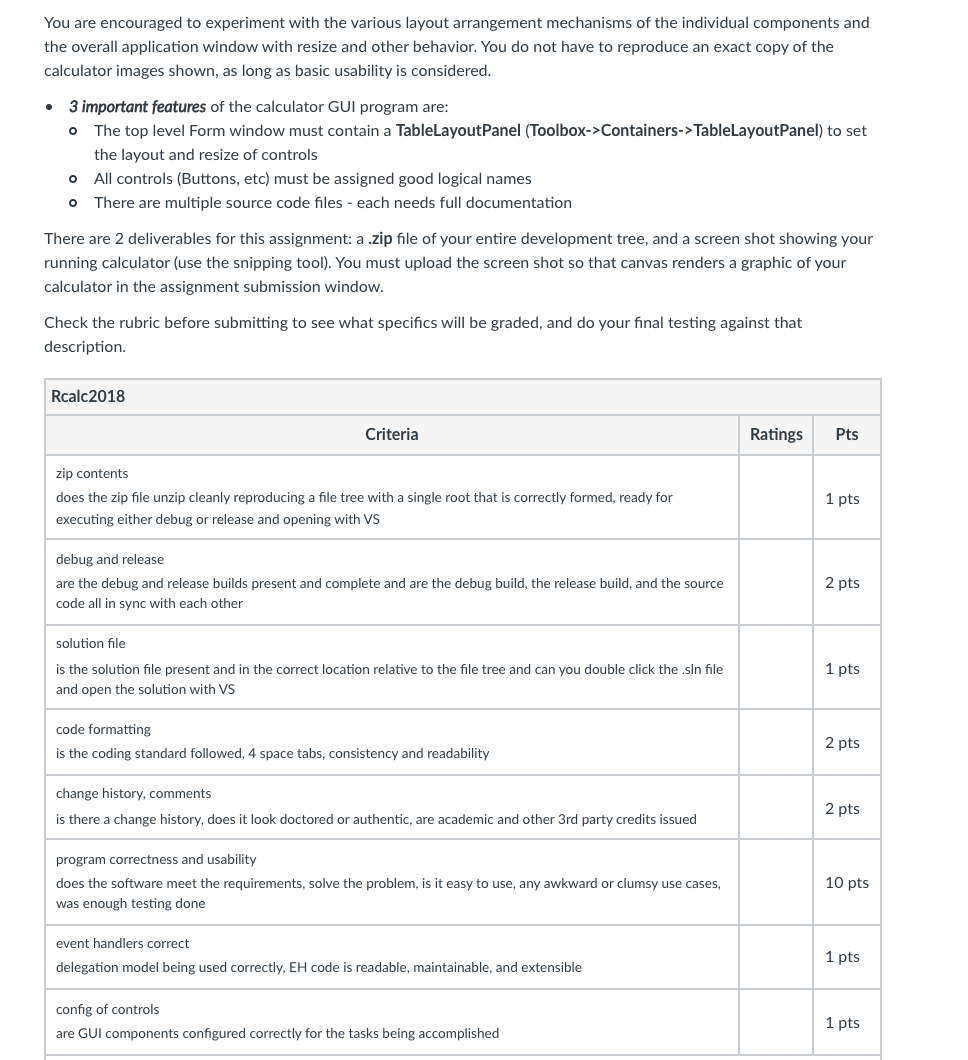
Check the rubric before submitting to see what specifics will be graded, and do your final testing against that description.
Rubric
Rcalc2018
Rcalc2018
Criteria Ratings Pts
This criterion is linked to a Learning Outcomezip contents does the zip file unzip cleanly reproducing a file tree with a single root that is correctly formed, ready for executing either debug or release and opening with VS 1 pts
This criterion is linked to a Learning Outcomedebug and release are the debug and release builds present and complete and are the debug build, the release build, and the source code all in sync with each other 2 pts
This criterion is linked to a Learning Outcomesolution file is the solution file present and in the correct location relative to the file tree and can you double click the .sln file and open the solution with VS 1 pts
This criterion is linked to a Learning Outcomecode formatting is the coding standard followed, 4 space tabs, consistency and readability 2 pts
This criterion is linked to a Learning Outcomechange history, comments is there a change history, does it look doctored or authentic, are academic and other 3rd party credits issued 2 pts
This criterion is linked to a Learning Outcomeprogram correctness and usability does the software meet the requirements, solve the problem, is it easy to use, any awkward or clumsy use cases, was enough testing done 10 pts
This criterion is linked to a Learning Outcomeevent handlers correct delegation model being used correctly, EH code is readable, maintainable, and extensible 1 pts
This criterion is linked to a Learning Outcomeconfig of controls are GUI components configured correctly for the tasks being accomplished 1 pts
Calculator = STANDARD 0 Tinto-200 Calculator 0 CE Containers->TableLayoutPanel) to set the layout and resize of controls o All controls (Buttons, etc) must be assigned good logical names o There are multiple source code files - each needs full documentation There are 2 deliverables for this assignment: a .zip file of your entire development tree, and a screen shot showing your running calculator (use the snipping tool). You must upload the screen shot so that canvas renders a graphic of your calculator in the assignment submission window. Check the rubric before submitting to see what specifics will be graded, and do your final testing against that description. Rcalc2018 Criteria Ratings Pts zip contents does the zip file unzip cleanly reproducing a file tree with a single root that is correctly formed, ready for executing either debug or release and opening with VS 1 pts debug and release are the debug and release builds present and complete and are the debug build, the release build, and the source code all in sync with each other 2 pts solution file 1 pts is the solution file present and in the correct location relative to the file tree and can you double click the .sin file and open the solution with VS code formatting is the coding standard followed, 4 space tabs, consistency and readability 2 pts change history, comments is there a change history, does it look doctored or authentic, are academic and other 3rd party credits issued 2 pts program correctness and usability does the software meet the requirements, solve the problem, is it easy to use, any awkward or clumsy use cases, was enough testing done 10 pts event handlers correct delegation model being used correctly, EH code is readable, maintainable, and extensible 1 pts config of controls are GUI components configured correctly for the tasks being accomplished 1 pts
Step by Step Solution
There are 3 Steps involved in it

Get step-by-step solutions from verified subject matter experts
 Study Help