







Question: bubble.h - bubble sort function prototype bubble.cpp - bubble sort that sorts an array of student pointers hwk1.cpp - a main program to get you
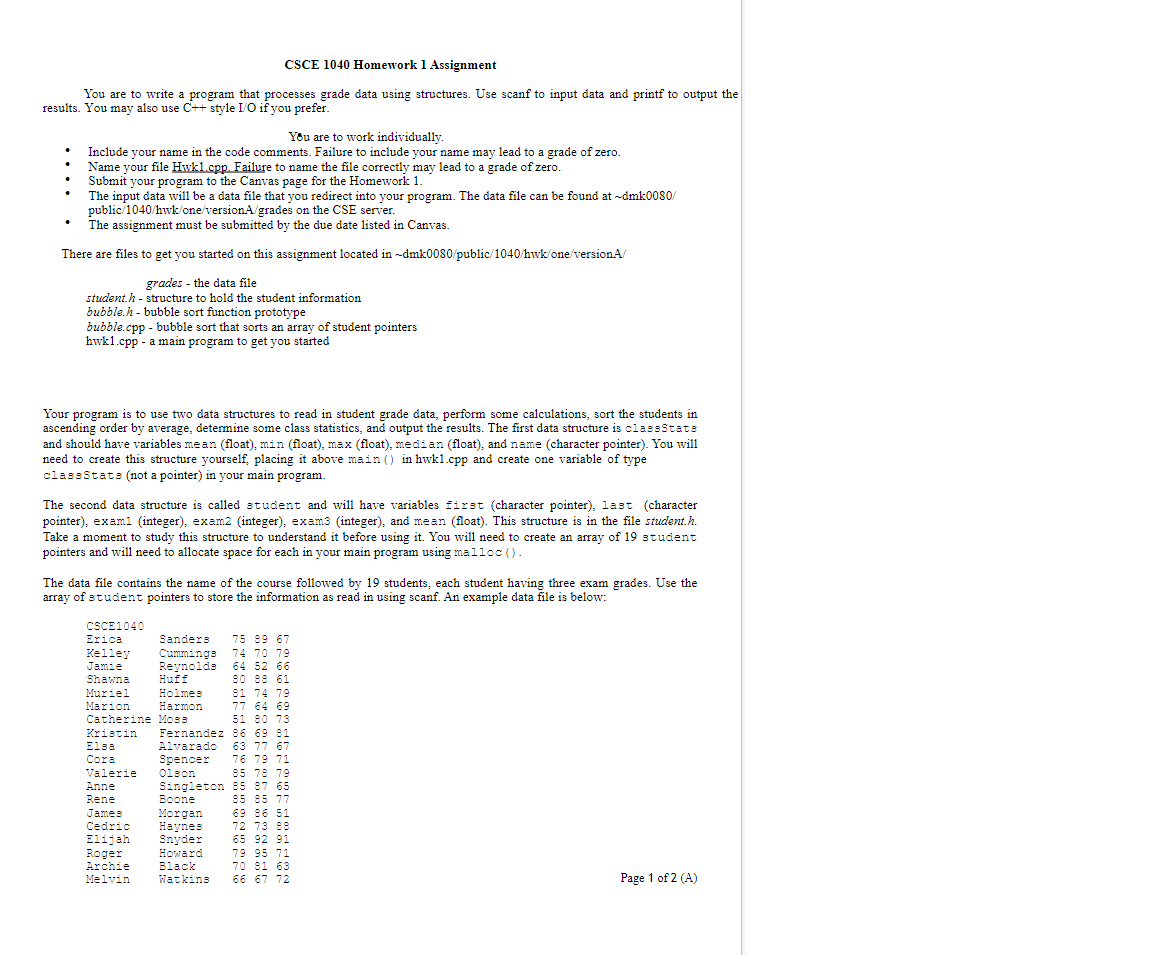
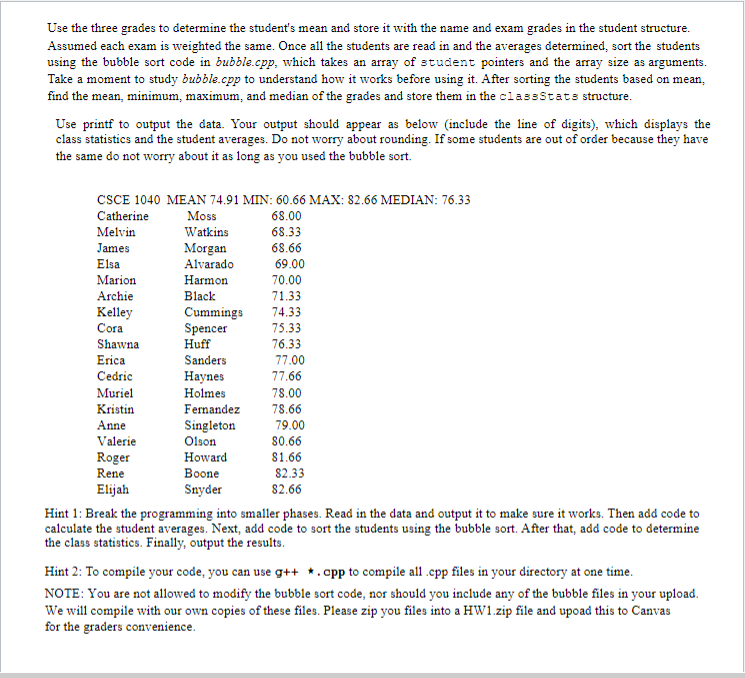
bubble.h - bubble sort function prototype bubble.cpp - bubble sort that sorts an array of student pointers hwk1.cpp - a main program to get you started Your program is to use two data structures to read in student grade data, perform some calculations, sort the students in ascending order by average, determine some class statistics, and output the results. The first data structure is classStats and should have variables mean (float), min (float), max (float), median (float), and name (character pointer). You will need to create this structure yourself, placing it above main() in hwk1.cpp and create one variable of type classstats (not a pointer) in your main program. The second data structure is called student and will have variables first (character pointer), last (character pointer), exam1 (integer), exam2 (integer), exam3 (integer), and mean (float). This structure is in the file student.h. Take a moment to study this structure to understand it before using it. You will need to create an array of 19 student pointers and will need to allocate space for each in your main program using malloc (). The data file contains the name of the course followed by 19 students, each student having three exam grades. Use the array of student pointers to store the information as read in using scanf. An example data file is below: Use the three grades to determine the student's mean and store it with the name and exam grades in the student structure. Assumed each exam is weighted the same. Once all the students are read in and the averages determined, sort the students using the bubble sort code in bubble.cpp, which takes an array of student pointers and the array size as arguments. Take a moment to study bubble.cpp to understand how it works before using it. After sorting the students based on mean, find the mean, minimum, maximum, and median of the grades and store them in the classStats structure. Use printf to output the data. Your output should appear as below (include the line of digits), which displays the class statistics and the student averages. Do not worry about rounding. If some students are out of order because they have the same do not worry about it as long as you used the bubble sort. X:82.66MEDIAN:76.33 Hint 1: Break the programming into smaller phases. Read in the data and output it to make sure it works. Then add code to calculate the student averages. Next, add code to sort the students using the bubble sort. After that, add code to determine the class statistics. Finally, output the results. Hint 2: To compile your code, you can use g++ . cpp to compile all .cpp files in your directory at one time. NOTE: You are not allowed to modify the bubble sort code, nor should you include any of the bubble files in your upload. We will compile with our own copies of these files. Please zip you files into a HW1.zip file and upoad this to Canvas for the graders convenience
Step by Step Solution
There are 3 Steps involved in it

Get step-by-step solutions from verified subject matter experts
 Study Help