







Question: building a layout by using android studio subject mobile development. please beed a accurate answer Submission Checklist In the assessment dropbox, submit: 1. A zip
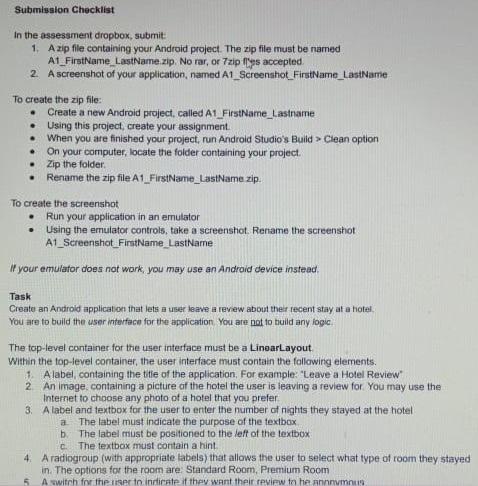
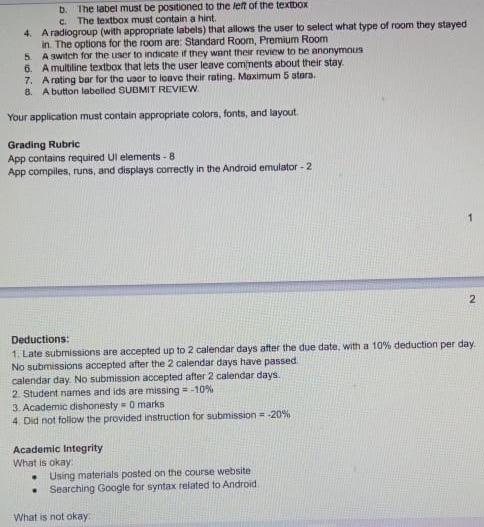
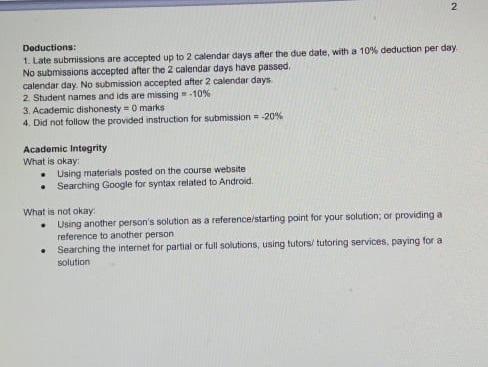
Submission Checklist In the assessment dropbox, submit: 1. A zip file containing your Android project. The zip file must be named At_FirstName LastName.zip. No rar, or 7zip s accepted 2. A screenshot of your application, named A1_Screenshot_FirstName_LastName To create the zip file: Create a new Android project, called A1 FirstName_Lastname Using this project, create your assignment When you are finished your project, run Android Studio's Bulld > Clean option On your computer, locate the folder containing your project Zip the folder Rename the zip file A1_FirstName_LastName zip To create the screenshot Run your application in an emulator Using the emulator controls, take a screenshot. Rename the screenshot A1_Screenshot_FirstName_LastName 1 your emulator does not work, you may use an Android device instead . Task Create an Android application that lets a user leave a review about their recent stay at a hotel You are to build the user interface for the application You are not to build any logic The top-level container for the user interface must be a LinearLayout Within the top-level container, the user interface must contain the following elements. 1. Alabel, containing the title of the application. For example: "Leave a Hotel Review 2 An Image containing a picture of the hotel the user is leaving a review for You may use the Internet to choose any photo of a hotel that you prefer 3. A label and textbox for the user to enter the number of rights they stayed at the hotel a The label must indicate the purpose of the textbox b The label must be positioned to the left of the textbox The textbox must contain a hint 4. Aradiogroup (with appropriate labels) that allows the user to select what type of room they stayed in. The options for the room are Standard Room, Premium Room A with fry the ser to indicate if they want their review to her annnymus C 5 b. The label must be positioned to the left of the textbox The textbox must contain a hint 4. A radiogroup (with appropriate labels) that allows the user to select what type of room they stayed in. The options for the room are: Standard Room, Premium Room 5 A switch for the user to indicate if they want their review to be anonymous 6. A multiline textbox that lets the user leave comments about their stay. 7. A rating bar for the user to love their rating. Maximum 5 stars. a. A button labelled SUBMIT REVIEW Your application must contain appropriate colors, fonts, and layout Grading Rubric App contains required Ul elements - App compiles, runs, and displays correctly in the Android emulator - 2 2 Deductions: 1. Late submissions are accepted up to 2 calendar days after the due date, with a 10% deduction per day No submissions accepted after the 2 calendar days have passed calendar day. No submission accepted after 2 calendar days. 2. Student names and ids are missing = -10% 3. Academic dishonesty=0 marks 4 Did not follow the provided instruction for submission = -20% Academic Integrity What is okay . Using materials posted on the course website Searching Google for syntax related to Android What is not okay
Step by Step Solution
There are 3 Steps involved in it

Get step-by-step solutions from verified subject matter experts
 Study Help